javelin009
New member
- Local time
- 1:35 AM
- Messages
- 27
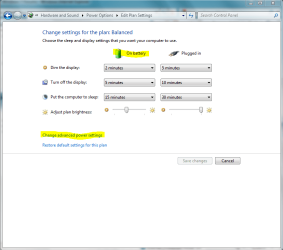
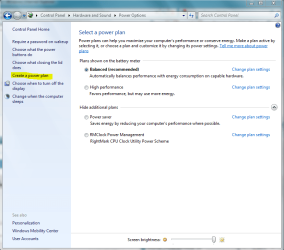
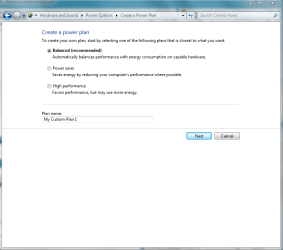
I have a windows 7 home premium laptop and I would like to ask one question. How do you create your own power plan? This is what I have in mind:
1.Everyime when I plug in my laptop charger, I want it switch to High Performance with the highest brightness setting on
2. When I unplug the laptop charger, I want it to switch to power saver mode with the lowest brightness setting on.
Does anyone know I can configure this?
1.Everyime when I plug in my laptop charger, I want it switch to High Performance with the highest brightness setting on
2. When I unplug the laptop charger, I want it to switch to power saver mode with the lowest brightness setting on.
Does anyone know I can configure this?
My Computer
- Computer Manufacturer/Model Number
- Acer Extensa 5620-6419
- OS
- Windows 7 Home Premium
- CPU
- Intel Core n2 Duo processlr T5550
- Memory
- 3GB DDR2
- Graphics Card(s)
- Up to 358MB MOBILE INTEL GRAPHICS MEDIA ACCELERATOR X3100
- Monitor(s) Displays
- 15.4 "WXGA ACER CRYSTALBRITE" LCD
- Hard Drives
- 160 GB HDD
- Internet Speed
- 802.11a/b/g WLAN