Need some help going from Vista to 7.

Troyzer66

New member
Local time
6:41 AM
Messages
14
What's up people? First post here, I need some help with this.
I'm not a super computer nerd, but I know enough. This is just something I want a second opinion on. So I have this pretty old HP laptop running Vista separate from my gaming rig and it's fairly clogged up with viruses, corrupted data etc. I wanted to upgrade to Windows 7, wipe the hard drive and start over. Because it's specs aren't bad for what I use it for, mainly just browsing and watching movies. My girlfriend is studying computer science so she gave me access to her account. For those of you who don't know, dreamspark is a Microsoft program that they use to give free software to students. So I was able to get a completely legit Windows 7. Had to download it and burn the image to a DVD. Now here's the tricky bit. I don't have the original master disc for my laptop and I've never had to do a complete system wipe before. I know that there is software out there that'll wipe your hard drive for you but my question is what order should I do it in?
I'm not sure if deleting my hard drive will stop me from installing Windows 7 or not because I want a genuinely pristine, empty hard drive with a brand new OS to start over again. What do you think?
Cheers!

*Should probably mention that I have a copy of Norton ready to go once I'm up and running with Windows 7 and I can use Dreamspark to stock up again on all of the software I'll have lost so I literally want EVERYTHING gone.*
 

My Computer My Computer

Computer type
Laptop
Computer Manufacturer/Model Number
Compaq Presario C700
OS
Windows Vista Home premium 32bit
CPU
Intel Core Duo 1.66GHz
Memory
2GB DDR3
Graphics Card(s)
Mobile Intel 965
Hard Drives
Model unknown.
Antivirus
None
Browser
Chrome

My Computer My Computer

Computer type
PC/Desktop
Computer Manufacturer/Model Number
LENOVO K450 @3.0GHZ
OS
64-bit Windows 8.1 Pro
CPU
Core(TM) i5 CPU 4330 Haswell @ 3.20GHz
Motherboard
LENOVO
Memory
12.00 GB
Graphics Card(s)
Intel(R) HD Graphics
Sound Card
Intel HD integtrated
Monitor(s) Displays
HP 25' ISP Monitor
Screen Resolution
1900/1020
Hard Drives
(1) ST1000DM003-1CH162 (2) Generic STORAGE DEVICE USB Device (3) Generic STORAGE DEVICE USB Device
Internet Speed
100mb down/10mb up
Follow the steps Eric gave you in Clean Reinstall - Factory OEM Windows 7 so you remember everything possible to back up, do the install perfectly, use the tools and methods which will keep it that way.

When you boot the Win7 DVD, choose Custom install, then at the screen in Steps 7 and 8 in Clean Install Windows 7 (illustrated install steps) delete all partitions, create and format New as you wish, or just click Next on the Unallocated Space you create to let the installer do it for you and begin.

Put your network driver in the backup so if the installer doesn't provide it you can install it to get online, enable Automatically deliver drivers via Windows Update (Step 3), then run all rounds of Important and Optional WIndows Updates to completion. After requested reboots, go back to Check for more Updates until there are no more.

Then import any drivers still missing in Device Manager from the Support downloads webpage for your model PC or device. We can help you find any you have probs with.
 
Troyzer66,
Welcome to SF. The advice above is excellent. As well you are currently using a 32bit version of Vista and I hope you are considering replacing that with a 64 bit W7. This if your budget will allow it would be a great time to add a SSD for just the OS and software you'll be adding a 128gb SSD are very cheap and will rock your world in many ways and will transfer to a new rig when your'e ready. Also consider adding more ram, 32 bit limited you to 4gb with a 3.2gb usable. 64 will run nicely with 8-16gb if your mobo can handle that, order these in matching pairs and use Crucial's ram upgrade tool to suggest the type and amount and of course we're here to help as well.
 

My Computer My Computer

Computer type
PC/Desktop
Computer Manufacturer/Model Number
A blend of brains, brawn and dumb luck.
OS
Windows 7 Ultimate 64
CPU
i7 3770k OC'd 4.6 @ 1.17v, also FX 8120 & i5 miniITX
Motherboard
MSI P67A-GD80 b3
Memory
32 gb G.Skill Sniper DDR3 10-12-12-31 @ 2133
Graphics Card(s)
XFX Radeon 7870 2GB DDR5
Sound Card
Sound Blaster Z Series Card
Monitor(s) Displays
(2) LG LED 23" 1920 x 1080 2ms Monitors via mini d-port
Screen Resolution
1680 X 1050 p
Hard Drives
Samsung 256 gb 830 SSD sata III
(1) 1 tb WD Black
(2) 1 tb Hitachi deskmates/sata II
(2) 1 tb WD green/sata II
(2) 3 tb Seagate Barracuda
(1) 120 gb OCZ Vertex SS
(1) Drobo 5N w/5 Seagate 3tb
PSU
EVGA modular 1000G2 80% gold rating & APC 1200 RS
Case
CoolerMaster Storm Styker
Cooling
7 case fans 140mm & 120mm, NZXT Kraken X60
Keyboard
(2) Logitech Illuminated Keyboards (1) usb (1) wireless
Mouse
Logitech G700 & T-BC21 - nano nx for the laptop
Internet Speed
Basic 120mbps down
Antivirus
Trend Micro Titanium Max Security & Malwarebytes Premium
Browser
Chrome and IE 10
Other Info
5 Noctua case fans + 3 Noctua in p/p on NZXT cooler
Integrated hot swap drive bays for 2.5" Drives
(2) Lite-on dvd/cd/Blu Ray optical 22X
Integrated fan controller and led on/off
HP Officejet Pro 8630 all-n-one
Hot-swappable 3.5" hard drive bay
Netgear Nighthawk router
Asus USB 3 & sata 6 PCIe card
Vantec IDE to sata adptr./Ultra sata adptr
Lenovo L420 i5 lappy with m sata
Drobo 5N advanced NAS
Thanks lads, I'll try it all out!
By the way linnemeyerhere, this is literally just a laptop to mess around on. I already have a 2,000 euro i7, GTX 780 equipped gaming rig! I'm not looking to upgrade, it's a seriously old laptop. But it's more than good enough to dick around on facebook when I'm watching TV, or for using in college.
I just wanted to make absolutely sure I was going about it the right way. I'll let you know how it goes!
Cheers!
 

My Computer My Computer

Computer type
Laptop
Computer Manufacturer/Model Number
Compaq Presario C700
OS
Windows Vista Home premium 32bit
CPU
Intel Core Duo 1.66GHz
Memory
2GB DDR3
Graphics Card(s)
Mobile Intel 965
Hard Drives
Model unknown.
Antivirus
None
Browser
Chrome
Sorry, meant to say. Said gaming rig is currently only under construction sadly. Still have to save up for the memory modules and a good quality SDD. Otherwise she's good to go!
 

My Computer My Computer

Computer type
Laptop
Computer Manufacturer/Model Number
Compaq Presario C700
OS
Windows Vista Home premium 32bit
CPU
Intel Core Duo 1.66GHz
Memory
2GB DDR3
Graphics Card(s)
Mobile Intel 965
Hard Drives
Model unknown.
Antivirus
None
Browser
Chrome
When you get W7 set up then get a speedy sd or usb class 10 and set it up for ready boost then get 4-16gb. in lieu of extra ram then.
 

My Computer My Computer

Computer type
PC/Desktop
Computer Manufacturer/Model Number
A blend of brains, brawn and dumb luck.
OS
Windows 7 Ultimate 64
CPU
i7 3770k OC'd 4.6 @ 1.17v, also FX 8120 & i5 miniITX
Motherboard
MSI P67A-GD80 b3
Memory
32 gb G.Skill Sniper DDR3 10-12-12-31 @ 2133
Graphics Card(s)
XFX Radeon 7870 2GB DDR5
Sound Card
Sound Blaster Z Series Card
Monitor(s) Displays
(2) LG LED 23" 1920 x 1080 2ms Monitors via mini d-port
Screen Resolution
1680 X 1050 p
Hard Drives
Samsung 256 gb 830 SSD sata III
(1) 1 tb WD Black
(2) 1 tb Hitachi deskmates/sata II
(2) 1 tb WD green/sata II
(2) 3 tb Seagate Barracuda
(1) 120 gb OCZ Vertex SS
(1) Drobo 5N w/5 Seagate 3tb
PSU
EVGA modular 1000G2 80% gold rating & APC 1200 RS
Case
CoolerMaster Storm Styker
Cooling
7 case fans 140mm & 120mm, NZXT Kraken X60
Keyboard
(2) Logitech Illuminated Keyboards (1) usb (1) wireless
Mouse
Logitech G700 & T-BC21 - nano nx for the laptop
Internet Speed
Basic 120mbps down
Antivirus
Trend Micro Titanium Max Security & Malwarebytes Premium
Browser
Chrome and IE 10
Other Info
5 Noctua case fans + 3 Noctua in p/p on NZXT cooler
Integrated hot swap drive bays for 2.5" Drives
(2) Lite-on dvd/cd/Blu Ray optical 22X
Integrated fan controller and led on/off
HP Officejet Pro 8630 all-n-one
Hot-swappable 3.5" hard drive bay
Netgear Nighthawk router
Asus USB 3 & sata 6 PCIe card
Vantec IDE to sata adptr./Ultra sata adptr
Lenovo L420 i5 lappy with m sata
Drobo 5N advanced NAS
What's up people? First post here, I need some help with this.
I'm not a super computer nerd, but I know enough. This is just something I want a second opinion on. So I have this pretty old HP laptop running Vista separate from my gaming rig and it's fairly clogged up with viruses, corrupted data etc. I wanted to upgrade to Windows 7, wipe the hard drive and start over. Because it's specs aren't bad for what I use it for, mainly just browsing and watching movies. My girlfriend is studying computer science so she gave me access to her account. For those of you who don't know, dreamspark is a Microsoft program that they use to give free software to students. So I was able to get a completely legit Windows 7. Had to download it and burn the image to a DVD. Now here's the tricky bit. I don't have the original master disc for my laptop and I've never had to do a complete system wipe before. I know that there is software out there that'll wipe your hard drive for you but my question is what order should I do it in?
I'm not sure if deleting my hard drive will stop me from installing Windows 7 or not because I want a genuinely pristine, empty hard drive with a brand new OS to start over again. What do you think?
Cheers!

*Should probably mention that I have a copy of Norton ready to go once I'm up and running with Windows 7 and I can use Dreamspark to stock up again on all of the software I'll have lost so I literally want EVERYTHING gone.*

The best thing you can do with that is give to someone other than a friend.
 

My Computer My Computer

Computer type
PC/Desktop
Computer Manufacturer/Model Number
Custom, Dell and Lenono LT's
OS
Win8/8.1,Win7-U64, Vista U64, uncounted Linux distor's
CPU
AMD and Intell, 9590, 8350, i5 3570k
Motherboard
CFVFZ, GA990FXA, Z77e-itx
Memory
Corsair G Skill
Graphics Card(s)
Crossfired Sapphire HD 7950 Vapor-X, ASUS R9 280X TOP
Sound Card
Realtek ALC889
Monitor(s) Displays
ViewSonic VX2770SMH 27" / ViewSonic VX2433 LCD 24"
Screen Resolution
1080i HD
Hard Drives
Samsung SSD 840 Pro
OCZ Agility 3's
OCZ Vector's
WD's Blue, red, green, Velociraptors
Seagate USB3 & Hybrid's
ASUS Blu-Ray
ASUS DVD
PSU
Corsair AX1200i, Seasonice 850 Gold
Case
Cooler Master HAF 922 & HAF 932, Lian Li Train case.
Cooling
Air, Glacer 240L expanded, custom EK loop with duel D5's
Keyboard
Microsoft SideWinder X4 USB Keyboard / Logitech 250 PS2
Mouse
Logitech G500 / MS wireless 5000
Internet Speed
Best of 5ms / 75+ dn / 12+ up More or less.
Antivirus
MS esentials-MalwareBytes
Browser
Firefox Chromebook
When you get W7 set up then get a speedy sd or usb class 10 and set it up for ready boost then get 4-16gb. in lieu of extra ram then.


But I don't really care about making it faster. I just want to browse on it!
 

My Computer My Computer

Computer type
Laptop
Computer Manufacturer/Model Number
Compaq Presario C700
OS
Windows Vista Home premium 32bit
CPU
Intel Core Duo 1.66GHz
Memory
2GB DDR3
Graphics Card(s)
Mobile Intel 965
Hard Drives
Model unknown.
Antivirus
None
Browser
Chrome
What's up people? First post here, I need some help with this.
I'm not a super computer nerd, but I know enough. This is just something I want a second opinion on. So I have this pretty old HP laptop running Vista separate from my gaming rig and it's fairly clogged up with viruses, corrupted data etc. I wanted to upgrade to Windows 7, wipe the hard drive and start over. Because it's specs aren't bad for what I use it for, mainly just browsing and watching movies. My girlfriend is studying computer science so she gave me access to her account. For those of you who don't know, dreamspark is a Microsoft program that they use to give free software to students. So I was able to get a completely legit Windows 7. Had to download it and burn the image to a DVD. Now here's the tricky bit. I don't have the original master disc for my laptop and I've never had to do a complete system wipe before. I know that there is software out there that'll wipe your hard drive for you but my question is what order should I do it in?
I'm not sure if deleting my hard drive will stop me from installing Windows 7 or not because I want a genuinely pristine, empty hard drive with a brand new OS to start over again. What do you think?
Cheers!

*Should probably mention that I have a copy of Norton ready to go once I'm up and running with Windows 7 and I can use Dreamspark to stock up again on all of the software I'll have lost so I literally want EVERYTHING gone.*

The best thing you can do with that is give to someone other than a friend.


What do you mean?
 

My Computer My Computer

Computer type
Laptop
Computer Manufacturer/Model Number
Compaq Presario C700
OS
Windows Vista Home premium 32bit
CPU
Intel Core Duo 1.66GHz
Memory
2GB DDR3
Graphics Card(s)
Mobile Intel 965
Hard Drives
Model unknown.
Antivirus
None
Browser
Chrome
Alright, good news and bad news!
Good news is, it went pretty smoothly. Just made a copy of all of the essential drivers on my USB and went ahead and formatted my hard drives during installation.
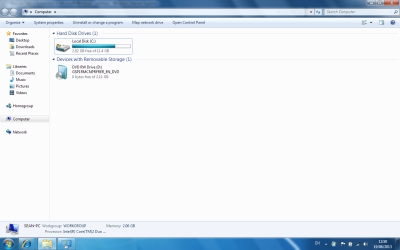
Bad news is, my laptop seems to only recognize the partition of my hard drive that contains Windows 7.
Any suggestions? There's over 100GB of hard drive space that seems to have vanished!
 

Attachments

  • Screenshot.png
    Screenshot.png
    52.8 KB · Views: 10

My Computer My Computer

Computer type
Laptop
Computer Manufacturer/Model Number
Compaq Presario C700
OS
Windows Vista Home premium 32bit
CPU
Intel Core Duo 1.66GHz
Memory
2GB DDR3
Graphics Card(s)
Mobile Intel 965
Hard Drives
Model unknown.
Antivirus
None
Browser
Chrome
Press start, right click computer, press manage, press disk management, and post a screen shot.
 

My Computer My Computer

Computer type
PC/Desktop
Computer Manufacturer/Model Number
Custom Build
OS
Windows 7 Home Premium 64-Bit
CPU
Intel Core i5-4670K
Motherboard
Gigabyte GA-Z87MX-D3H
Memory
8GB HyperX BLU
Graphics Card(s)
Intel HD 4600 Graphics
Monitor(s) Displays
Vizta V24Lmh
Screen Resolution
1920x1080x32 @60Hz
Hard Drives
Toshiba 1TB
PSU
Dynex 650W
Case
Antec GX700
Keyboard
Logitech mk270
Mouse
Logitech mk270
Internet Speed
50 mbps down/5 mbps up
Antivirus
MSE
Browser
Chrome
Other Info
First custom build, saving up for a GTX770!
Press start, right click computer, press manage, press disk management, and post a screen shot.

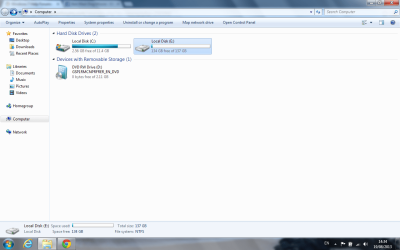
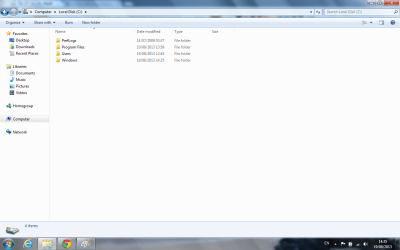
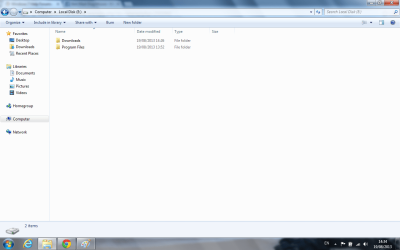
Yeah, I figured that out an hour or two ago. Now I have yet another problem. My two partitions are now currently recognised. But now my entire directory is geared towards the smaller one. All of my program files and installation default settings are set to the smaller hard drive. Any ideas? Best case scenario I can send all of my user files, program files etc to the bigger partition. Leaving only Windows 7 itself on the smaller one. Then I can just change the settings in my directory but this isn't working so far. My program files are now split between the two of them because stupidly I've already tried to send them across but only some of them will. And now they won't go back!!
I'll post a few screen shots. C is the smaller drive in this case, E is the large drive.
 

Attachments

  • 1.png
    1.png
    53.4 KB · Views: 10
  • 2.png
    2.png
    46 KB · Views: 7
  • Untitled.png
    Untitled.png
    43.5 KB · Views: 8

My Computer My Computer

Computer type
Laptop
Computer Manufacturer/Model Number
Compaq Presario C700
OS
Windows Vista Home premium 32bit
CPU
Intel Core Duo 1.66GHz
Memory
2GB DDR3
Graphics Card(s)
Mobile Intel 965
Hard Drives
Model unknown.
Antivirus
None
Browser
Chrome
That is not Disk mgmt. Type Disk Management in Start Search box, maximize the window to take a screenshot of the entire window, just like it says clearly in Disk Management - Post a Screen Capture Image.

Did you unplug all other HD's and boot the installer as it says in Clean Reinstall - Factory OEM Windows 7?

Then during a Custom Install, did you use the Drive Options pictured in Steps 7 and 8 of Clean Install Windows 7 to delete all partitions and either Create New and Format or just click Next to let the installer do it for you?

If you didn't do these most basic steps or aren't otherwise following the tutorials like you ignored the Disk Management - Post a Screen Capture Image steps which couldn't be clearer, then I would do it over. This time read over every step of Clean Reinstall - Factory OEM Windows 7 and ask back if you have any questions.
 
That is not Disk mgmt. Type Disk Management in Start Search box, maximize the window to take a screenshot of the entire window, just like it says clearly in Disk Management - Post a Screen Capture Image.

Did you unplug all other HD's and boot the installer as it says in Clean Reinstall - Factory OEM Windows 7?

Then during a Custom Install, did you use the Drive Options pictured in Steps 7 and 8 of Clean Install Windows 7 to delete all partitions and either Create New and Format or just click Next to let the installer do it for you?

If you didn't do these most basic steps or aren't otherwise following the tutorials like you ignored the Disk Management - Post a Screen Capture Image steps which couldn't be clearer, then I would do it over. This time read over every step of Clean Reinstall - Factory OEM Windows 7 and ask back if you have any questions.


To answer your question, I assumed he wanted me to open up device manager to see if it was there. I had already realised that and sorted it out. I have attached a screenshot anyway. I don't have any external hard drives to attach. But I did unplug all peripherals. What I did was format both partitions of the hard drive and installed Windows 7 onto the smaller one. Other than that, I just clicked next at every step. When I booted up, only the smaller of the two was there. I went into device management and saw that the bigger part wasn't actually designated. So I just named it E.
It didn't let me create a new partition so I just went along with what was there. Doing it again probably isn't going to change that.
 

Attachments

  • 3.png
    3.png
    50.2 KB · Views: 7

My Computer My Computer

Computer type
Laptop
Computer Manufacturer/Model Number
Compaq Presario C700
OS
Windows Vista Home premium 32bit
CPU
Intel Core Duo 1.66GHz
Memory
2GB DDR3
Graphics Card(s)
Mobile Intel 965
Hard Drives
Model unknown.
Antivirus
None
Browser
Chrome
That's a real mess. It looks like the boot files were written to a huge data partition at the front of the drive where the paging file also was somehow moved, while the OS is in a tiny 11gb partition at the end of the HD. Can you see that?

It really needs to be done over, deleting all partitions at Steps 7/8 during Clean Install Windows 7 .

The only way I can see to salvage it is to shrink E to 200mb to fashion a System Reserved boot partition, after moving the Paging File back to C. Use Partition Wizard bootable CD to Move/Resize Partition - Video Help to shrink E and then drag the left border of C to the left to take up all of the shrink space. You'd then remove the E drive letter so it can be a true System Reserved partition marked only System Active Primary, while C is now marked Boot (meaning presently booted), Page File, Primary.
 
Last edited:
That's a real mess. It looks like the boot files were written to a huge data partition at the front of the drive, where the paging file also was somehow assigned, while the OS is in a tiny 11gb partition at the end of the HD. Can you see that?

It really needs to be done over, deleting all partitions during Clean Install Windows 7 .

The only way I can see to salvage it is to shrink E to 200mb to fashion a System Reserved boot partition, after moving the Paging File back to C. Use Partition Wizard Move/Resize Partition - Video Help to shrink E and then drag the left border of C to the left to take up all of the shrink space. You'd then remove the E drive letter so it can be a true System Reserved partition marked only System Active Primary, while C is now marked Boot (meaning presently booted), Page File, Primary.


Sigh, I'd thought as much. I'll just reinstall it again then. So you're saying destroy the partition and set up a new one during installation? I just went along with the install wizard. Why does Microsoft always have terrible instructions?
Thanks, I'll give it a go.
 

My Computer My Computer

Computer type
Laptop
Computer Manufacturer/Model Number
Compaq Presario C700
OS
Windows Vista Home premium 32bit
CPU
Intel Core Duo 1.66GHz
Memory
2GB DDR3
Graphics Card(s)
Mobile Intel 965
Hard Drives
Model unknown.
Antivirus
None
Browser
Chrome
Follow the illustrated steps in Clean Install Windows 7.

Always delete all partitions during install using Drive Options in Steps 7/8. Then create and format New there, or if you have no partition scheme in mind just highlight Unallocated Space and click Next to have the installer do it for you.

In addition read over these steps for Clean Reinstall - Factory OEM Windows 7
which are the same for retail and collect everything that works best so you will end up with a perfect install, and keep it that way as long as you stick with the tools and methods given.
 
*Should probably mention that I have a copy of Norton ready to go once I'm up and running with Windows 7 and I can use Dreamspark to stock up again on all of the software I'll have lost so I literally want EVERYTHING gone.*

The best thing you can do with that is give to someone other than a friend.


I agree wholeheartedly - Norton software tends to cause more problems than the things it's there to prevent!
 

My Computer My Computer

Computer type
Laptop
Computer Manufacturer/Model Number
Asus K52F or Lenovo B51-80
OS
Win 7 x64 Home Premium (and x86 VirtualBox VM)/Win10
CPU
i3 370M/i7 6500U
Motherboard
Asus/Lenovo
Memory
8GB - finally :)/8GB
Graphics Card(s)
it's an i3, dude!/dual Intel&nVidia
Sound Card
onboard
Monitor(s) Displays
15.6" built-in
Screen Resolution
1366x768/1920x1080
Hard Drives
750GB Seagate internal
Sundry external drives attached to other computers on the local network
1TB SSD on the Lenovo
PSU
n/a
Internet Speed
as much as I can get - usually on a dongle/phone, so <1MB/s
Antivirus
MSE/Defender
Browser
IE11/12/Edge/Chrome/FF(if I must)
Back
Top