
Solved Nero 10 incompatibility. Suggestions for equivalent software?

poppa bear

Banned
Local time
1:42 AM
Messages
320
Location
Perth,West Australia
Solved: After installing Intel RAID Rapid Storage drivers on both my computers, which have SATA hard drives and burners, then Nero 7, 8, 10 and 11 all ran flawlessly on Vista and Windows 7.

RAID Rapid Storage provides improved performanace and reliability for systems equipped with SATA discs for desktop, mobile and server platforms.

I had been running Nero 8 on Windows 7 Ultimate 64bit on my old PC without any problems. After building a new PC with Intel i7 960 CPU, Intel DX58SO2 Extreme mobo, Corsair SSD SATA 3 Hard Drive ... suddenly Nero 8 would not work.

I thought I had solved the problem by running it in compatibility mode WinXP (SP2), and also switching off Windows burning software. However this was a temporary respite, with intermittent success ... and a lot of destroyed blank data discs.

I next tried Nero 10 Burning ROM Trial version with the latest updates. And this was a disaster. Problems included inability to load the program, (eventually solved); inability to run properly with burn failures causing unuseable discs, and BSODs. After 15 or more email exchanges with Nero tech support, including log reports, etc, I finally gave up on it. Nero said it was the wrong media, but I had tried several different brands and +/- R and RW.

The irony of it was that on the same: PC, mobo, burners, (same driver versions in burners), media, 3rd party software ... etc, etc ... Nero 10 Burning ROM ran flawlessly on Win XP Pro. So the conflict lay in Windows 10 Ultimate.

I have tried numerous other burning software but can't find one that can duplicate what is for me, an essential feature in Nero. I mainly burn data multisession +/-R DVDs. These discs are regularly updated. As distinct from drag/dropping folders or files from the desktop to the burning window profile, Nero allows files to be drag/dropped within the burning window profile between existing folders on an existing mulitsession disc.

When I am editing an existing multisession data DVD, with Nero I can create a new folder, and drag/drop existing folders from other locations on the disc into the new folder. Or if a file has been burnt in a wrong folder, I can drag/drop it into the correct existing folder. Or I can move files out of a folder to any other location on the disc.

On all the other software burners I have tried, the only way to do it is to delete the files in the wrong place and re-burn them into a new location, which is archaic compared to Nero.

My preferred other choice would be Roxio but don't know if it has this feature? My old Roxio does not which is why I went to Nero. Unfortunately I cannot find the option for a trial version of Roxio before buying and don't want to shell out the $$$ until I know it has this feature and will work on my system.

Can anyone help on this issue either with a simple freeware burner that allows existing multisession folders to be moved to other locations on the profile; or a retail brand that will do the same thing that I can trial before buying. Any help would be greatly appreciated as this is a major pain in the butt for me.
 

My Computer

Computer Manufacturer/Model Number
Self-assembled
OS
Win7 Ultimate 64bit Retail
CPU
Intel i7 960 quad core
Motherboard
Intel DX58SO2 Extreme
Memory
12 GB Kingston DDR 3 1300
Graphics Card(s)
PCI Express Gigabyte GTX 550 Ti
Sound Card
Gigabyte GTX 550 Ti Graphics/5 Sound card
Monitor(s) Displays
Samsung WS Syncmaster S23A350H
Screen Resolution
1920 x 1080
Hard Drives
OS on 128 GB Corsair SSD SATA 3 + Storage on 1 TB Western Digital Black SATA 2
Case
Cooler Master CM690 II Advanced Mid Tower
Cooling
CPU, top, front and rear extractor fans
Keyboard
Microsoft Intellitype Wireless Multimedia
Mouse
Microsoft Intellipoint2 Wireless
Internet Speed
100 MB/sec Theoretical max. Actual average 0.5MB/sec
Other Info
Back-up PC with Vista Ultimate OEM 32bit. Intel i5 2400 Quad Core CPU, DH67CL mobo, 8 GB Kingston DDR3 1300 RAM,

My Computer

Computer type
PC/Desktop
Computer Manufacturer/Model Number
Bruce ... somewhere in his 40's
OS
Windows 7 Ultimate 32bit SP1
CPU
Intel(R) Core(TM)2 Quad CPU @ 2.40GHz, 2400 MHz
Motherboard
INTEL/D975XBX2
Memory
4 GB
Graphics Card(s)
ATI Radeon HD 2600 Pro
Monitor(s) Displays
Samsung SyncMaster 914v
Screen Resolution
1280 x 1024
Hard Drives
2/500GB each ... ST3500630AS ATA Device.
One is not connected
PSU
Rocketfish 700 W
Case
G.Skill Gigabyte Chassis
Keyboard
Standard PS/2 Keyboard
Mouse
Microsoft PS/2 Mouse
Internet Speed
DSL
Antivirus
Avira Internet Security
Browser
IE 11
Other Info
ATI HDMI Audio
Thanks for the input Jacee.

Among others I have already tried Ashampoo, ImgBurn, CDBurnerXP, Alcohol120%, Burnaware, and quite a few others, and none have the feature I'm after.

I was hoping someone might know from personal experience if Roxio has it. Or any other burner.

Strangley enough the closest I've come to success is with Nero 7 OEM essentials, but even with this, it's a lottery every time I do a burn ... success rate about 70%. Which means 3 out of 10 blank discs go in the bin.
 

My Computer

Computer Manufacturer/Model Number
Self-assembled
OS
Win7 Ultimate 64bit Retail
CPU
Intel i7 960 quad core
Motherboard
Intel DX58SO2 Extreme
Memory
12 GB Kingston DDR 3 1300
Graphics Card(s)
PCI Express Gigabyte GTX 550 Ti
Sound Card
Gigabyte GTX 550 Ti Graphics/5 Sound card
Monitor(s) Displays
Samsung WS Syncmaster S23A350H
Screen Resolution
1920 x 1080
Hard Drives
OS on 128 GB Corsair SSD SATA 3 + Storage on 1 TB Western Digital Black SATA 2
Case
Cooler Master CM690 II Advanced Mid Tower
Cooling
CPU, top, front and rear extractor fans
Keyboard
Microsoft Intellitype Wireless Multimedia
Mouse
Microsoft Intellipoint2 Wireless
Internet Speed
100 MB/sec Theoretical max. Actual average 0.5MB/sec
Other Info
Back-up PC with Vista Ultimate OEM 32bit. Intel i5 2400 Quad Core CPU, DH67CL mobo, 8 GB Kingston DDR3 1300 RAM,
Windows 7 have a built in feature call Live File System. Basically, it lets you use a CD/DVD some what like a flash drive.

http://windows.microsoft.com/en-US/windows-vista/Which-CD-or-DVD-format-should-I-use#section_2
Understanding the difference between the Live File System and Mastered disc formats

If you have burned CDs using Windows XP, you are already familiar with the Mastered format. The latest version of Windows offers a new format, called Live File System. Discs that use the Live File System format are often more convenient because you can copy selected files immediately and as often as you want, as if the disc were a floppy disc or USB flash drive. On the other hand, Live File System discs can’t be used in all computers and devices. Use this guide to understand the difference between Live File System and Mastered discs:
Discs formatted with the Live File System option:


  • Work like a USB flash drive or floppy disk, meaning you can copy files to disc immediately without having to burn them.
  • Are convenient if you want to keep a disc in the burn drive and copy files whenever the need arises.
  • Are only compatible with Windows XP and later versions of Windows.


Discs formatted with the Mastered option:


  • Don’t copy files immediately, meaning you need to select the entire collection of files that you want to copy to the disc, and then burn them all at once.
  • Are convenient if you want to burn a large collection of files, such as a music CD.
  • Are compatible with older computers and devices such as CD players and DVD players.
 

My Computer

Computer type
PC/Desktop
Computer Manufacturer/Model Number
Alienware Aurora ALX R4
OS
Windows 10 Pro (x64)
CPU
Intel Core i7-3930K (3.2GHz - 4.5GHz)
Motherboard
Alienware Aurora-R4 x79
Memory
4x Samsung 4GB PC3-12800 DDR3 (16GB 1600MHz)
Graphics Card(s)
Nvidia Geforce GTX 690
Sound Card
SteelSeries Siberia Elite
Monitor(s) Displays
Dell UltraSharp U3011
Screen Resolution
2560x1600
Hard Drives
Samsung 850 Pro 256 GB, Seagate 1TB Desktop Hybrid HDD, 2x Western Digital 4TB Green HDD
PSU
875W Some Dell PSU <.<
Case
Alienware Aurora ALX
Cooling
Custom Liquid Cooling (EK CPU & GPU blocks) dual EK 480RAD
Keyboard
Logitech G710+ Mechanical
Mouse
Logitech G700s
Internet Speed
Verizon Fios (50 mbps average)
Other Info
Server: Intel NUC D54250WYK: i5-4250U, 16GB, 256 GB mSATA, Windows Server 2012 R2
Did you try removing Nero completely with Revo uninstaller then reinstalling it?
 

My Computer

Computer type
PC/Desktop
Computer Manufacturer/Model Number
Custom Build
OS
Windows 10 Pro x64, Arch Linux
CPU
Intel Core 2 Quad Q8200 OC'd 3.08GHz
Motherboard
Asus Rampage formula LGA775
Memory
8GB DDR2 900Mhz
Graphics Card(s)
MSI GT730 2GB GDDR5 (Kepler)
Sound Card
Supreme FX2
Monitor(s) Displays
Samsung LS22F350 LED
Screen Resolution
1080P
Hard Drives
Kingston SSDNow UV400 120GB, 500GB Hitachi, 2TB Samsung, 500GB Seagate FreeAgent, 640GB Samsung, 160GB Toshiba (Arch)
PSU
AeroCool 500W Bronze
Cooling
Cooler Master V6 + 3X fans
Keyboard
Prolink keyboard
Mouse
Logitech M705
Internet Speed
1MiB/s
Browser
Chrome Beta
As mentioned above, you should download and run the Nero Clean Tool for a clean uninstall.

If you still have imgburn on the system, post a screen of the "Filter Driver Load Order" under tools. You just might have some bad upper and lower filters on your system since you have been trying so many different burning softwares.

Roxio version 10 will give you all of the features of the latest Nero programs but I think that both Roxio and Nero are far to bloated and the majority of folks will never use all of the features available.
 

My Computer

Computer Manufacturer/Model Number
My Build
OS
win7 Ult 64
CPU
i7 3930K & 3960X
Motherboard
ASUS P9X79 Deluxe
Memory
16GB G-Skill 2133MHz
Graphics Card(s)
Sapphire HD 7970
Sound Card
On-board
Monitor(s) Displays
ASUS 27 inch
Screen Resolution
1920X1080
Hard Drives
Crucial M4 256GB, 1.5TB WD Black for Data/Images
PSU
Corsair AX1200
Case
NZXT 810
Cooling
Custom Loop, Swiftech HDBlock
Keyboard
Mionix
Mouse
Mionix
Internet Speed
Cable
+1 for the above. I think that your installation of Nero10 was somehow screwed up. The fact is that many had experienced problems while installing and after, all due to an improper installation.

Clean your Nero Install using Nero Clean tool to remove it completely.

Download and install the full version of .netframework4. ( Do not allow Nero10 to install it for you. This seems to have created problems for many,IMO) If you had already installed may be a cleanup to remove all traces of it is desirable.

The aim is to start with a clean slate, install .net4 on your own steam and then install Nero10

In all probability, this should clear up your problem. Do not give up easily.
 

My Computer

Computer Manufacturer/Model Number
self-assembled
OS
Windows 7 Ultimate 32bit
CPU
AMD Phenom II X3 720 Processor
Motherboard
Gigabyte GA-MA78GM-S2H Revision 1.0
Memory
Transcend DDR2 (PC2 6400) 4 X 1GB
Graphics Card(s)
Integrated + ATI Radeon 4550
Sound Card
Integrated Realtek ALC 889A
Monitor(s) Displays
DELL 1704 FPT
Screen Resolution
1280 x 1024
Hard Drives
Western Digital Caviar SE16 250 GB x2 in RAID 0
PSU
Coolermaster 400 W
Case
Zebronics Cube
Cooling
stock
Keyboard
Microsoft - wired
Mouse
Microsoft - wired
Internet Speed
ADSL 256-512Kbps
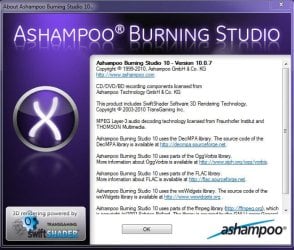
I like Ashampoo Burning Studio 10. I have had no issues with it on 64 bit Windows 7.
 

Attachments

  • Ashampoo.JPG
    Ashampoo.JPG
    73.1 KB · Views: 14

My Computer

Computer type
PC/Desktop
Computer Manufacturer/Model Number
Custom Build
OS
Windows 7 Home Premium 64 bit SP1
CPU
Intel i7 4790k
Motherboard
MSI Z97-G55 SLI
Memory
16 GB Corsair 2400 MHz DDR3
Graphics Card(s)
Visiontek Radeon R9 285
Sound Card
None
Monitor(s) Displays
Gateway FHX2402L
Screen Resolution
1920 X 1080
Hard Drives
Samsung 840 EVO 500GB
PSU
Corsair 750 TX
Case
Fractal Design
Cooling
Stock fans
Keyboard
Logitech K800
Mouse
Logitech M510
Internet Speed
60.88 Mbps download 10.47 Mbps upload (Speedtest.net)
Antivirus
Norton
Browser
Opera
Other Info
First Computer used: A Commodore Pet of course
Love using Manjaro KDE Linux 64 bit and Windows 7/10 64 bit
I'm running Nero 9 under Win7 and it works without problems.

I downloaded and started to install the trial for Nero 10 -- and was presented with a huge list of stuff it wanted to install! I killed off the installation. And, since I regularly do image backups before such experiments, I restored from backup and all is OK again.

Perhaps is not Nero 10 -- but the other things it installed that are the problem.
 

My Computer

Computer type
PC/Desktop
Computer Manufacturer/Model Number
Custom
OS
Win7 Pro 32-bit, Win8 Pro 32-bit
CPU
AMD Phenom II X6 1090T
Motherboard
Gigabyte
Memory
4GB ddr3 1300
Graphics Card(s)
AMD HD 4290 onboard
Sound Card
Builtin Realtek HD Audio
Monitor(s) Displays
Samsung 24" widescreen, LG 23" widescreen
Screen Resolution
1920x1200/1920x1080
Hard Drives
Kingston 256GB SSD
Keyboard
Logitech Illuminated Keyboard
Mouse
Logitech M705 wireless mouse
Antivirus
Norton Av 2013
Browser
IE v10
Thank you all for your input.

1. logicearth
Windows 7 have a built in feature call Live File System. Basically, it lets you use a CD/DVD some what like a flash drive.
Yes, I was aware of this, but I want a data disc that cannot be accidentally deleted or edited except through a burning program.

2. yowanvist
Did you try removing Nero completely with Revo uninstaller then reinstalling it?
Yes, I always use Revo Uninstaller to remove programs, including registry entries and left over files, etc.

3. Kipper
As mentioned above, you should download and run the Nero Clean Tool for a clean uninstall. If you still have imgburn on the system, post a screen of the "Filter Driver Load Order" under tools.
I did use Nero Clean Tool as instructed by Nero techos. I also did follow up manual cleaning as directed by Nero for files from older versions of Nero that Nero Clean Tool won't pick up. These included checks for Ahead and Nero in:

Program files
Program Files > Common Files
AppData > Local > Temp
Registry: HKEY_LOCAL_USER > Software
Registry: HKEY_LOCAL_MACHINE > Software

I don't have imgBurn on my system - unistalled with Revo.

4. Ponmayilal
Download and install the full version of .netframework4.
Now that is something I have not tried, and will do so. I can load a pristine Acronis image of my OS with Nero 8 OEM installed which I'll remove with Revo Uninstaller; then check with Nero Clean Tool; and finally use the manual clean steps suggested by Nero techos.

5. Commodore Pet
I like Ashampoo Burning Studio 10. I have had no issues with it on 64 bit Windows 7.
I have no grievances with Ashampoo except that it did not have the option mentioned in my first post:
As distinct from drag/dropping folders or files from the desktop to the burning window profile, Nero allows files to be drag/dropped within the burning window profile between existing folders on an existing mulitsession disc.
That was the whole point of the post. To find a burning software that has this option.

6. Mark Phelps
And, since I regularly do image backups before such experiments, I restored from backup and all is OK again.
I also do Acronis clean install images as mentioned above in Item 4. It's not a case of getting my system back to clean install condition, but of getting Nero 10 to run properly; or finding alternative software that has the option to edit files inside the burn window profile.

I don't have Nero 9.

In summary, out of all of that, the only thing I can really try is the susggestion by Ponmayilal to:
  • Do a restore pristine Acronis image.
  • Uninstall Nero 8 with Revo Uninstaller and check with Nero Clean Tool and manual search.
  • Install NetFramework 4
  • Try a clean install of Nero 10 Burning ROM Trial.
Thaks all. PB :D
 

My Computer

Computer Manufacturer/Model Number
Self-assembled
OS
Win7 Ultimate 64bit Retail
CPU
Intel i7 960 quad core
Motherboard
Intel DX58SO2 Extreme
Memory
12 GB Kingston DDR 3 1300
Graphics Card(s)
PCI Express Gigabyte GTX 550 Ti
Sound Card
Gigabyte GTX 550 Ti Graphics/5 Sound card
Monitor(s) Displays
Samsung WS Syncmaster S23A350H
Screen Resolution
1920 x 1080
Hard Drives
OS on 128 GB Corsair SSD SATA 3 + Storage on 1 TB Western Digital Black SATA 2
Case
Cooler Master CM690 II Advanced Mid Tower
Cooling
CPU, top, front and rear extractor fans
Keyboard
Microsoft Intellitype Wireless Multimedia
Mouse
Microsoft Intellipoint2 Wireless
Internet Speed
100 MB/sec Theoretical max. Actual average 0.5MB/sec
Other Info
Back-up PC with Vista Ultimate OEM 32bit. Intel i5 2400 Quad Core CPU, DH67CL mobo, 8 GB Kingston DDR3 1300 RAM,
Update

I reinstalled a fresh copy of Windows 7 from an Acronis back-up image, which contained Nero 8. Removed Nero 8 using Revo Uninstaller, checked with Nero Clean Tool, and manually removed any remaining files/registry entries for Ahead or Nero.

Acting on advice from Ponmayilal installed NetFramework 4 and updates for it from Windows updater. Then successfully installed Nero 10 Burning ROM Trial version, and got all available updates for it.

End result: Nero ran but would not burn a new session to an existing multisession DVD or a new multisession to a blank DVD disc. Turned off Windows Burning Software and got same result. Ran Nero in compatibility mode for WinXP (Service Pack2) and same result. Finally turned off Avast anti-spy and Zone Alarm, and same old, same old.

As a work around: Formatted a blank +R DVD disc in UDF format using Windows Burning software. Tried to burn a new multisession on the formatted disc using Nero and selecting UDF ROM format. Once again no go.

Then burned a file to the formatted disc using Windows Burning software. Now ran disc with Nero and successfully burned a multisession UDF ROM. Now ran a new session on same disc in ISO Joliet format and let Nero change the disc format and it worked.

This seemed to kick start Nero and I was then able to perform all Nero functions on both burners at will.

Sad to say, success was short lived. At next restart of PC, all attempts to burn failed.

Think it's time to go back to plan A.

So ...

1. Can anyone tell me definitively if Roxio will allow files to be edited and moved between folders in the burn preview profile? Version 9 cannot do it.

2. Does anyone know of any other alternative software that has capability to do this?

Cheers PB :)
 

My Computer

Computer Manufacturer/Model Number
Self-assembled
OS
Win7 Ultimate 64bit Retail
CPU
Intel i7 960 quad core
Motherboard
Intel DX58SO2 Extreme
Memory
12 GB Kingston DDR 3 1300
Graphics Card(s)
PCI Express Gigabyte GTX 550 Ti
Sound Card
Gigabyte GTX 550 Ti Graphics/5 Sound card
Monitor(s) Displays
Samsung WS Syncmaster S23A350H
Screen Resolution
1920 x 1080
Hard Drives
OS on 128 GB Corsair SSD SATA 3 + Storage on 1 TB Western Digital Black SATA 2
Case
Cooler Master CM690 II Advanced Mid Tower
Cooling
CPU, top, front and rear extractor fans
Keyboard
Microsoft Intellitype Wireless Multimedia
Mouse
Microsoft Intellipoint2 Wireless
Internet Speed
100 MB/sec Theoretical max. Actual average 0.5MB/sec
Other Info
Back-up PC with Vista Ultimate OEM 32bit. Intel i5 2400 Quad Core CPU, DH67CL mobo, 8 GB Kingston DDR3 1300 RAM,
Thank you all for your input.

1. logicearth
Windows 7 have a built in feature call Live File System. Basically, it lets you use a CD/DVD some what like a flash drive.
Yes, I was aware of this, but I want a data disc that cannot be accidentally deleted or edited except through a burning program.

But it does do what you want does it not? And it does work does it not? Furthermore, how do you delete a file that cannot be deleted only hidden? I bet the file can easily be recovered or maybe you should just take care not to accidentally delete things? Just a thought.

Or could skip all this and just get a flash drive. They are super cheap these days. Seems to me instead of making things simple, you rather make them complex and unwieldy.
 
Last edited:

My Computer

Computer type
PC/Desktop
Computer Manufacturer/Model Number
Alienware Aurora ALX R4
OS
Windows 10 Pro (x64)
CPU
Intel Core i7-3930K (3.2GHz - 4.5GHz)
Motherboard
Alienware Aurora-R4 x79
Memory
4x Samsung 4GB PC3-12800 DDR3 (16GB 1600MHz)
Graphics Card(s)
Nvidia Geforce GTX 690
Sound Card
SteelSeries Siberia Elite
Monitor(s) Displays
Dell UltraSharp U3011
Screen Resolution
2560x1600
Hard Drives
Samsung 850 Pro 256 GB, Seagate 1TB Desktop Hybrid HDD, 2x Western Digital 4TB Green HDD
PSU
875W Some Dell PSU <.<
Case
Alienware Aurora ALX
Cooling
Custom Liquid Cooling (EK CPU & GPU blocks) dual EK 480RAD
Keyboard
Logitech G710+ Mechanical
Mouse
Logitech G700s
Internet Speed
Verizon Fios (50 mbps average)
Other Info
Server: Intel NUC D54250WYK: i5-4250U, 16GB, 256 GB mSATA, Windows Server 2012 R2
First I want to be fair. I never did like Nero, to much B/S to do simple tasks. Thumbs up logicearth. Try this site and see if there are any players you haven't tried that you might like.
Gizmos Freeware Reviews
 

My Computer

Computer type
PC/Desktop
Computer Manufacturer/Model Number
Home made Desktop
OS
Windows 10 Pro. 64/ version 1709 Windows 7 Pro/64
CPU
Intel i7-6800K @ 4.3
Motherboard
ASUS X-99 Deluxe II
Memory
Corsair Platinum 16 gig @2400
Graphics Card(s)
EVGA GTX 1070 OC
Monitor(s) Displays
Asus 27" LED LCD/VE278Q
Screen Resolution
1920-1080 or 1280-720 HDMI
Hard Drives
INTEL SSD 730-240 Gb Sata 3.0/
PSU
EVGA Platium 1200W
Case
Phanteks Luxe Tempered Glass 8 fans/ one radiator
Cooling
XSPC/ Water Cooled CPU
Keyboard
Das 4 Professional
Mouse
Logitech M705/MX Anywhere 2-S
Internet Speed
100 mbits
Antivirus
Microsoft Security Essentials/ Malwarebytes Premium 3.0/ SAS
Browser
I.E. 11 default/Firefox/ ISP Time Warner Cable/Spectrum
Other Info
LG BluRay Burner/
Sound system-KLipsch-THX/
Icy Dock ssd Hot Swap bays.
Thank you all for your input.

1. logicearth
Windows 7 have a built in feature call Live File System. Basically, it lets you use a CD/DVD some what like a flash drive.
Yes, I was aware of this, but I want a data disc that cannot be accidentally deleted or edited except through a burning program.

But it does do what you want does it not? And it does work does it not? Furthermore, how do you delete a file that cannot be deleted only hidden? I bet the file can easily be recovered or maybe you should just take care not to accidentally delete things? Just a thought.

Or could skip all this and just get a flash drive. They are super cheap these days. Seems to me instead of making things simple, you rather make them complex and unwieldy.
So I take it your answer to my question is: No, you don't know of any other burning software that burns permanent data DVDS that allows editing in the pre-burn window profile?
 

My Computer

Computer Manufacturer/Model Number
Self-assembled
OS
Win7 Ultimate 64bit Retail
CPU
Intel i7 960 quad core
Motherboard
Intel DX58SO2 Extreme
Memory
12 GB Kingston DDR 3 1300
Graphics Card(s)
PCI Express Gigabyte GTX 550 Ti
Sound Card
Gigabyte GTX 550 Ti Graphics/5 Sound card
Monitor(s) Displays
Samsung WS Syncmaster S23A350H
Screen Resolution
1920 x 1080
Hard Drives
OS on 128 GB Corsair SSD SATA 3 + Storage on 1 TB Western Digital Black SATA 2
Case
Cooler Master CM690 II Advanced Mid Tower
Cooling
CPU, top, front and rear extractor fans
Keyboard
Microsoft Intellitype Wireless Multimedia
Mouse
Microsoft Intellipoint2 Wireless
Internet Speed
100 MB/sec Theoretical max. Actual average 0.5MB/sec
Other Info
Back-up PC with Vista Ultimate OEM 32bit. Intel i5 2400 Quad Core CPU, DH67CL mobo, 8 GB Kingston DDR3 1300 RAM,
First I want to be fair. I never did like Nero, to much B/S to do simple tasks. Thumbs up logicearth. Try this site and see if there are any players you haven't tried that you might like.
Gizmos Freeware Reviews
Thanks for your constructive reply. Will check it out. Like yourself, I agree Nero has become bloatware. But their Burning ROM is dedicated purely to burning, and gives the most options in this respect. Strangely enough Nero Burning ROM 10 Trial has done 10 perfect burns straight on different discs today. Go figure!
 

My Computer

Computer Manufacturer/Model Number
Self-assembled
OS
Win7 Ultimate 64bit Retail
CPU
Intel i7 960 quad core
Motherboard
Intel DX58SO2 Extreme
Memory
12 GB Kingston DDR 3 1300
Graphics Card(s)
PCI Express Gigabyte GTX 550 Ti
Sound Card
Gigabyte GTX 550 Ti Graphics/5 Sound card
Monitor(s) Displays
Samsung WS Syncmaster S23A350H
Screen Resolution
1920 x 1080
Hard Drives
OS on 128 GB Corsair SSD SATA 3 + Storage on 1 TB Western Digital Black SATA 2
Case
Cooler Master CM690 II Advanced Mid Tower
Cooling
CPU, top, front and rear extractor fans
Keyboard
Microsoft Intellitype Wireless Multimedia
Mouse
Microsoft Intellipoint2 Wireless
Internet Speed
100 MB/sec Theoretical max. Actual average 0.5MB/sec
Other Info
Back-up PC with Vista Ultimate OEM 32bit. Intel i5 2400 Quad Core CPU, DH67CL mobo, 8 GB Kingston DDR3 1300 RAM,
So I take it your answer to my question is: No, you don't know of any other burning software that burns permanent data DVDS that allows editing in the pre-burn window profile?

You mean other then the one built into Windows since Windows Vista? Why would I look for an alternative if the one in Windows does what you need? Permanent data in an editable state, it satisfies that need of yours.

Again I'll ask, it does do what you want does it not? And it does work does it not?
 

My Computer

Computer type
PC/Desktop
Computer Manufacturer/Model Number
Alienware Aurora ALX R4
OS
Windows 10 Pro (x64)
CPU
Intel Core i7-3930K (3.2GHz - 4.5GHz)
Motherboard
Alienware Aurora-R4 x79
Memory
4x Samsung 4GB PC3-12800 DDR3 (16GB 1600MHz)
Graphics Card(s)
Nvidia Geforce GTX 690
Sound Card
SteelSeries Siberia Elite
Monitor(s) Displays
Dell UltraSharp U3011
Screen Resolution
2560x1600
Hard Drives
Samsung 850 Pro 256 GB, Seagate 1TB Desktop Hybrid HDD, 2x Western Digital 4TB Green HDD
PSU
875W Some Dell PSU <.<
Case
Alienware Aurora ALX
Cooling
Custom Liquid Cooling (EK CPU & GPU blocks) dual EK 480RAD
Keyboard
Logitech G710+ Mechanical
Mouse
Logitech G700s
Internet Speed
Verizon Fios (50 mbps average)
Other Info
Server: Intel NUC D54250WYK: i5-4250U, 16GB, 256 GB mSATA, Windows Server 2012 R2
So I take it your answer to my question is: No, you don't know of any other burning software that burns permanent data DVDS that allows editing in the pre-burn window profile?

You mean other then the one built into Windows since Windows Vista? Why would I look for an alternative if the one in Windows does what you need? Permanent data in an editable state, it satisfies that need of yours.

Again I'll ask, it does do what you want does it not? And it does work does it not?
No it does not do what I want. And I didn't ask you WHY you would look ... I asked IF anyone knew! I was not interested in debating my rationale for wanting this type of burning software ... only for info that would give me what I wanted. I mean do you explain what color socks you wear or type or brand, when all you want to know is where to get them ... if they exist. Get it!

As I said in my first reply to you:
Yes, I was aware of this, but I want a data disc that cannot be accidentally deleted or edited except through a burning program.
When a UDF DVD disc burnt by Windows Burning Software as a flash drive type format is opened on the desktop it can be deleted/edited accidentally without going through a burning program like Nero. That's not acceptable for my purposes.

The other option offered by Windows Burning Software is a straight data burn which cannot be edited as a multisession disc. Files cannot be deleted or amended ... which is hopeless as I move files around constantly in further multisession burns and Nero can re-address the source address without having to delete the original folder/file and re-burn it. I also need to be able to delete folders/files.

You've obviously never had the experience of losing 5 years of tax files from a flash drive that's failed ... FUBAH; or ditto for an external Hard Drive. My experience is that finalized +/-R DVD discs are the safest form of archived data for the average citizen.

End of discussion from this end, unless as I originally asked, you can point me towards software that does what I want!
 
Last edited:

My Computer

Computer Manufacturer/Model Number
Self-assembled
OS
Win7 Ultimate 64bit Retail
CPU
Intel i7 960 quad core
Motherboard
Intel DX58SO2 Extreme
Memory
12 GB Kingston DDR 3 1300
Graphics Card(s)
PCI Express Gigabyte GTX 550 Ti
Sound Card
Gigabyte GTX 550 Ti Graphics/5 Sound card
Monitor(s) Displays
Samsung WS Syncmaster S23A350H
Screen Resolution
1920 x 1080
Hard Drives
OS on 128 GB Corsair SSD SATA 3 + Storage on 1 TB Western Digital Black SATA 2
Case
Cooler Master CM690 II Advanced Mid Tower
Cooling
CPU, top, front and rear extractor fans
Keyboard
Microsoft Intellitype Wireless Multimedia
Mouse
Microsoft Intellipoint2 Wireless
Internet Speed
100 MB/sec Theoretical max. Actual average 0.5MB/sec
Other Info
Back-up PC with Vista Ultimate OEM 32bit. Intel i5 2400 Quad Core CPU, DH67CL mobo, 8 GB Kingston DDR3 1300 RAM,
Have fun then.
 

My Computer

Computer type
PC/Desktop
Computer Manufacturer/Model Number
Alienware Aurora ALX R4
OS
Windows 10 Pro (x64)
CPU
Intel Core i7-3930K (3.2GHz - 4.5GHz)
Motherboard
Alienware Aurora-R4 x79
Memory
4x Samsung 4GB PC3-12800 DDR3 (16GB 1600MHz)
Graphics Card(s)
Nvidia Geforce GTX 690
Sound Card
SteelSeries Siberia Elite
Monitor(s) Displays
Dell UltraSharp U3011
Screen Resolution
2560x1600
Hard Drives
Samsung 850 Pro 256 GB, Seagate 1TB Desktop Hybrid HDD, 2x Western Digital 4TB Green HDD
PSU
875W Some Dell PSU <.<
Case
Alienware Aurora ALX
Cooling
Custom Liquid Cooling (EK CPU & GPU blocks) dual EK 480RAD
Keyboard
Logitech G710+ Mechanical
Mouse
Logitech G700s
Internet Speed
Verizon Fios (50 mbps average)
Other Info
Server: Intel NUC D54250WYK: i5-4250U, 16GB, 256 GB mSATA, Windows Server 2012 R2
Have fun then.
Thanks anyway, but I wasn't really looking to have fun ... just a source for the software I want.

ps: As a point of interest, I already use Windows burning software to burn all my data onto DVD discs burnt in UDF format as flash drives on a daily basis. Then once a fortnight I burn all the new data onto what I call a "hard copy" DVD burnt as thro Nero, which is tamper proof.
 
Last edited:

My Computer

Computer Manufacturer/Model Number
Self-assembled
OS
Win7 Ultimate 64bit Retail
CPU
Intel i7 960 quad core
Motherboard
Intel DX58SO2 Extreme
Memory
12 GB Kingston DDR 3 1300
Graphics Card(s)
PCI Express Gigabyte GTX 550 Ti
Sound Card
Gigabyte GTX 550 Ti Graphics/5 Sound card
Monitor(s) Displays
Samsung WS Syncmaster S23A350H
Screen Resolution
1920 x 1080
Hard Drives
OS on 128 GB Corsair SSD SATA 3 + Storage on 1 TB Western Digital Black SATA 2
Case
Cooler Master CM690 II Advanced Mid Tower
Cooling
CPU, top, front and rear extractor fans
Keyboard
Microsoft Intellitype Wireless Multimedia
Mouse
Microsoft Intellipoint2 Wireless
Internet Speed
100 MB/sec Theoretical max. Actual average 0.5MB/sec
Other Info
Back-up PC with Vista Ultimate OEM 32bit. Intel i5 2400 Quad Core CPU, DH67CL mobo, 8 GB Kingston DDR3 1300 RAM,
Rapid storage

Although I never found an equivalent burning software to Nero, which inlcuded editing/moving folders/files in the pre-burn window for multi-session burns; verifying data after burning; and protecting the burnt disc as it could only be changed through Nero ... however, I did find a solution to successfully running Nero 8, 10 & 11 on Vista and Windows 7.

The problem of inconsistencies went as far back as Vista several years ago. And was related to SATA hard drives and burners.

I had never loaded RAID Rapid Storage drivers as I was told they weren't necessary if you weren't usnig RAID. However, I noticed on a friend's PC that RAID Rapid Storage provides improved performanace and reliability for systems equipped with SATA discs for desktop, mobile and server platforms.

After installing RAID Rapid Storage on both my computers, which have SATA hard drives and burners, then Nero 7, 8, 10 and 11 all ran flawlessly on Vista and Windows 7.

I hope this information may help anyone else who has similar problems with Nero on Vista or Windows 7. It's not a compatibility issue, just the need for RAID Rapid Storage drivers.:thumbsup:
 

My Computer

Computer Manufacturer/Model Number
Self-assembled
OS
Win7 Ultimate 64bit Retail
CPU
Intel i7 960 quad core
Motherboard
Intel DX58SO2 Extreme
Memory
12 GB Kingston DDR 3 1300
Graphics Card(s)
PCI Express Gigabyte GTX 550 Ti
Sound Card
Gigabyte GTX 550 Ti Graphics/5 Sound card
Monitor(s) Displays
Samsung WS Syncmaster S23A350H
Screen Resolution
1920 x 1080
Hard Drives
OS on 128 GB Corsair SSD SATA 3 + Storage on 1 TB Western Digital Black SATA 2
Case
Cooler Master CM690 II Advanced Mid Tower
Cooling
CPU, top, front and rear extractor fans
Keyboard
Microsoft Intellitype Wireless Multimedia
Mouse
Microsoft Intellipoint2 Wireless
Internet Speed
100 MB/sec Theoretical max. Actual average 0.5MB/sec
Other Info
Back-up PC with Vista Ultimate OEM 32bit. Intel i5 2400 Quad Core CPU, DH67CL mobo, 8 GB Kingston DDR3 1300 RAM,
Back
Top