- Local time
- 1:19 PM
- Messages
- 174
hey,
so i woke up this morning and the internet was out, or so i thought.
stuff i tried
=========
- i tried clicking on the networking icon in the taskbar and running the troubleshooting wizard and it said my ethernet cable wasn't plugged in. this wasn't true, but the green and orange lights on back of the ethernet port arent blinking at all.
- the ports on my router are fine, i tried it with my laptop
- i tried reinstalling the intel drivers
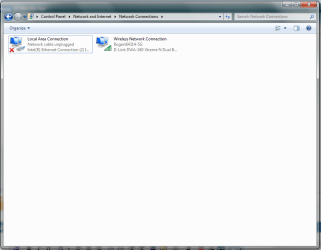
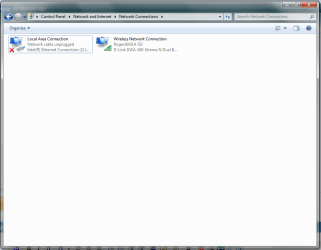
- going into "control panel/network and internet/network connections", the connection would show up as "Intel (R) Ethernet Connection (2) 1219-V". why the (2)? i only have 1 port on my system. i remember in the past it showed without the "(2)"
- i tried disabling and enabling the adapter in "network connections"
- i tried disabling and enabling the onboard devices in BIOS
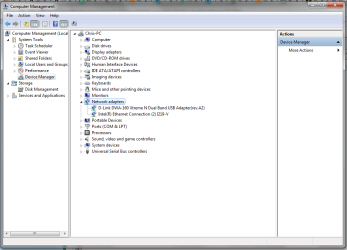
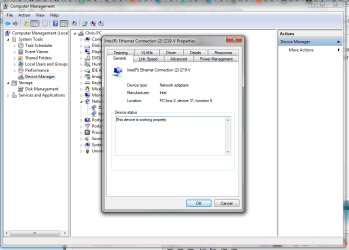
going into device manager and right clicking on the adapter, it says it is working properly under the "general" tab, but under any other tab, there is a yellow text box that reads
"This network connection is disabled or has been removed from the system. You must reinstall the driver or enable it from the General tab before you can access disabled features. NOTE: This device supports a low power mode that causes the operating system to behave as if the device has been removed. If the network cable is not attached to the device, connecting the cable may enable it"
after a quick search, some people who have had this problem in the past say its a blown port.. (i really hope not.....)
system
=====
6700k
ASUS Z170-A
so i woke up this morning and the internet was out, or so i thought.
stuff i tried
=========
- i tried clicking on the networking icon in the taskbar and running the troubleshooting wizard and it said my ethernet cable wasn't plugged in. this wasn't true, but the green and orange lights on back of the ethernet port arent blinking at all.
- the ports on my router are fine, i tried it with my laptop
- i tried reinstalling the intel drivers
- going into "control panel/network and internet/network connections", the connection would show up as "Intel (R) Ethernet Connection (2) 1219-V". why the (2)? i only have 1 port on my system. i remember in the past it showed without the "(2)"
- i tried disabling and enabling the adapter in "network connections"
- i tried disabling and enabling the onboard devices in BIOS
going into device manager and right clicking on the adapter, it says it is working properly under the "general" tab, but under any other tab, there is a yellow text box that reads
"This network connection is disabled or has been removed from the system. You must reinstall the driver or enable it from the General tab before you can access disabled features. NOTE: This device supports a low power mode that causes the operating system to behave as if the device has been removed. If the network cable is not attached to the device, connecting the cable may enable it"
after a quick search, some people who have had this problem in the past say its a blown port.. (i really hope not.....)
system
=====
6700k
ASUS Z170-A
My Computer
- Computer type
- PC/Desktop
- OS
- Windows 7 Pro 64 bit
- CPU
- Intel i7 6700k
- Motherboard
- ASUS Z-170-A
- Memory
- Kingston HyperX Fury 16GB 2133MHz
- Graphics Card(s)
- EVGA GTX 1060 6GB
- Sound Card
- N/A
- Monitor(s) Displays
- Viewsonic VX2240w
- Screen Resolution
- 1680 x 1050
- Hard Drives
- Sandisk Ultra II 480GB SSD,
WD Caviar Black 1TB
- PSU
- Corsair RM750x
- Case
- Corsair 550D
- Cooling
- CoolerMaster Hyper 212
- Keyboard
- $20 Logitech El Cheapo
- Mouse
- Logitech G500s
- Antivirus
- avast! free antivirus
- Browser
- Google Chrome