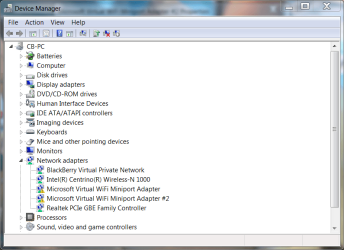
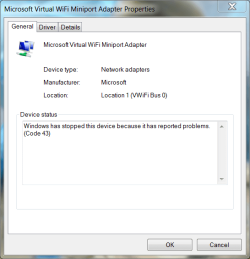
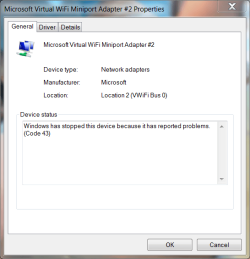
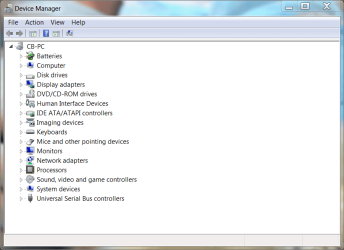
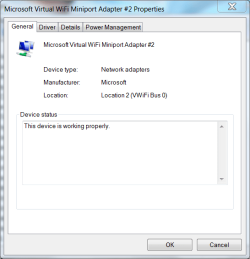
Hello everyone. Long time no see. Anyway, while attempting to understand why my Windows 7 x64 laptop has, for the past several months, failed to connect wirelessly to my AT&T wireless modem/router when coming out of sleep, I again noticed that my network adapters are already expanded when I open Device Manager. To the best of my knowledge none of the items in Device Manager should already be expanded unless there's a problem. I don't recall when this first occurred, but I imagine it has something to do with not being able to connect wirelessly after coming out of sleep mode, but I digress. I never have a problem connecting when restarting or turning on the laptop, only when coming out of sleep mode. I'm not concerned about the sleep/connection issue because I've researched it for months, tried every solution and still have the problem. I've also researched the problem concerning my adapters already being expanded in Device Manager but haven't been able to find any information on it.
My wireless adapter, the Intel Centrino Wireless-N 1000, has functioned properly, both before and after I updated the driver today through Intel's website. I'm just wondering why the network adapters are already expanded upon opening Device Manager. Again, I'm not concerned about the sleep/connection issue as there seems to be no solution for it other than a complete reinstall of the OS. I have attached a screenshot of my Device Manager.
Thank you in advance for your time and any assistance provided.
My wireless adapter, the Intel Centrino Wireless-N 1000, has functioned properly, both before and after I updated the driver today through Intel's website. I'm just wondering why the network adapters are already expanded upon opening Device Manager. Again, I'm not concerned about the sleep/connection issue as there seems to be no solution for it other than a complete reinstall of the OS. I have attached a screenshot of my Device Manager.
Thank you in advance for your time and any assistance provided.
Attachments

My Computer
- Computer Manufacturer/Model Number
- 1.Dell Studio XPS 7100 Desktop; 2.Dell XPS 17 Laptop
- OS
- 1.Windows 7 Ultimate x64; 2.Windows 7 Ultimate x64
- CPU
- 1.AMD Phenom II X6 1075T; 2.Intel Core i7-2720QM 2.20 GHz
- Memory
- 1.8GB DDR3; 2.8GB DDR3
- Graphics Card(s)
- 1.AMD HD 5670 1GB; 2.NVIDIA GeForce GT 555M 3GB
- Monitor(s) Displays
- 1.Samsung SyncMaster; 2.17.3in FHD
- Screen Resolution
- 1.1600X900; 2.1920X1080
- Hard Drives
- 1.1TB; 2.1TB 500GB X2
- Keyboard
- 1.Microsoft Wireless; 2.Backlit
- Mouse
- Microsoft Wireless; 2.Microsoft Wireless Mobile 3500
- Internet Speed
- 10.0 Mbps