Hello All,
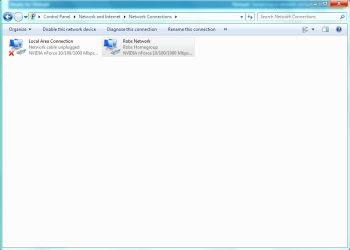
I have an issue where I have a red X for my networking in the system tray and my Network Connections is blank and empty. I am able to connect fine to the internet and access to network resources. I need to make adjustments to my NIC cards but they are not visible. They are in device manager and are reporting working fine.
System:
Windows 7 Ultimate x64
RealTek onboard NIC’s
Latest Bios and NIC Drivers
Here is what I have done so far:
Re registered the following dll’s:
regsvr32 netman.dll
regsvr32 netcfgx.dll
regsvr32 netshell.dll
I even unregistered them and the re registered them.
Removed VMWare Workstation
Uninstalled and reinstalled NIC Drivers
I checked the registry and verified that ClassManagers entry was correct:
HKLM\SYSTEM\CurrentControlSet\Network\Connections\
ClassManagers REG_MULTI_SZ
{B4C8DF59-D16F-4042-80B7-3557A254B7C5}
{BA126AD3-2166-11D1-B1D0-00805FC1270E}
{BA126AD5-2166-11D1-B1D0-00805FC1270E}
{BA126ADD-2166-11D1-B1D0-00805FC1270E}
I ran sfc.exe /scannow
Check DCOM settings were correct
Still the Network Connections are not visible. I have looked over the net for solutions but have found none so far… any help or a point in the right direction would be greatly appreciated.
Thank you in advanced
-J
I have an issue where I have a red X for my networking in the system tray and my Network Connections is blank and empty. I am able to connect fine to the internet and access to network resources. I need to make adjustments to my NIC cards but they are not visible. They are in device manager and are reporting working fine.
System:
Windows 7 Ultimate x64
RealTek onboard NIC’s
Latest Bios and NIC Drivers
Here is what I have done so far:
Re registered the following dll’s:
regsvr32 netman.dll
regsvr32 netcfgx.dll
regsvr32 netshell.dll
I even unregistered them and the re registered them.
Removed VMWare Workstation
Uninstalled and reinstalled NIC Drivers
I checked the registry and verified that ClassManagers entry was correct:
HKLM\SYSTEM\CurrentControlSet\Network\Connections\
ClassManagers REG_MULTI_SZ
{B4C8DF59-D16F-4042-80B7-3557A254B7C5}
{BA126AD3-2166-11D1-B1D0-00805FC1270E}
{BA126AD5-2166-11D1-B1D0-00805FC1270E}
{BA126ADD-2166-11D1-B1D0-00805FC1270E}
I ran sfc.exe /scannow
Check DCOM settings were correct
Still the Network Connections are not visible. I have looked over the net for solutions but have found none so far… any help or a point in the right direction would be greatly appreciated.
Thank you in advanced
-J
My Computer
- OS
- Windows 7 Ultimante x64