Solved Network Connectivity Problems

jag3498

New member
Member
Local time
5:38 PM
Messages
38
Location
Pittsburgh, Pa
For the past week I have been experiencing issues while on the web with my newer laptop. I have my laptop connected via WiFi to our network. From my room upstairs the signal strength is normally fair. However, every once in a while ( Like once an hour at least, 5 min apart at worst) the internet drops to very low signal strength and I cannot connect to the internet. Windows also notices the problem and alerts me that I have limited or now connectivity. It then works again within 1 minute. It is very annoying, especial since I stream a lot of music and do a lot of VoIP calls. I have restarted, rebooted the router, reset the router, and turned my wireless card on and off. And the strange part is that my computer connects fine to other networks and stays connected. And even stranger is that no other computers or devices on the network are having that problem. There are 4 laptops connected not including my notebook. There are also 3 phones, a tablet, a printer and a Wii connected via WiFi. There is also a desktop, a server, and a blue-ray player connected via Ethernet. The router is the Actiontec MI424WR Verizon FiOS Router. Any Ideas?
Thanks in advance,
Jack
 

My Computer My Computer

At a glance

Windows 7 Ultimate x64AMD A6-3420M APU4 GB DDR3AMD Radeon HD 6520G
Computer Manufacturer/Model Number
Samsung NP305E5A-A03US
OS
Windows 7 Ultimate x64
CPU
AMD A6-3420M APU
Memory
4 GB DDR3
Graphics Card(s)
AMD Radeon HD 6520G
Monitor(s) Displays
15.6 LED
Screen Resolution
1366x768
Hard Drives
500 GB hard drive
Internet Speed
37mb down, 18mb up, Fios
For the past week I have been experiencing issues while on the web with my newer laptop. I have my laptop connected via WiFi to our network. From my room upstairs the signal strength is normally fair. However, every once in a while ( Like once an hour at least, 5 min apart at worst) the internet drops to very low signal strength and I cannot connect to the internet. Windows also notices the problem and alerts me that I have limited or now connectivity. It then works again within 1 minute. It is very annoying, especial since I stream a lot of music and do a lot of VoIP calls. I have restarted, rebooted the router, reset the router, and turned my wireless card on and off. And the strange part is that my computer connects fine to other networks and stays connected. And even stranger is that no other computers or devices on the network are having that problem. There are 4 laptops connected not including my notebook. There are also 3 phones, a tablet, a printer and a Wii connected via WiFi. There is also a desktop, a server, and a blue-ray player connected via Ethernet. The router is the Actiontec MI424WR Verizon FiOS Router. Any Ideas?
Thanks in advance,
Jack

This type of problem usually relates to the wireless channel is overloaded, this is usually because your neighbors are using the same channel or close to the same channel as your router. Channels overlap because they use part of the bandwidth from other channels in order to put out a signal.

It's best to scan the area using a WIFI scanner then look for a channel that either isn't being used or one that is furthest away from the channels that your neighbors are using. This is especially true when trying to stream movies.

You will want to use WPA2 and AES encryption if possible. If your still having problems you can post a screen shot of the results here. Sometimes it's obvious which channel to use, other times you have to just pick and choose to find the right one.

Xirrus WIFI scanner works well for this.
Wi-Fi Inspector | Xirrus
 

My Computer My Computer

At a glance

Windows 7 Ult, Windows 8.1 Pro,Q9650-4.275GHz, E8600 4.5GHz, E6750-3.8GHzG.Skill PC2 9600 1200Mhz 5 5 5 15 2TGTX480
Computer type
PC/Desktop
Computer Manufacturer/Model Number
Home built
OS
Windows 7 Ult, Windows 8.1 Pro,
CPU
Q9650-4.275GHz, E8600 4.5GHz, E6750-3.8GHz
Motherboard
Evga 780i FTW
Memory
G.Skill PC2 9600 1200Mhz 5 5 5 15 2T
Graphics Card(s)
GTX480
Sound Card
Asus Xonar D2
Monitor(s) Displays
HannsG
Screen Resolution
1680X1050
Hard Drives
GSkill Phoenix Pro 120GB SSD
PSU
ThermalTake Toughpower 1000Watt modular
Case
ThermalTake XaserV
Cooling
Xigmatek S1283
Keyboard
Logitech G15
Mouse
Logitech G9
Internet Speed
T1
I used the scanner, but it only sees my network. Here is the screenshot:
capturezna.png
 

My Computer My Computer

At a glance

Windows 7 Ultimate x64AMD A6-3420M APU4 GB DDR3AMD Radeon HD 6520G
Computer Manufacturer/Model Number
Samsung NP305E5A-A03US
OS
Windows 7 Ultimate x64
CPU
AMD A6-3420M APU
Memory
4 GB DDR3
Graphics Card(s)
AMD Radeon HD 6520G
Monitor(s) Displays
15.6 LED
Screen Resolution
1366x768
Hard Drives
500 GB hard drive
Internet Speed
37mb down, 18mb up, Fios
I'm guessing that you can't use 802.11n for some reason? In either event you should try using WPA2 with AES encryption as it tends to work much better with drivers that are made for Windows 7.
 

My Computer My Computer

At a glance

Windows 7 Ult, Windows 8.1 Pro,Q9650-4.275GHz, E8600 4.5GHz, E6750-3.8GHzG.Skill PC2 9600 1200Mhz 5 5 5 15 2TGTX480
Computer type
PC/Desktop
Computer Manufacturer/Model Number
Home built
OS
Windows 7 Ult, Windows 8.1 Pro,
CPU
Q9650-4.275GHz, E8600 4.5GHz, E6750-3.8GHz
Motherboard
Evga 780i FTW
Memory
G.Skill PC2 9600 1200Mhz 5 5 5 15 2T
Graphics Card(s)
GTX480
Sound Card
Asus Xonar D2
Monitor(s) Displays
HannsG
Screen Resolution
1680X1050
Hard Drives
GSkill Phoenix Pro 120GB SSD
PSU
ThermalTake Toughpower 1000Watt modular
Case
ThermalTake XaserV
Cooling
Xigmatek S1283
Keyboard
Logitech G15
Mouse
Logitech G9
Internet Speed
T1
The router only supports 802.11g. Switched to WPA2 AES and the signal strength instantly got better. Have not had a drop out yet, but it has gone this long before so I am not going to say it fixed it yet. I will update the status after I have used my computer for a while.

Update:
Still doing it, but not as bad. It now is back in a few seconds. But still annoying while streaming. Any more thoughts?
 
Last edited:

My Computer My Computer

At a glance

Windows 7 Ultimate x64AMD A6-3420M APU4 GB DDR3AMD Radeon HD 6520G
Computer Manufacturer/Model Number
Samsung NP305E5A-A03US
OS
Windows 7 Ultimate x64
CPU
AMD A6-3420M APU
Memory
4 GB DDR3
Graphics Card(s)
AMD Radeon HD 6520G
Monitor(s) Displays
15.6 LED
Screen Resolution
1366x768
Hard Drives
500 GB hard drive
Internet Speed
37mb down, 18mb up, Fios
No surprise about the security and encryption working better.

I would definitely install the latest drivers for your Samsung, lots of 2012 drivers there that might help.

Support - Notebooks NP305E5AI | Samsung Laptops

As for streaming with wireless G, I wouldn't expect too much as it's limited to 54Mbps although the newer driver might help.

Upgrading to a wireless N router at 300Mbps would be a big improvement although the driver needs to work with wireless N as well.
 

My Computer My Computer

At a glance

Windows 7 Ult, Windows 8.1 Pro,Q9650-4.275GHz, E8600 4.5GHz, E6750-3.8GHzG.Skill PC2 9600 1200Mhz 5 5 5 15 2TGTX480
Computer type
PC/Desktop
Computer Manufacturer/Model Number
Home built
OS
Windows 7 Ult, Windows 8.1 Pro,
CPU
Q9650-4.275GHz, E8600 4.5GHz, E6750-3.8GHz
Motherboard
Evga 780i FTW
Memory
G.Skill PC2 9600 1200Mhz 5 5 5 15 2T
Graphics Card(s)
GTX480
Sound Card
Asus Xonar D2
Monitor(s) Displays
HannsG
Screen Resolution
1680X1050
Hard Drives
GSkill Phoenix Pro 120GB SSD
PSU
ThermalTake Toughpower 1000Watt modular
Case
ThermalTake XaserV
Cooling
Xigmatek S1283
Keyboard
Logitech G15
Mouse
Logitech G9
Internet Speed
T1
I should have all the 2012 drivers. I did a fresh install of 7 Ultimate when I got the notebook in march, and downloaded all the drivers from there. The strange thing to me is that the wireless worked perfectly and then all of a sudden I am having issues.
 

My Computer My Computer

At a glance

Windows 7 Ultimate x64AMD A6-3420M APU4 GB DDR3AMD Radeon HD 6520G
Computer Manufacturer/Model Number
Samsung NP305E5A-A03US
OS
Windows 7 Ultimate x64
CPU
AMD A6-3420M APU
Memory
4 GB DDR3
Graphics Card(s)
AMD Radeon HD 6520G
Monitor(s) Displays
15.6 LED
Screen Resolution
1366x768
Hard Drives
500 GB hard drive
Internet Speed
37mb down, 18mb up, Fios
switch out of channel 11 to another channel and go into your router settings and set preamble length to long instead of short.

Also, definitely check your power options settings on the laptop, and the advanced category to make sure the laptop is not limiting your WLAN card in any way. Turn off power options on the WLAN adapter in the device manager too.
 

My Computer My Computer

At a glance

Windows 7 Pro 64 bit SP1Intel Core i7 950 Quad OC'ed to 3.2 GHZ12GB DDR 3Radeon HD 5870 1GB
Computer type
PC/Desktop
OS
Windows 7 Pro 64 bit SP1
CPU
Intel Core i7 950 Quad OC'ed to 3.2 GHZ
Motherboard
ASRock X58
Memory
12GB DDR 3
Graphics Card(s)
Radeon HD 5870 1GB
Sound Card
Onboard
Monitor(s) Displays
23" Acer HD
Screen Resolution
1920x1080
Hard Drives
128GB SSD
PSU
700W
Case
Coolermaster
Antivirus
Avast Free
Browser
Firefox
Switched to channel 6 and set the preamble length and have not had a problem since. I also changed the power settings so it would not limit the card. Thanks very much to chev65 and event3horizon.
Jack
 

My Computer My Computer

At a glance

Windows 7 Ultimate x64AMD A6-3420M APU4 GB DDR3AMD Radeon HD 6520G
Computer Manufacturer/Model Number
Samsung NP305E5A-A03US
OS
Windows 7 Ultimate x64
CPU
AMD A6-3420M APU
Memory
4 GB DDR3
Graphics Card(s)
AMD Radeon HD 6520G
Monitor(s) Displays
15.6 LED
Screen Resolution
1366x768
Hard Drives
500 GB hard drive
Internet Speed
37mb down, 18mb up, Fios
Well excellent!! Glad we can help out.
 

My Computer My Computer

At a glance

Windows 7 Pro 64 bit SP1Intel Core i7 950 Quad OC'ed to 3.2 GHZ12GB DDR 3Radeon HD 5870 1GB
Computer type
PC/Desktop
OS
Windows 7 Pro 64 bit SP1
CPU
Intel Core i7 950 Quad OC'ed to 3.2 GHZ
Motherboard
ASRock X58
Memory
12GB DDR 3
Graphics Card(s)
Radeon HD 5870 1GB
Sound Card
Onboard
Monitor(s) Displays
23" Acer HD
Screen Resolution
1920x1080
Hard Drives
128GB SSD
PSU
700W
Case
Coolermaster
Antivirus
Avast Free
Browser
Firefox
Well it was fixed for a day. Got up this morning and it started happening again! No clue why. It was perfectly fine. Also the router signal strength has gone from good to fair. Any ideas. Again?
 

My Computer My Computer

At a glance

Windows 7 Ultimate x64AMD A6-3420M APU4 GB DDR3AMD Radeon HD 6520G
Computer Manufacturer/Model Number
Samsung NP305E5A-A03US
OS
Windows 7 Ultimate x64
CPU
AMD A6-3420M APU
Memory
4 GB DDR3
Graphics Card(s)
AMD Radeon HD 6520G
Monitor(s) Displays
15.6 LED
Screen Resolution
1366x768
Hard Drives
500 GB hard drive
Internet Speed
37mb down, 18mb up, Fios
Well it was fixed for a day. Got up this morning and it started happening again! No clue why. It was perfectly fine. Also the router signal strength has gone from good to fair. Any ideas. Again?

There are a couple more problems this can be but you will need to post a screen shot of your ipconfig/all so I can see what's going on here. Looks like the picture below.
 

Attachments

  • My ipconfig.PNG
    My ipconfig.PNG
    21 KB · Views: 3

My Computer My Computer

At a glance

Windows 7 Ult, Windows 8.1 Pro,Q9650-4.275GHz, E8600 4.5GHz, E6750-3.8GHzG.Skill PC2 9600 1200Mhz 5 5 5 15 2TGTX480
Computer type
PC/Desktop
Computer Manufacturer/Model Number
Home built
OS
Windows 7 Ult, Windows 8.1 Pro,
CPU
Q9650-4.275GHz, E8600 4.5GHz, E6750-3.8GHz
Motherboard
Evga 780i FTW
Memory
G.Skill PC2 9600 1200Mhz 5 5 5 15 2T
Graphics Card(s)
GTX480
Sound Card
Asus Xonar D2
Monitor(s) Displays
HannsG
Screen Resolution
1680X1050
Hard Drives
GSkill Phoenix Pro 120GB SSD
PSU
ThermalTake Toughpower 1000Watt modular
Case
ThermalTake XaserV
Cooling
Xigmatek S1283
Keyboard
Logitech G15
Mouse
Logitech G9
Internet Speed
T1
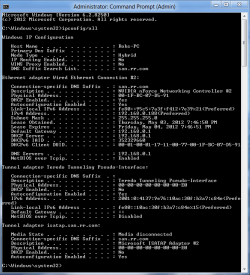
Ok. Here is the screen shot. It turned up more, but that was all virtualbox adapters.
capture2xj.png
 

My Computer My Computer

At a glance

Windows 7 Ultimate x64AMD A6-3420M APU4 GB DDR3AMD Radeon HD 6520G
Computer Manufacturer/Model Number
Samsung NP305E5A-A03US
OS
Windows 7 Ultimate x64
CPU
AMD A6-3420M APU
Memory
4 GB DDR3
Graphics Card(s)
AMD Radeon HD 6520G
Monitor(s) Displays
15.6 LED
Screen Resolution
1366x768
Hard Drives
500 GB hard drive
Internet Speed
37mb down, 18mb up, Fios
Ok first disable all the virtual adaptors you can find in device manager, they can cause endless connection problems. Only enable those if you need to use them. Also a fully expanded ipconfig would help here, I need to see the rest of it. :)

Instead of using IPv4 properties window for your DNS you should remove the entry there and go into your routers set up page and type in two DNS servers there instead.
 

My Computer My Computer

At a glance

Windows 7 Ult, Windows 8.1 Pro,Q9650-4.275GHz, E8600 4.5GHz, E6750-3.8GHzG.Skill PC2 9600 1200Mhz 5 5 5 15 2TGTX480
Computer type
PC/Desktop
Computer Manufacturer/Model Number
Home built
OS
Windows 7 Ult, Windows 8.1 Pro,
CPU
Q9650-4.275GHz, E8600 4.5GHz, E6750-3.8GHz
Motherboard
Evga 780i FTW
Memory
G.Skill PC2 9600 1200Mhz 5 5 5 15 2T
Graphics Card(s)
GTX480
Sound Card
Asus Xonar D2
Monitor(s) Displays
HannsG
Screen Resolution
1680X1050
Hard Drives
GSkill Phoenix Pro 120GB SSD
PSU
ThermalTake Toughpower 1000Watt modular
Case
ThermalTake XaserV
Cooling
Xigmatek S1283
Keyboard
Logitech G15
Mouse
Logitech G9
Internet Speed
T1
darn back again eh?

I just had an idea you can turn of IPv6 in the adapter. May cause problems.
 

My Computer My Computer

At a glance

Windows 7 Pro 64 bit SP1Intel Core i7 950 Quad OC'ed to 3.2 GHZ12GB DDR 3Radeon HD 5870 1GB
Computer type
PC/Desktop
OS
Windows 7 Pro 64 bit SP1
CPU
Intel Core i7 950 Quad OC'ed to 3.2 GHZ
Motherboard
ASRock X58
Memory
12GB DDR 3
Graphics Card(s)
Radeon HD 5870 1GB
Sound Card
Onboard
Monitor(s) Displays
23" Acer HD
Screen Resolution
1920x1080
Hard Drives
128GB SSD
PSU
700W
Case
Coolermaster
Antivirus
Avast Free
Browser
Firefox
darn back again eh?

I just had an idea you can turn of IPv6 in the adapter. May cause problems.

I think I have this handled thanks. Turning off IPv6 should not be an option.

The Argument against Disabling IPv6.

It is unfortunate that some organizations disable IPv6 on their computers running Windows Vista or Windows Server 2008, where it is installed and enabled by default. Many disable IPv6-based on the assumption that they are not running any applications or services that use it. Others might disable it because of a misperception that having both IPv4 and IPv6 enabled effectively doubles their DNS and Web traffic. This is not true.
From Microsoft's perspective, IPv6 is a mandatory part of the Windows operating system and it is enabled and included in standard Windows service and application testing during the operating system development process. Because Windows was designed specifically with IPv6 present, Microsoft does not perform any testing to determine the effects of disabling IPv6. If IPv6 is disabled on Windows Vista, Windows Server 2008, or later versions, some components will not function. Moreover, applications that you might not think are using IPv6—such as Remote Assistance, HomeGroup, DirectAccess, and Windows Mail—could be.
Therefore, Microsoft recommends that you leave IPv6 enabled, even if you do not have an IPv6-enabled network, either native or tunneled. By leaving IPv6 enabled, you do not disable IPv6-only applications and services (for example, HomeGroup in Windows 7 and DirectAccess in Windows 7 and Windows Server 2008 R2 are IPv6-only) and your hosts can take advantage of IPv6-enhanced connectivity.

Read more. http://technet.microsoft.com/en-us/m....cableguy.aspx
 
Last edited:

My Computer My Computer

At a glance

Windows 7 Ult, Windows 8.1 Pro,Q9650-4.275GHz, E8600 4.5GHz, E6750-3.8GHzG.Skill PC2 9600 1200Mhz 5 5 5 15 2TGTX480
Computer type
PC/Desktop
Computer Manufacturer/Model Number
Home built
OS
Windows 7 Ult, Windows 8.1 Pro,
CPU
Q9650-4.275GHz, E8600 4.5GHz, E6750-3.8GHz
Motherboard
Evga 780i FTW
Memory
G.Skill PC2 9600 1200Mhz 5 5 5 15 2T
Graphics Card(s)
GTX480
Sound Card
Asus Xonar D2
Monitor(s) Displays
HannsG
Screen Resolution
1680X1050
Hard Drives
GSkill Phoenix Pro 120GB SSD
PSU
ThermalTake Toughpower 1000Watt modular
Case
ThermalTake XaserV
Cooling
Xigmatek S1283
Keyboard
Logitech G15
Mouse
Logitech G9
Internet Speed
T1
Ok. Disabled the adapters and removed the dns from my computer.
 

My Computer My Computer

At a glance

Windows 7 Ultimate x64AMD A6-3420M APU4 GB DDR3AMD Radeon HD 6520G
Computer Manufacturer/Model Number
Samsung NP305E5A-A03US
OS
Windows 7 Ultimate x64
CPU
AMD A6-3420M APU
Memory
4 GB DDR3
Graphics Card(s)
AMD Radeon HD 6520G
Monitor(s) Displays
15.6 LED
Screen Resolution
1366x768
Hard Drives
500 GB hard drive
Internet Speed
37mb down, 18mb up, Fios

My Computer My Computer

At a glance

Windows 7 Pro 64 bit SP1Intel Core i7 950 Quad OC'ed to 3.2 GHZ12GB DDR 3Radeon HD 5870 1GB
Computer type
PC/Desktop
OS
Windows 7 Pro 64 bit SP1
CPU
Intel Core i7 950 Quad OC'ed to 3.2 GHZ
Motherboard
ASRock X58
Memory
12GB DDR 3
Graphics Card(s)
Radeon HD 5870 1GB
Sound Card
Onboard
Monitor(s) Displays
23" Acer HD
Screen Resolution
1920x1080
Hard Drives
128GB SSD
PSU
700W
Case
Coolermaster
Antivirus
Avast Free
Browser
Firefox

My Computer My Computer

At a glance

Windows 7 Ult, Windows 8.1 Pro,Q9650-4.275GHz, E8600 4.5GHz, E6750-3.8GHzG.Skill PC2 9600 1200Mhz 5 5 5 15 2TGTX480
Computer type
PC/Desktop
Computer Manufacturer/Model Number
Home built
OS
Windows 7 Ult, Windows 8.1 Pro,
CPU
Q9650-4.275GHz, E8600 4.5GHz, E6750-3.8GHz
Motherboard
Evga 780i FTW
Memory
G.Skill PC2 9600 1200Mhz 5 5 5 15 2T
Graphics Card(s)
GTX480
Sound Card
Asus Xonar D2
Monitor(s) Displays
HannsG
Screen Resolution
1680X1050
Hard Drives
GSkill Phoenix Pro 120GB SSD
PSU
ThermalTake Toughpower 1000Watt modular
Case
ThermalTake XaserV
Cooling
Xigmatek S1283
Keyboard
Logitech G15
Mouse
Logitech G9
Internet Speed
T1
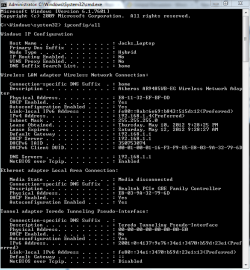
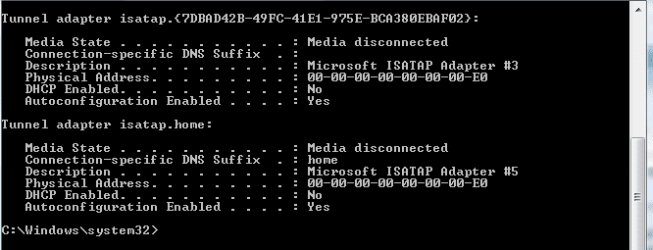
Ok. Here it is: cmd01.png

cmd02.png
 

My Computer My Computer

At a glance

Windows 7 Ultimate x64AMD A6-3420M APU4 GB DDR3AMD Radeon HD 6520G
Computer Manufacturer/Model Number
Samsung NP305E5A-A03US
OS
Windows 7 Ultimate x64
CPU
AMD A6-3420M APU
Memory
4 GB DDR3
Graphics Card(s)
AMD Radeon HD 6520G
Monitor(s) Displays
15.6 LED
Screen Resolution
1366x768
Hard Drives
500 GB hard drive
Internet Speed
37mb down, 18mb up, Fios
Back
Top