I am having a huge amount of trouble setting up a simple home network between my laptop and my desktop.
Heres what I have done so far..
Desktop is connected via ethernet cable through a wireless modem.
Laptop is connwected via wifi to the wireless modem.
both of the computers are connected to the same network.
Folders are shared have been shared
Computers are in the same workgroup called "workgroup".
I can see both computers on the network from each computer.
From either computer when i try to click the a shared folder I do not have permission to access \\BlimNet-PC\D or something else in this format.
I was pretty sure I had the firewall set up right and I have even tryed disbling it on both computers. I'm pretty sure it has to do with setting user permissons.
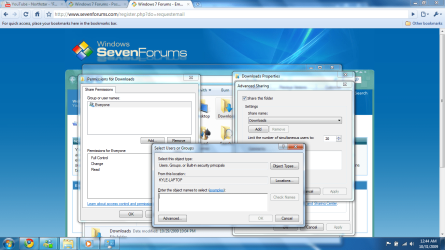
When i right click and go to advanced sharing for the folder and try to give permissions I cant see any users over the network only my user name on that computer. The user names are different for each computer.
How do I give permission to a user account on another computer on the network?
Ie. if my laptop username is "Kyle" and the desktop is "BlimNet" how do i give permission to \\BlimNet-PC\Blimnet from \\Kyle-Laptop\kyle.
both computers are running Windows 7 ultimate, homegroup doesnt work either.
Are both computers connect to a "home" network, or are they in a "work" or "public" network? Do they have access to the common shared files/folders? Are you only having trouble sharing root directories (ie: C:\ or D:\)?
Are both computers connect to a "home" network, or are they in a "work" or "public" network? Do they have access to the common shared files/folders? Are you only having trouble sharing root directories (ie: C:\ or D:\)?
I ended up installing cisco network magic on both computers. It works fine now but I am still unsatisfied because why should i have to use an external program. I am an avid computer user and I dont understand why Microsoft has to make things so difficult.
I am trying to think of what network magic would do to make it work.
I neglected to mention earlier that I am am unable to ping. If I could figure out how to do this that might help me.
Also when I go to users on either computer my user names "Kyle" on the laptop and "Blimnet" on the desktop they are both shown as lock. What is that about maybe that might have something to do with my issue?
Create the other user account on the other machine.
Create BlimNet on the laptop.
Create Kyle on the desktop.
Keep the passwords for BlimNet the same and the passwords for Kyle the same.
You have BlimNet and Kyle accounts on both machines. Even if you never logon to the desktop with Kyle or the laptop with BlimNet you will still have permission to access it over the network.
2x 320gb Seagate Barracuda's - SATA 3Gbit/s - RAID-0 array
PSU
650 watt
Case
Antec
Cooling
Cool Master
Keyboard
Logitech diNovo Media Desktop
Mouse
see keyboard
Internet Speed
comcast cable
Other Info
7 Ultimate and 7 Pro twice each at home - Gigabit on the Network - Tomato on the Linksys - I freely share my wireless with my neighbors (8-10 additional devices)