futuristic6
New member
- Local time
- 2:10 AM
- Messages
- 34
Hi,
I use Win 7 OS 64 bit on Dell Laptop 6420 model.
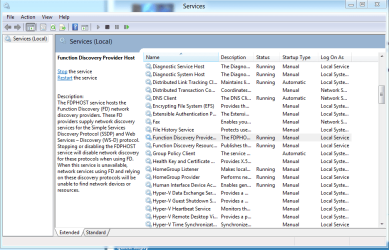
Under advanced sharing settings I want to permanently "Turn Off Network Discovery" both in Home/work and Public profiles.
The problem is that, everytime I reboot my Laptop the setting get changed to "Turn On Network Discovery"in all profiles.
How do I ensure that these settings are Turned off permanently, unless off-course I want to turn them on.
Thanks.
I use Win 7 OS 64 bit on Dell Laptop 6420 model.
Under advanced sharing settings I want to permanently "Turn Off Network Discovery" both in Home/work and Public profiles.
The problem is that, everytime I reboot my Laptop the setting get changed to "Turn On Network Discovery"in all profiles.
How do I ensure that these settings are Turned off permanently, unless off-course I want to turn them on.
Thanks.
My Computer
- Computer Manufacturer/Model Number
- Dell 6420
- OS
- Win 6 Ultimate 64 bit