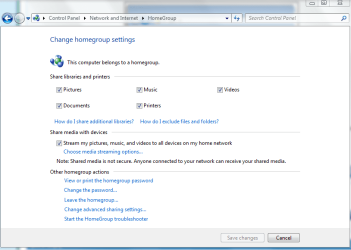
Hi all, wonder if anyone can help here.
I have tried over and over to completely disable sharing over my home network of my personal documents folder (not the public folder) yet it still shows up and is fully accessible on any computer in the house. I have a password but that's not the point, I want to be able to make the my documents folder inaccessible completely from other computers on the network. It's disabled in the sharing properties but that makes no difference. Any ideas?
Thanks in advance
I have tried over and over to completely disable sharing over my home network of my personal documents folder (not the public folder) yet it still shows up and is fully accessible on any computer in the house. I have a password but that's not the point, I want to be able to make the my documents folder inaccessible completely from other computers on the network. It's disabled in the sharing properties but that makes no difference. Any ideas?
Thanks in advance
My Computer
- Computer Manufacturer/Model Number
- Home Built
- OS
- Windows 7 x64 Build 7600.16384
- CPU
- Athlon 64 6000+
- Motherboard
- Asus M2N4-SLI
- Memory
- 4 GB DDR PC6400
- Graphics Card(s)
- GeForce 8800 GTS O/C to 600/900
- Sound Card
- Soundblaster X-Fi XtremeMusic