nuk3meister
New member
- Local time
- 1:01 AM
- Messages
- 3
Hello everyone,
I'm using a laptop (with Windows 7 Home Premium 64-bit installed) as a DVR and media streamer to all other devices in the house.
My TV recordings are recorded into a temporary folder and when the recording is finished the program moves the files into the My Videos folder.
The My Videos folder is shared so we can watch the recordings from the Xbox downstairs or other Windows 7 devices in the house.
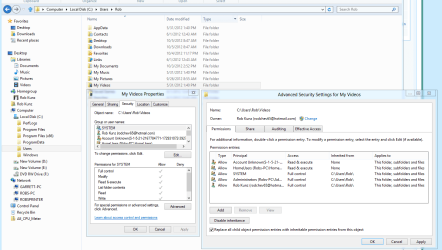
This worked pretty well in the past but for some reason new recordings (or downloads) aren't shared by default anymore. All files have a small lock icon (shared with nobody) and I have to manually share new files within an already shared folder.
This is pretty annoying and takes away the convenience.
I would appreciate any tip to fix this problem to have all files in the shared folder(s) shared by default.
Thanks in advance!
I'm using a laptop (with Windows 7 Home Premium 64-bit installed) as a DVR and media streamer to all other devices in the house.
My TV recordings are recorded into a temporary folder and when the recording is finished the program moves the files into the My Videos folder.
The My Videos folder is shared so we can watch the recordings from the Xbox downstairs or other Windows 7 devices in the house.
This worked pretty well in the past but for some reason new recordings (or downloads) aren't shared by default anymore. All files have a small lock icon (shared with nobody) and I have to manually share new files within an already shared folder.
This is pretty annoying and takes away the convenience.
I would appreciate any tip to fix this problem to have all files in the shared folder(s) shared by default.
Thanks in advance!
Last edited:
My Computer
- OS
- Windows 7 Home Premium 64-bit