HP Pavillion dv7, 17.3" monitor,2 separate 320 HD's 6GB ram
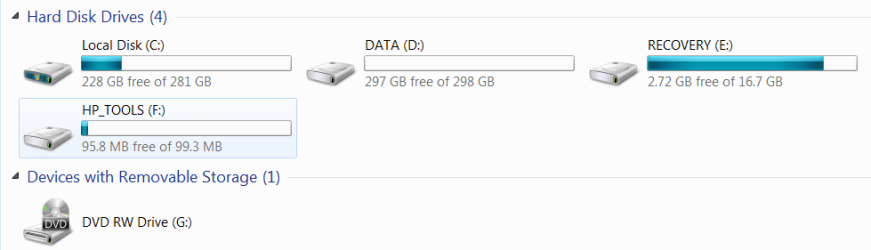
Here's a snip shot of my hardrives.
Several questions:
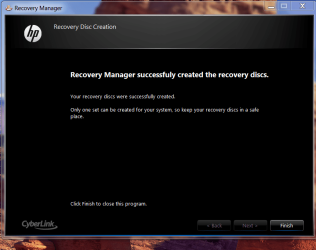
1. Is it smart to make separate Recovery Discs than the one in "E" Drive and if so
should I make them after installing new software and how often for safe keeping?
2. What's the easiest way to transfer files from Desktop to Laptop? I know there
is a USB cable you can use but I also have an External "Mybook" HD and or thumb drives that can be used. Just trying to keep it simple!
3. Have many bookmarks I would like to transfer but not sure I will use same browser.
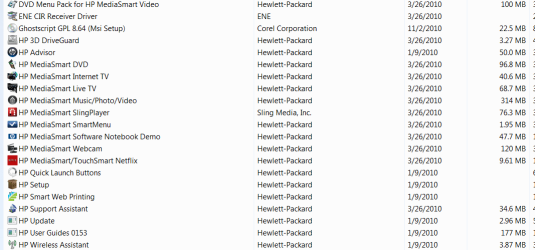
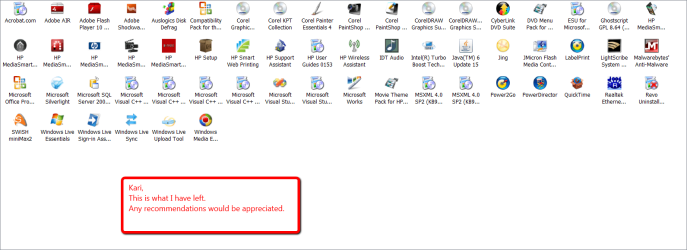
4. Any other tips on setting up new laptop are appreciated. Was bloated with HP
stuff that I don't have a clue as to what is useful and what is garbage.
Thanks for your assistance.
Here's a snip shot of my hardrives.
Several questions:
1. Is it smart to make separate Recovery Discs than the one in "E" Drive and if so
should I make them after installing new software and how often for safe keeping?
2. What's the easiest way to transfer files from Desktop to Laptop? I know there
is a USB cable you can use but I also have an External "Mybook" HD and or thumb drives that can be used. Just trying to keep it simple!
3. Have many bookmarks I would like to transfer but not sure I will use same browser.
4. Any other tips on setting up new laptop are appreciated. Was bloated with HP
stuff that I don't have a clue as to what is useful and what is garbage.
Thanks for your assistance.
My Computer
- Computer Manufacturer/Model Number
- HP M9077c
- OS
- Windows 7 Home Premium 64bit
- CPU
- Intel(R)Core(TM)2 quad [email protected] 2.39GHz
- Motherboard
- ASUSeK
- Memory
- 6GB DDR2 6400
- Graphics Card(s)
- GeForce 8500/512MB
- Sound Card
- Realtek High Def Audio
- Monitor(s) Displays
- HP w2408 LCD 24" widescreen
- Screen Resolution
- 1920x1200
- Cooling
- 6 pack of Bud
- Keyboard
- MS wireless Inteli
- Mouse
- MS wireless Inteli