Solved New on here: need some help please

tnm

New member
Member
VIP
Local time
9:21 PM
Messages
110
Hi everyone,

Device:

Sony Vaio FZ38M - win7 ultimate x64 - upgraded by sony from vista.

Background:

Basically used a windows disc created by a friend to reinstall windows. I went through control panel to a setting that allowed me to reinstall windows asking me if the disc was in the tray. Windows update wouldn't work and I noticed no programmes or features. For some reason I decided to repeatedly press f11 on boot up for it to come to edit boot options noexecuteoptin and partition:2 (what does this mean?).

Anyway, reinstalled again but this time put cd in drive and wait for it to load rather than go through control panel.This time windows update works (literally thousands of updates).

Questions: is this considered a clean install as I heard LAN drivers or something are needed if so.

Mass bus controller says its out of date with a yellow warning sign. What do I do?

Do I need to visit sony site for drivers. If so how do I do it and do I need windows 7 drivers or vista preinstalled ones because I've noticed they are different.

A lot of information I know but I have limited knowledge concerning ICT.
 

My Computer

Computer type
Laptop
Computer Manufacturer/Model Number
Sony Vaio FZ38M
OS
Windows 7 Ultimate x64
Start over and follow these steps to get a perfect Clean Reinstall - Factory OEM Windows 7. Read also the Special Note for Sony Owners at end.

Delete all partitions during booted Custom install using the drive options shown in steps 7/8 of Clean Install Windows 7. Then either create and format new or click Next to have the installer do it for you.

As the tutorial says most drivers are provided during all rounds of Important and Optional Windows Updates, after enabling Automatically deliver drivers via Windows Update (Step 3). Keep checking for more Updates. Once all are installed import any drivers still missing in Device Manager from the Sony Support Downloads webpage for your model.

 
I've seen this instruction manual from you before mate and it looks complicated for me. Can I not use the cd that I used to reinstall windows? That ISO install needs somewhere to be downloaded to.

Also, what's the YouTube video for?
 

My Computer

Computer type
Laptop
Computer Manufacturer/Model Number
Sony Vaio FZ38M
OS
Windows 7 Ultimate x64
Device:

Sony Vaio FZ38M - Windows 7 ultimate x64 - upgraded by sony from vista.

Background:

Basically used a windows disc created by a friend to reinstall windows.

Why are you not using the Sony Upgrade DVD?
 

My Computer

OS
ME/XP/Vista/Win7
What's complicated? Can you ask back questions to understand better? Most of it is preparation so you don't miss anything. Tens of thousands of users have benefitted from the tutorial but it takes a desire to get a perfect install and not some other kind. We don't do sloppy work here.

You seemed to be having problems booting the DVD resulting in running it from the OS to install, so I provided a video for how exactly to boot it. Can you click Play?

Win7 is on a DVD not a CD. If it has SP1 and comes from a reliable source then you can use it, but I would want the latest official installer for my licensed version which you were provided.

How do you plan to activate Ultimate?
 
What's complicated? Can you ask back questions to understand better? Most of it is preparation so you don't miss anything. Tens of thousands of users have benefitted from the tutorial but it takes a desire to get a perfect install and not some other kind. We don't do sloppy work here.

You seemed to be having problems booting the DVD resulting in running it from the OS to install, so I provided a video for how exactly to boot it. Can you click Play?

Win7 is on a DVD not a CD. If it has SP1 and comes from a reliable source then you can use it, but I would want the latest official installer for my licensed version which you were provided.

How do you plan to activate Ultimate?

Basically I put the DVD in the tray and the blue window just like the pictures in the windows 7/8 page you mentioned came up and off I went. I recall seeing two partitions. A reserved e one and c drive. No options for delete format new or something you mentioned.

I totally appreciate your help just I find things like this really difficult.
 

My Computer

Computer type
Laptop
Computer Manufacturer/Model Number
Sony Vaio FZ38M
OS
Windows 7 Ultimate x64
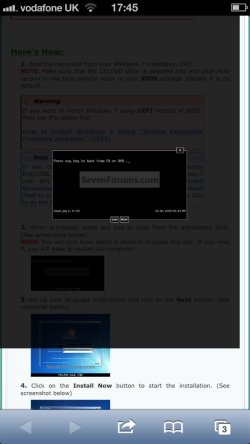
Ok, so I've now worked out that the DVD was booted while the OS was running and not from boot. This is because I remember seeing the picture in the attachment below several time after restarts because I left it in the drive.
 

Attachments

  • ImageUploadedBySeven Forums1375635177.165920.jpg
    ImageUploadedBySeven Forums1375635177.165920.jpg
    38.9 KB · Views: 7

My Computer

Computer type
Laptop
Computer Manufacturer/Model Number
Sony Vaio FZ38M
OS
Windows 7 Ultimate x64
I'm going to do a fresh install using the ISO file set up you mentioned. I don't understand steps 7 and 8 you mentioned though about format, new and create. All I know is that I now have a system reserved drive of 80mb, not the 100mb stated on the link.
 
Last edited:

My Computer

Computer type
Laptop
Computer Manufacturer/Model Number
Sony Vaio FZ38M
OS
Windows 7 Ultimate x64
Once you boot the DVD as shown in the video I posted for you, then work through the steps for Clean Install Windows 7.

When you get to Step 7, use the Drive Options pictured to Delete all partitions until you have only Unallocated Space, then click New to create any new partitions you want of the size you want, Format each, install Win7 to the first partition (ignoring the 100mb boot partition it will create).

If you don't have a partition scheme and only need a Win7 partition, just click Next after deleting and the installer will handle it for you.
 
I think I've just made an error. I've downloaded the iso file matching my OS to an external HD. I'm guessing I've messed up because I've now read it needs to be formatted...
 

My Computer

Computer type
Laptop
Computer Manufacturer/Model Number
Sony Vaio FZ38M
OS
Windows 7 Ultimate x64
Last edited:
What do you mean? Are you saying that I need to take all the data off the external HD and back up elsewhere?
 
Last edited:

My Computer

Computer type
Laptop
Computer Manufacturer/Model Number
Sony Vaio FZ38M
OS
Windows 7 Ultimate x64
Only if it's showing signs of failure. Is it prompting you to format the external now when you plug it in. Try safely removing and plug it back in to see. Or reboot.
 
Last edited:
Cannot safely remove hardware as a program is still using it.
 
Last edited:

My Computer

Computer type
Laptop
Computer Manufacturer/Model Number
Sony Vaio FZ38M
OS
Windows 7 Ultimate x64
Did the download finish? When did it notify you that it needs formatting? What were you doing or had you just done?

Reboot the PC.
 
No, I've read in the the DVD/USB download tool tutorial that if using a USB it will be formatted to ntfs and all data will be lost. If I did remove all the info from it. Can the info be put back on when formatted to ntfs?
 

My Computer

Computer type
Laptop
Computer Manufacturer/Model Number
Sony Vaio FZ38M
OS
Windows 7 Ultimate x64
- on an external HD
 
Last edited:

My Computer

Computer type
Laptop
Computer Manufacturer/Model Number
Sony Vaio FZ38M
OS
Windows 7 Ultimate x64
Is there anyway of shrinking the volume on my external HD and changing to ntfs so I can the USB tool to put the iso file on it?
 
Last edited:

My Computer

Computer type
Laptop
Computer Manufacturer/Model Number
Sony Vaio FZ38M
OS
Windows 7 Ultimate x64
No, you need to use a flash stick.

You can download the ISO to external HD but do not format it for bootable installer.

Install and Run the Win7 Download tool from Win7 to write the ISO to a bootable flash stick or DVD.
 
Oh right, so even if I create a partition on the external HD that is ntfs, using the usb bootable thing will format the whole external HD?
 
Last edited:

My Computer

Computer type
Laptop
Computer Manufacturer/Model Number
Sony Vaio FZ38M
OS
Windows 7 Ultimate x64
Back
Top