

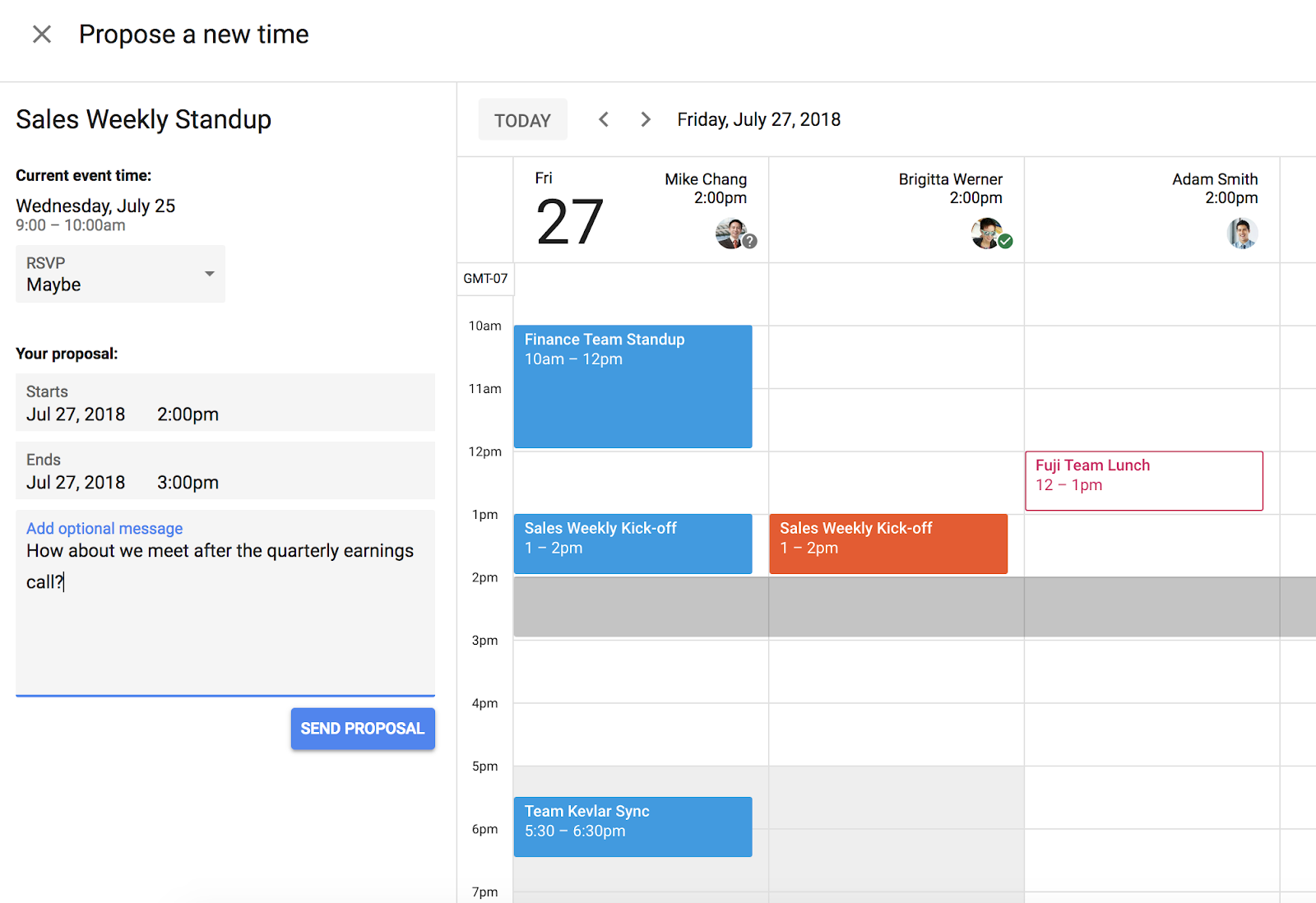
Rescheduling in Google Calendar just got easier. We’re introducing a new feature that enables more efficient meeting scheduling. Now, each guest invited to a meeting can propose a new time and the organizer can easily review and accept time proposals. This allows for richer communication between attendees, reduces time spent on meeting practicalities, and makes meetings more productive with key stakeholders in attendance.
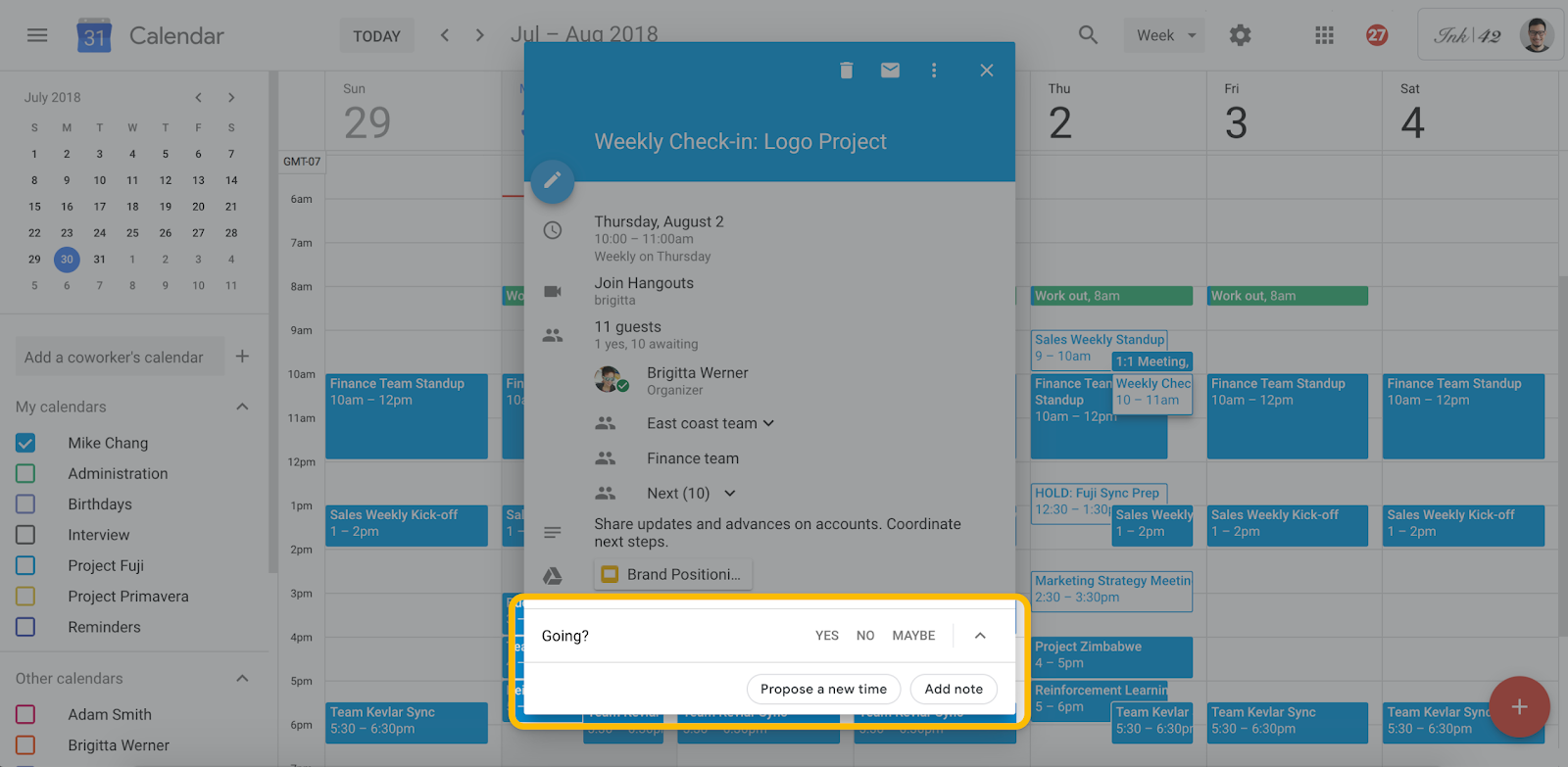
When a user is invited to a Calendar event, they can respond “Yes,” “No,” Maybe,” and now, “Propose a new time.” If calendar access permissions have been granted, guests can see the other attendees' availability side by side, so they can suggest a time that works for everyone.
Guests can then send their time proposal along with an optional message to the organizer, who can accept the proposed time with just one click.
This functionality works across domains and with Microsoft Exchange. Guests can send proposals to organizers using Exchange, and organizers can receive proposals from guests using Exchange. Available on the web now, this is coming to mobile on August 13th, so your users can act while on the go.
For more information, check out the Help Center.
Launch Details
Release track:
Launching to Rapid Release, with Scheduled Release coming on August 13th
Editions:
Available to all G Suite editions
Rollout pace:
Full rollout (1–3 days for feature visibility)
Impact:
All end users
Action:
Change management suggested/FYI
Source: G Suite Updates Blog: Propose a new meeting time in Google Calendar
My Computer
At a glance
64-bit Windows 11 Pro for WorkstationsIntel i7-8700K OC'd to 5 GHz64 GB (4x16GB) G.SKILL TridentZ RGB DDR4 3600...ASUS ROG-STRIX-GTX1080TI-O11G-GAMING
- Computer type
- PC/Desktop
- Computer Manufacturer/Model Number
- Self built custom
- OS
- 64-bit Windows 11 Pro for Workstations
- CPU
- Intel i7-8700K OC'd to 5 GHz
- Motherboard
- ASUS ROG Maximus XI Formula Z390
- Memory
- 64 GB (4x16GB) G.SKILL TridentZ RGB DDR4 3600 MHz
- Graphics Card(s)
- ASUS ROG-STRIX-GTX1080TI-O11G-GAMING
- Sound Card
- Integrated
- Monitor(s) Displays
- 2 x Samsung Odyssey G7 27"
- Screen Resolution
- 2560x1440
- Hard Drives
- 1TB Samsung 990 PRO M.2,
4TB Samsung 990 PRO PRO M.2,
TerraMaster F8 SSD Plus NAS
- PSU
- Seasonic Prime Titanium 850W
- Case
- Thermaltake Core P3
- Cooling
- Corsair Hydro H115i
- Keyboard
- Logitech wireless K800
- Mouse
- Logitech MX Master 4
- Internet Speed
- 2 Gb/s Download and 100 Mb/s Upload
- Antivirus
- Malwarebyte Anti-Malware Premium
- Browser
- Google Chrome
- Other Info
- Logitech Z625 speaker system,
Logitech BRIO 4K Pro webcam,
HP Color LaserJet Pro MFP M477fdn,
APC SMART-UPS RT 1000 XL - SURT1000XLI,
Galaxy S23 Plus phone