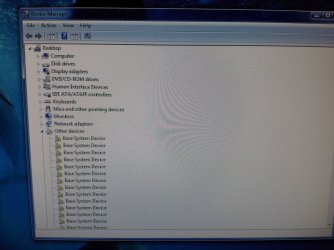
I don't know what it is, but it's not the monitor or the graphics card that is faulty.
The monitor doesn't just display these grains, it updates them. Most of them are flashing constantly.
The GPU is fine because the 2nd monitor is also put on that card and is displaying correctly.
And I'm certain since the monitor displays correctly in win10
I think it's a driver issue but installing latest GPU drivers didn't solve this issue.
You might be better off posting the screenshots here at Sevenforums, rather than using Dropbox. Many members won't click to offsite pictures and websites because of malware concerns. It's easy to do, and here is a tutorial on how to do it:
Did you ever resolve this? I am looking to setup a three monitor system and want to avoid such problems.
My Computer
At a glance
Win 7 Pro 64-bitIntel Core i516 GB Dell, 6 GB ToshibaIntel crap on both but Dell also has nVidia G...
Computer type
Laptop
Computer Manufacturer/Model Number
Dell Insprion 7559 next to a Toshiba Portege
OS
Win 7 Pro 64-bit
CPU
Intel Core i5
Motherboard
Intel
Memory
16 GB Dell, 6 GB Toshiba
Graphics Card(s)
Intel crap on both but Dell also has nVidia GeForce GTX960M
Sound Card
RealTek
Monitor(s) Displays
internal and external ACER KA270H 27"
Screen Resolution
1920x1080
Hard Drives
SSD 256 GB plus numerous WD Red or Purple on USB3 docks. Used to buy a lot of Seagate but tossed them the second time I got unrecoverable disc corruption in the midst of use.
Keyboard
Garage Mouse SW and some cheap Amazon China made USB device
Mouse
Garage Mouse and some cheap Amazon China made USB device