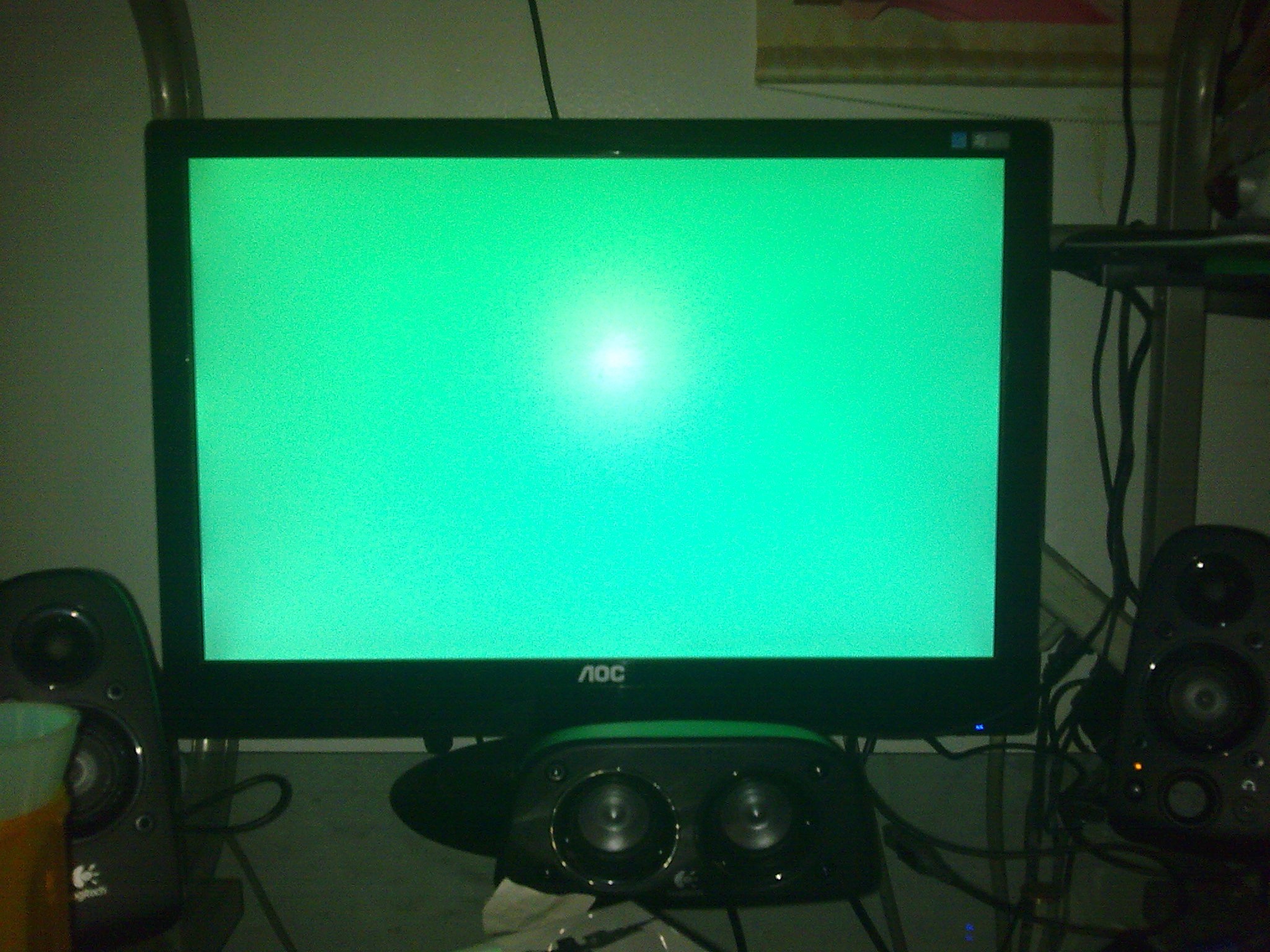
Newly built computer, crashes while playing a certain game

zerox535

New member
Member
Local time
5:10 PM
Messages
40
I just built a new computer and whenever i play the game CoD:mw3 my computer randomly crashes, sometimes it'll show pale blue on my screen sometimes it'll be yellow and there really is no specific timing for it either. I've already upgraded my drivers and such and i can't seem to be able to find any solution toward this problem.

Computer specs:
asus p8z68-v/gen3 (motherboard)
intel i5 2500k quad core 4cpu 3.3ghz(cpu)
EVGA 012-P3-2066-KR GeForce GTX 560 Ti (Fermi) 448 Cores FTW 1280MB 320-bit GDDR5 PCI Express 2.0 x16 HDCP (gpu)
8gb RAM
500gb HDD
700W PSU


My Computer

OS
Windows 7 Home Premium x64
Go to control panel, admin tools and select events. Will show you errors that occurred during the time of your failure. Also, are you monitoring your CPU temp? Sometimes can overheat and die. Use CpuTemp. Serach WEB and you will find. There is an x86 and x64 version.
 

My Computer

Computer Manufacturer/Model Number
Home Built
OS
Windows 7 SP1 x64
CPU
AMD 9850 X4
Motherboard
ASUS
Memory
Corsair
Graphics Card(s)
ATI Radeon
Sound Card
Sigmatel
Monitor(s) Displays
Dell
Screen Resolution
1600X900
Hard Drives
(1) WD 1TB
Cooling
Corsair H60
Internet Speed
UVerse 12MB
Does that show me the events after i force shut down my computer? because its not just the game that freeze, its my entire computer. And im sure it wasnt my CPU temperature either
 

My Computer

OS
Windows 7 Home Premium x64
You should review them for the time span that leads up to the failure. Review any critical errors for warnings or some indication that the failure is imminent.

Have you done any overclocking of the processor?
 

My Computer

Computer Manufacturer/Model Number
Home Built
OS
Windows 7 SP1 x64
CPU
AMD 9850 X4
Motherboard
ASUS
Memory
Corsair
Graphics Card(s)
ATI Radeon
Sound Card
Sigmatel
Monitor(s) Displays
Dell
Screen Resolution
1600X900
Hard Drives
(1) WD 1TB
Cooling
Corsair H60
Internet Speed
UVerse 12MB
Well in addition im not sure if this might be the case, but the newest Nvidia driver causes my computer to crash faster than the previous driver. Also my processor is at factory settings plus my GPU is overclocked by default in factory settings. I will try to see if it crashes and i will check the error log after it does because there is quite a few errors in event viewer and they seem to be incoherent to my case. I will post a reply as soon as possible
 

My Computer

OS
Windows 7 Home Premium x64
sorry for the extra late reply, but i did read the admin logs and there really wasnt much showing that's related to my crash. This is was happens when it crashes btw pic below. I've read somewhere that the geforce 560 ti 448 cores was also a bit weird and not 100% compatible with the drivers which seems somewhat truthful since the Nvidia website itself doesnt auto find the GPU drivers. It only shows up as "no drivers can be found for this gpu"
JaBB0.jpg
 

My Computer

OS
Windows 7 Home Premium x64
Are there some older drivers for your card that you can try? I know sometimes the newer drivers cause problems and going back to an older driver can resolve them.
 

My Computers

System One System Two

  • Computer type
    PC/Desktop
    Computer Manufacturer/Model Number
    ALWAYS UNDER CONSTRUCTION
    OS
    Windows 11 Pro
    CPU
    Ryzen 9 5900X
    Motherboard
    Asus X570 Crosshair Viii Hero
    Memory
    32GB G Skill DDR4-3600
    Graphics Card(s)
    EVGA RTX 3080 FTW 3 Ultra
    Sound Card
    On Board/Sennheiser PC37X Headset
    Monitor(s) Displays
    3 X Asus 27"
    Screen Resolution
    2560x1440
    Hard Drives
    2 X 1 TB NVME drives
    PSU
    EVGA 850
    Case
    Phanteks Eclipse P400A
    Cooling
    EVGA 280 AIO
    Keyboard
    Logitech G510s/ Logitech G13
    Mouse
    Logitech G502
    Internet Speed
    24/1
    Antivirus
    ESET/MBAM Pro/SAS Pro
    Browser
    Chrome/ Firefox/ Edge
  • Computer type
    Laptop
    System Manufacturer/Model Number
    Dell 16 Plus
    OS
    Windows 11 Pro
    CPU
    Intel Ultra 9 288V
    Memory
    32 GB LPDDR5X 8533
    Monitor(s) Displays
    16" Mini-LED HDR600 Touch 90 Hz
    Screen Resolution
    2560X1600
    Hard Drives
    1 TB NVME
Yes i tried all the approved official drivers + a few other beta drivers
 

My Computer

OS
Windows 7 Home Premium x64
Back
Top