
YoMaMMa186
New member
- Local time
- 8:53 AM
- Messages
- 6
I have a home server running Windows 7 Ultimate x64 on a PC with an Asus P5N-D motherboard. (nVidia 750i SLI chipset, nForce 10/100/1000 NIC)
We have around 10TB of hard drives connected to it and all are in RAID 1. (two 2TB+2TB arrays with Seagate Green drives and one 1TB+1TB array with Seagate 7200.12 drives)
Randomly, it will decide to slow down from gigabit to 100mbps. (My router shows gigabit as orange and 100mbps as green)
That's very unfortunate for us seeing as we transfer hundreds of gigs of data through it regularly.
If I unplug the cable from my router (Netgear N600 DR3700, DD-WRT v24-sp2 (02/17/11) st) and immediately reconnect it, it goes back to gigabit. (The light also switches from green, 100mbps, to orange, gigabit)
Here is a screenshot of my advanced network settings box.
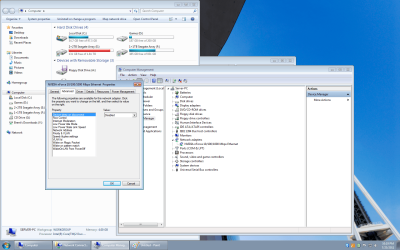
And here are the settings I have selected:
Network Address: Not Present
Priority and VLAN: Priority Enabled
Speed/duplex settings: Auto Negotiation
VLAN ID: 1
EVERYTHING else is set to Disable
Under Power Management, "Allow .... turn off to save power" is unchecked.
Any help? I'd rather it stay in gigabit mode.
Thanks.
We have around 10TB of hard drives connected to it and all are in RAID 1. (two 2TB+2TB arrays with Seagate Green drives and one 1TB+1TB array with Seagate 7200.12 drives)
Randomly, it will decide to slow down from gigabit to 100mbps. (My router shows gigabit as orange and 100mbps as green)
That's very unfortunate for us seeing as we transfer hundreds of gigs of data through it regularly.
If I unplug the cable from my router (Netgear N600 DR3700, DD-WRT v24-sp2 (02/17/11) st) and immediately reconnect it, it goes back to gigabit. (The light also switches from green, 100mbps, to orange, gigabit)
Here is a screenshot of my advanced network settings box.
And here are the settings I have selected:
Network Address: Not Present
Priority and VLAN: Priority Enabled
Speed/duplex settings: Auto Negotiation
VLAN ID: 1
EVERYTHING else is set to Disable
Under Power Management, "Allow .... turn off to save power" is unchecked.
Any help? I'd rather it stay in gigabit mode.
Thanks.
My Computer
At a glance
Windows 7 Ultimate x64AMD Athlon II X3 425 2.7Ghz (OC to 3.4)4GB Corsair XMS2 800 (OC to 830)AMD Radeon XFX 5770 1GB
- Computer Manufacturer/Model Number
- Custom
- OS
- Windows 7 Ultimate x64
- CPU
- AMD Athlon II X3 425 2.7Ghz (OC to 3.4)
- Motherboard
- Gigabyte GA-MA770-UD3
- Memory
- 4GB Corsair XMS2 800 (OC to 830)
- Graphics Card(s)
- AMD Radeon XFX 5770 1GB
- Monitor(s) Displays
- LG 20", Acer 19"
- Screen Resolution
- 3120x1050
- Hard Drives
- 500GB Boot, 250GB Downloads, 250GB Images, 250GB External,
+Server, 10TB in RAID 1, 5TB Space. All Seagate.
- PSU
- 550W OCZ Modstream Modular 80+
- Case
- Cooler Master
- Cooling
- Air
- Keyboard
- Logitech G15
- Mouse
- Logitech MX3200
- Internet Speed
- 3mbit/1mbit
