carburateur
New member
- Local time
- 1:04 AM
- Messages
- 4
Hi,
I recently bought a new laptop (ASUS UL80VT) with Windows 7 pro 64.
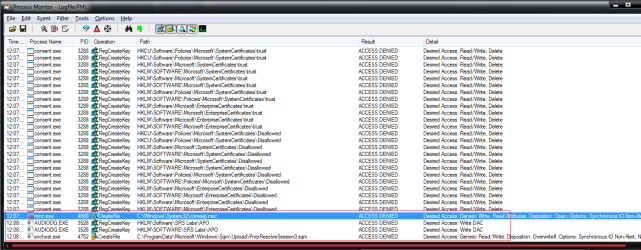
In order to install a CAD software (for my job), I need having access to the "COM+ applications" folder (in Components Services >> Start / exec / dcomcnfg)
When clicking on the folder, I receive a message (in french) telling that I do no have the right authorisation to get access to this folder (even if log in admin).
Would anybody could help me to open this folder ?
I already update my BIOS (according to the ASUS technical support recommandations...)
I think the problem com from Windows 7 pro 64 itself.
Many thanks.
I recently bought a new laptop (ASUS UL80VT) with Windows 7 pro 64.
In order to install a CAD software (for my job), I need having access to the "COM+ applications" folder (in Components Services >> Start / exec / dcomcnfg)
When clicking on the folder, I receive a message (in french) telling that I do no have the right authorisation to get access to this folder (even if log in admin).
Would anybody could help me to open this folder ?
I already update my BIOS (according to the ASUS technical support recommandations...)
I think the problem com from Windows 7 pro 64 itself.
Many thanks.
My Computer
- Computer Manufacturer/Model Number
- ASUS UL80VT
- OS
- Windows 7 Pro 64
- CPU
- U7300 Core 2 Duo
- Motherboard
- ASUS
- Memory
- 4Go
- Graphics Card(s)
- GeForce G210M 512Mo
- Sound Card
- REALTEK
- Monitor(s) Displays
- 14"
- Hard Drives
- 320Go