No Aero

Plantje

New member
Member
Local time
7:15 PM
Messages
45
Hi,
I'm running Windows 7 on my Asus R2H. Everything is running fine now. But, what I dislike is the appearance! Because the Asus has a Intel GMA 910/915 video card nog Aero is possible. This means that I'm stuck with the standard Windows 7 gui. Especially the taskbar is what I dislike.

I tried a registry hack to enable aero, but it didn't work.

Therefore I'm looking for some more non-aero desktop themes. Where can I get these?
 

My Computer

Computer Manufacturer/Model Number
EXOPC, custom desktop, custom media center, HP laptop
OS
Windows 7 32 bit both Ultimate and Home Premium
CPU
Varies per system
Motherboard
Varies per system
Memory
Varies per system
Graphics Card(s)
Varies per system
Sound Card
Varies per system
Monitor(s) Displays
Varies per system
Screen Resolution
Varies per system
Hard Drives
Varies per system
PSU
Varies per system
Case
Varies per system
Cooling
Varies per system
Keyboard
Varies per system
Mouse
Varies per system
Internet Speed
20Mbit
You can just search for 'Windows 7 themes' and download any theme. The only thing is you'll not get the Glass (and some other) effects but the theme may still wok.
   Tip
Download the theme to your desktop & double-click it from there. The colors & wallpaper whould change (hopefully)

Hope this helps :)


OS
 

My Computer

Computer Manufacturer/Model Number
Compaq Desktop
OS
Windows 7 Ultimate x64
CPU
AMD Sempron Dual Core
Memory
3GB
Graphics Card(s)
NVIDIA GeForce 6150SE nForce 430
Screen Resolution
1024x768
Hard Drives
150GB Sata

My Computer

OS
7600 x86
CPU
Core 2 Duo e7200, 2.53 ghz
Motherboard
Micro-Star MS-7529
Memory
2x DDR2 PC5300 1gb, 667 mhz
Graphics Card(s)
GeForce 9500gt, 512mb
Monitor(s) Displays
22" LG Flatron w2234s
Screen Resolution
1680x1050
Hard Drives
Excelstor SATA-II 250gb 7200rpm, 8mb cache
PSU
CoolerMaster M520
Internet Speed
30/20 mbits
Hi,
I'm running Windows 7 on my Asus R2H. Everything is running fine now. But, what I dislike is the appearance! Because the Asus has a Intel GMA 910/915 video card nog Aero is possible. This means that I'm stuck with the standard Windows 7 gui. Especially the taskbar is what I dislike.

I tried a registry hack to enable aero, but it didn't work.

Therefore I'm looking for some more non-aero desktop themes. Where can I get these?

Hi Plantje,

I have the same problem, althought I don't really see it as a problem.

I do have a little program that makes your taskbar transparent.

If you PM me your email, I'll send it to you. It's only 322kb.

when you unzip and start the program, a little rectangle will appear in the lower right corner of your desktop, just above the clock.

There is a tiny slider in the rectangle. Move it up and down to set your preferred transparency and rightclick -> exit the program.
that's all.


The program doesn't need to be in startup.
Transparency remains even after reboot, so you never have to look at it again.

If you want to change the level of transparency, just run the program again.

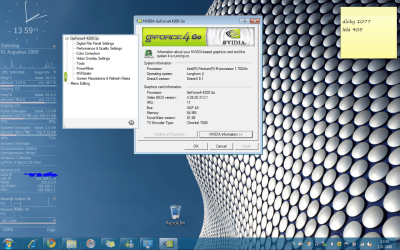
Here's a screenshot of my desktop.

ScreenCapture.PNG


so if you are interested, send me a personal message with your email address.

good luck,

Greetz
 

My Computer

OS
Win7 Build 7600 x86
CPU
Pentium II 300MHz
Motherboard
Asus
Memory
32mb EDO RAM
Graphics Card(s)
Diamond Viper
Sound Card
Soundblaster 16
Monitor(s) Displays
14" AOC CRT 16K color
Screen Resolution
800x600
Hard Drives
300mb Quantum fireball
PSU
110 Watts
Cooling
Passive
Keyboard
Trust Ergonomic
Mouse
Generic
Internet Speed
256K u 128K d
You can just search for 'Windows 7 themes' and download any theme. The only thing is you'll not get the Glass (and some other) effects but the theme may still wok.
   Tip
Download the theme to your desktop & double-click it from there. The colors & wallpaper whould change (hopefully)

Hope this helps :)
Thanks!

Of course this was the first thing I tried ;) The themes that I can download do work. However, only the background is being changed. This is because all colour settings are based upon the aero stuff. And that will nog work, so I'm still stuck with the standard colours.

If you go to personalization there are quite some themes. On my machine all Aero themes do the same. They change the background. As soon as I click the "Window color" button I get the same "Window color and appearance" dialog as the one you got in XP. With a notification: "To turn on Windows Aero, select a Windows 7 theme. Some of the colors fonts and sizes selected here apply only if you have selected the Windows 7 Basic theme or a High contrast theme"

And if I select the Windows 7 basic theme from the Basic and high contrast themes I'm not able to change the color of the taskbar and windows. That's what I'm looking for: theme's that are not Aero.
 

My Computer

Computer Manufacturer/Model Number
EXOPC, custom desktop, custom media center, HP laptop
OS
Windows 7 32 bit both Ultimate and Home Premium
CPU
Varies per system
Motherboard
Varies per system
Memory
Varies per system
Graphics Card(s)
Varies per system
Sound Card
Varies per system
Monitor(s) Displays
Varies per system
Screen Resolution
Varies per system
Hard Drives
Varies per system
PSU
Varies per system
Case
Varies per system
Cooling
Varies per system
Keyboard
Varies per system
Mouse
Varies per system
Internet Speed
20Mbit
I have the same problem so I have completely ditched Aero for Winstep, and I find it better looking too... check it out and tell me how you feel....
 

Attachments

  • Capture.PNG
    Capture.PNG
    1.1 MB · Views: 1,526

My Computer

Computer type
PC/Desktop
Computer Manufacturer/Model Number
LENOVO K450 @3.0GHZ
OS
64-bit Windows 8.1 Pro
CPU
Core(TM) i5 CPU 4330 Haswell @ 3.20GHz
Motherboard
LENOVO
Memory
12.00 GB
Graphics Card(s)
Intel(R) HD Graphics
Sound Card
Intel HD integtrated
Monitor(s) Displays
HP 25' ISP Monitor
Screen Resolution
1900/1020
Hard Drives
(1) ST1000DM003-1CH162 (2) Generic STORAGE DEVICE USB Device (3) Generic STORAGE DEVICE USB Device
Internet Speed
100mb down/10mb up
Yes, that does seem nice!
 

My Computer

Computer Manufacturer/Model Number
EXOPC, custom desktop, custom media center, HP laptop
OS
Windows 7 32 bit both Ultimate and Home Premium
CPU
Varies per system
Motherboard
Varies per system
Memory
Varies per system
Graphics Card(s)
Varies per system
Sound Card
Varies per system
Monitor(s) Displays
Varies per system
Screen Resolution
Varies per system
Hard Drives
Varies per system
PSU
Varies per system
Case
Varies per system
Cooling
Varies per system
Keyboard
Varies per system
Mouse
Varies per system
Internet Speed
20Mbit
the light blue for non-aero is hard coded into aero.msstyles. you cannot change it in the Personalization dialog or through standard themes.

which is why i posted what i posted earlier. did you follow those links? there are options out there, you just have to look around...
 

My Computer

OS
7600 x86
CPU
Core 2 Duo e7200, 2.53 ghz
Motherboard
Micro-Star MS-7529
Memory
2x DDR2 PC5300 1gb, 667 mhz
Graphics Card(s)
GeForce 9500gt, 512mb
Monitor(s) Displays
22" LG Flatron w2234s
Screen Resolution
1680x1050
Hard Drives
Excelstor SATA-II 250gb 7200rpm, 8mb cache
PSU
CoolerMaster M520
Internet Speed
30/20 mbits
I'll try those options when I get home. (For some reason my boss expects me to work! :)) Thanks though! I'll let you know how it works.
 

My Computer

Computer Manufacturer/Model Number
EXOPC, custom desktop, custom media center, HP laptop
OS
Windows 7 32 bit both Ultimate and Home Premium
CPU
Varies per system
Motherboard
Varies per system
Memory
Varies per system
Graphics Card(s)
Varies per system
Sound Card
Varies per system
Monitor(s) Displays
Varies per system
Screen Resolution
Varies per system
Hard Drives
Varies per system
PSU
Varies per system
Case
Varies per system
Cooling
Varies per system
Keyboard
Varies per system
Mouse
Varies per system
Internet Speed
20Mbit
the light blue for non-aero is hard coded into aero.msstyles. you cannot change it in the Personalization dialog or through standard themes.

which is why i posted what i posted earlier. did you follow those links? there are options out there, you just have to look around...

I installed the file and ran the "patches" that needed to be run.... However the system now every time starts with the "Please wait" screen when starting up. Is this normal?
 

My Computer

Computer Manufacturer/Model Number
EXOPC, custom desktop, custom media center, HP laptop
OS
Windows 7 32 bit both Ultimate and Home Premium
CPU
Varies per system
Motherboard
Varies per system
Memory
Varies per system
Graphics Card(s)
Varies per system
Sound Card
Varies per system
Monitor(s) Displays
Varies per system
Screen Resolution
Varies per system
Hard Drives
Varies per system
PSU
Varies per system
Case
Varies per system
Cooling
Varies per system
Keyboard
Varies per system
Mouse
Varies per system
Internet Speed
20Mbit
The machine doesn't start Windows anymore. Let's see if a complete shutdown will do the trick. Otherwise I hope I can start in safe mode and remove this stuff.

The last thing I can do (but I hope it's not necessary to do) is reinstall Windows :(
 

My Computer

Computer Manufacturer/Model Number
EXOPC, custom desktop, custom media center, HP laptop
OS
Windows 7 32 bit both Ultimate and Home Premium
CPU
Varies per system
Motherboard
Varies per system
Memory
Varies per system
Graphics Card(s)
Varies per system
Sound Card
Varies per system
Monitor(s) Displays
Varies per system
Screen Resolution
Varies per system
Hard Drives
Varies per system
PSU
Varies per system
Case
Varies per system
Cooling
Varies per system
Keyboard
Varies per system
Mouse
Varies per system
Internet Speed
20Mbit
Fixed it....but I was not too happy with this hickups! Perhaps it's something that is not useful for the R2H
 

My Computer

Computer Manufacturer/Model Number
EXOPC, custom desktop, custom media center, HP laptop
OS
Windows 7 32 bit both Ultimate and Home Premium
CPU
Varies per system
Motherboard
Varies per system
Memory
Varies per system
Graphics Card(s)
Varies per system
Sound Card
Varies per system
Monitor(s) Displays
Varies per system
Screen Resolution
Varies per system
Hard Drives
Varies per system
PSU
Varies per system
Case
Varies per system
Cooling
Varies per system
Keyboard
Varies per system
Mouse
Varies per system
Internet Speed
20Mbit
i've heard of people having problems with the patches that you describe, but i don't think anyone has diagnosed it yet..

when you say you fixed it, do you mean things are back to normal, did you finally get 3rd party visual styles working?
 

My Computer

OS
7600 x86
CPU
Core 2 Duo e7200, 2.53 ghz
Motherboard
Micro-Star MS-7529
Memory
2x DDR2 PC5300 1gb, 667 mhz
Graphics Card(s)
GeForce 9500gt, 512mb
Monitor(s) Displays
22" LG Flatron w2234s
Screen Resolution
1680x1050
Hard Drives
Excelstor SATA-II 250gb 7200rpm, 8mb cache
PSU
CoolerMaster M520
Internet Speed
30/20 mbits
No, I got my machine running again.

I think I'll just have to live with the standard colors and perhaps some transparency from the tool that squonksc sent me.

And otherwise I can always go for the Asus T91 instead of the R2H. ;)
 

My Computer

Computer Manufacturer/Model Number
EXOPC, custom desktop, custom media center, HP laptop
OS
Windows 7 32 bit both Ultimate and Home Premium
CPU
Varies per system
Motherboard
Varies per system
Memory
Varies per system
Graphics Card(s)
Varies per system
Sound Card
Varies per system
Monitor(s) Displays
Varies per system
Screen Resolution
Varies per system
Hard Drives
Varies per system
PSU
Varies per system
Case
Varies per system
Cooling
Varies per system
Keyboard
Varies per system
Mouse
Varies per system
Internet Speed
20Mbit
hi
I want that little program that makes taskbar transparent please ! I have a low video card and i can't get aero work.

A download lnk please ! thanks
 

My Computer

OS
windows seven
Found it!

Send me a personal message with your E-mail address and I will mail it to you
 

My Computer

Computer Manufacturer/Model Number
EXOPC, custom desktop, custom media center, HP laptop
OS
Windows 7 32 bit both Ultimate and Home Premium
CPU
Varies per system
Motherboard
Varies per system
Memory
Varies per system
Graphics Card(s)
Varies per system
Sound Card
Varies per system
Monitor(s) Displays
Varies per system
Screen Resolution
Varies per system
Hard Drives
Varies per system
PSU
Varies per system
Case
Varies per system
Cooling
Varies per system
Keyboard
Varies per system
Mouse
Varies per system
Internet Speed
20Mbit
Back
Top