Dear,
I just installing Win7 Ultimate 64-bit for the first time in my Asus A450LC.
First problem is:
Error: Windows cannot be installed to Disk 0 Partition 1. (Show details)
Details: Windows cannot be installed to this disk. The selected disk has an MBR partition table. On EFI systems, Windows can only be installed to GTP disks. Windows cannot be installed to this hard disk space. Windows must be installed to a partition formatted as NTFS.
Based on this : http://www.sevenforums.com/installa...ws-cannot-installed-disk-0-partition-1-a.html
I delete both of the partition and continue installation without having problem.
But, when installation finished then laptop restarted it can't booting to windows.
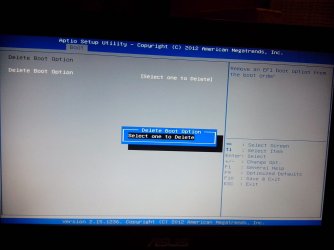
So, i check bios and see that first booting is in my hard drive.
I try to restart again, but still can't booting to windows.
In some forums, it tells to check HDD Option, and if it AHCI change it to IDE.
When in Asus bios it can see in SATA mode selection, but i just find AHCI, no other option.
How can i change the type of SATA from AHCI to IDE?
What should i do? there is something that i could fix besides HDD setting?
I just installing Win7 Ultimate 64-bit for the first time in my Asus A450LC.
First problem is:
Error: Windows cannot be installed to Disk 0 Partition 1. (Show details)
Details: Windows cannot be installed to this disk. The selected disk has an MBR partition table. On EFI systems, Windows can only be installed to GTP disks. Windows cannot be installed to this hard disk space. Windows must be installed to a partition formatted as NTFS.
Based on this : http://www.sevenforums.com/installa...ws-cannot-installed-disk-0-partition-1-a.html
I delete both of the partition and continue installation without having problem.
But, when installation finished then laptop restarted it can't booting to windows.
So, i check bios and see that first booting is in my hard drive.
I try to restart again, but still can't booting to windows.
In some forums, it tells to check HDD Option, and if it AHCI change it to IDE.
When in Asus bios it can see in SATA mode selection, but i just find AHCI, no other option.
How can i change the type of SATA from AHCI to IDE?
What should i do? there is something that i could fix besides HDD setting?
My Computer
At a glance
Windows 7 Ultimate x64
- Computer type
- Laptop
- Computer Manufacturer/Model Number
- Asus
- OS
- Windows 7 Ultimate x64