
srikanthpsarath
New member
- Local time
- 5:43 PM
- Messages
- 1
Hi ppl,
I'm using Windows 7. I want to connect to internet using WiFi modem. I'm able to connect to the modem using WiFi but when i try to create and internet connection using the foll procedure i unable to proceed after this.
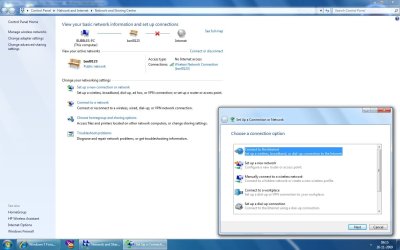
Step 1 : Go to network and sharing options and click setup new connection or network
step 2: Click "connect to the internet"
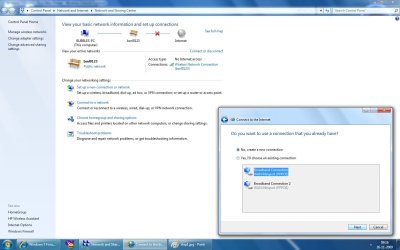
step 3: select "no, Il create a new connection"
step 4: In how do you want to connect select wireless modem
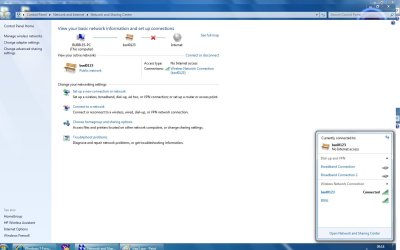
after this im not prompted to enter any username or password instead my connections from the taskbar icon are listed.
I need to give a user name and password (ISP specific) but im not able to find the screen where this detail has to entered when creating a new internet connection. Please help me.
I'm using Windows 7. I want to connect to internet using WiFi modem. I'm able to connect to the modem using WiFi but when i try to create and internet connection using the foll procedure i unable to proceed after this.
Step 1 : Go to network and sharing options and click setup new connection or network
step 2: Click "connect to the internet"
step 3: select "no, Il create a new connection"
step 4: In how do you want to connect select wireless modem
after this im not prompted to enter any username or password instead my connections from the taskbar icon are listed.
I need to give a user name and password (ISP specific) but im not able to find the screen where this detail has to entered when creating a new internet connection. Please help me.
Attachments
My Computer
- OS
- Windows 7
