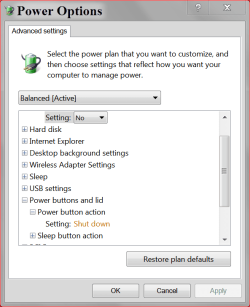
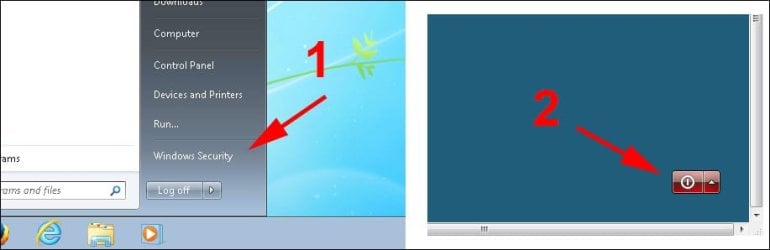
I just noticed on my Web Server running Windows 7 Pro X64 that the Start button does not have Shutdown or Restart. It was there a few days ago. No Windows Updates other than Microsoft Security Essentials definition updates.

I checked gpedit as follows:
Click Start, Run.
Type gpedit.msc and click OK.
Navigate to the following path:
User Configuration\Administrative Templates\Start Menu and Taskbar
It is already set to Disabled.
I don't normally apply updates to this computer since it's my Web Server and runs 24/7 but I'm applying 34 updates now, will see what that does to/for me.
Specs:
CPU: Intel Pentium D 945 3.4Ghz
Ram: 5GB DDR2 Dual Channel
HD: 120GB Seagate boot IDE
1.5TB Seagate 7200RPM IDE
I checked gpedit as follows:
Click Start, Run.
Type gpedit.msc and click OK.
Navigate to the following path:
User Configuration\Administrative Templates\Start Menu and Taskbar
It is already set to Disabled.
I don't normally apply updates to this computer since it's my Web Server and runs 24/7 but I'm applying 34 updates now, will see what that does to/for me.
Specs:
CPU: Intel Pentium D 945 3.4Ghz
Ram: 5GB DDR2 Dual Channel
HD: 120GB Seagate boot IDE
1.5TB Seagate 7200RPM IDE
My Computer
- Computer type
- PC/Desktop
- Computer Manufacturer/Model Number
- Lenovo IdeaCenter 450
- OS
- Windows 10 Pro X64
- CPU
- Intel Quad Core i7-4770 @ 3.4Ghz
- Memory
- 16.0GB PC3-12800 DDR3 SDRAM 1600 MHz
- Graphics Card(s)
- Intel Integrated HD Graphics
- Sound Card
- Realtek HD Audio
- Monitor(s) Displays
- HP 22" LCD
- Screen Resolution
- 1680 x 1050
- Hard Drives
- 250GB Samsung EVO SATA-3 SSD
2TB Seagate ST2000DM001 SATA-2
1.5TB Seagate ST3150041AS SATA
- Keyboard
- Dell USB
- Mouse
- Lenovo USB
- Internet Speed
- Cable via Road Runner 3MB Upload, 30MB Download
- Antivirus
- Windows Defender, MBAM Pro, MBAE
- Browser
- Seamonkey
- Other Info
- UEFI/GPT
PLDS DVD-RW DH16AERSH