irresistible007
New member
- Local time
- 4:59 AM
- Messages
- 4
Hi Fellas,
Ok so the problem started with some corruptions in 'mountmgr.sys' after successfully repairing Windows i was able to boot again and everything seemed to work just fine (incl audio) until the next day when i boot my system the Audio wont work at all! No external Audio Card installed, i use the onboard system.
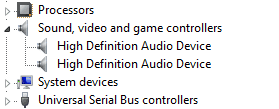
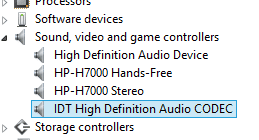
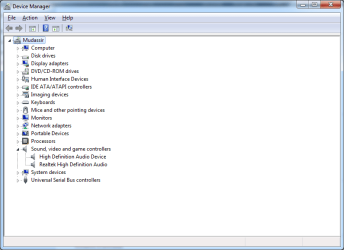
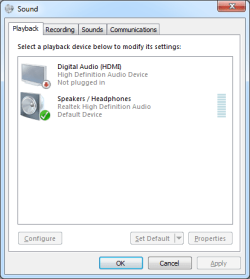
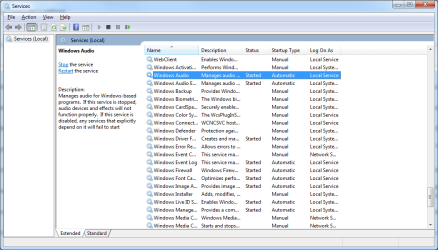
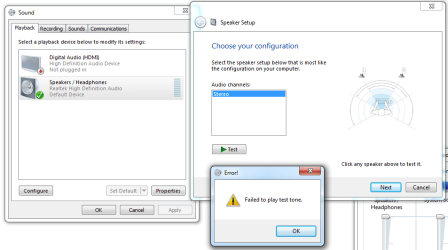
After a brief search on Internet i tried restarting 'Windows Audio' under services.msc (it was already started and was set to Automatic already) but this didnt work for me. The devices were listed with drivers installed so i headed to Playback devices, and it gave me error "Failed to play test tone", have tried disabling Enhancements, changing sample rate, but without luck.
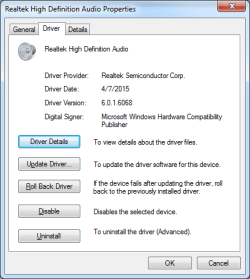
Also tried uninstalling the devices and let the system pick the drivers for me - no luck again! tried the drivers at Dell Support still no luck. I am desperately avoiding 'fresh os installation' here as this is my office PC (no tech guys/small office).
Yep i even tried SFC /scannow but it wont repair some violations - i am not too technical with this but a quick look at CBS log told me something is wrong with jsproxy.dll and wininet.dll so i even replaced them with known good copies after a couple of failed attempts with SFC, yet the prob persist with these DLLs and Audio.
Please help
Ok so the problem started with some corruptions in 'mountmgr.sys' after successfully repairing Windows i was able to boot again and everything seemed to work just fine (incl audio) until the next day when i boot my system the Audio wont work at all! No external Audio Card installed, i use the onboard system.
After a brief search on Internet i tried restarting 'Windows Audio' under services.msc (it was already started and was set to Automatic already) but this didnt work for me. The devices were listed with drivers installed so i headed to Playback devices, and it gave me error "Failed to play test tone", have tried disabling Enhancements, changing sample rate, but without luck.
Also tried uninstalling the devices and let the system pick the drivers for me - no luck again! tried the drivers at Dell Support still no luck. I am desperately avoiding 'fresh os installation' here as this is my office PC (no tech guys/small office).
Yep i even tried SFC /scannow but it wont repair some violations - i am not too technical with this but a quick look at CBS log told me something is wrong with jsproxy.dll and wininet.dll so i even replaced them with known good copies after a couple of failed attempts with SFC, yet the prob persist with these DLLs and Audio.
Please help
My Computer
At a glance
Windows 7 Ultimate x64Intel Core i3 - 4150 @ 3.5GHz
- Computer type
- PC/Desktop
- Computer Manufacturer/Model Number
- Dell OptiPlex 3020
- OS
- Windows 7 Ultimate x64
- CPU
- Intel Core i3 - 4150 @ 3.5GHz