
T0x1cDream
New member
- Local time
- 5:57 AM
- Messages
- 1
hey guys, im new here, was wondering if anyone knew about my situation, i am not able to set a desktop background from Control Panel\All Control Panel Items\Personalization\Desktop Background. as for the theme, i can select a theme, only once i delete the trancoded image file, i can however right click a pic and set as desktop background, but i cant size it like this... also in person/desktopbg all the picture there are all invisible thumbs, no img previews, i can onlyu select solid colors, ive searched google for hour on end, but came up with no fix what so ever, ill attach screen shots of what im trying to explain if that would help...
what ive tried:
- delete the transcoded img file
- restore pc
- uninstal last updates
- reinstal old and new updates
- regedit
- sfc /scannow
- chkdsk /r /f
- recheck windows experience index
- theres probably a few more just done so much i dont remember
windows 7 enterprise, up to date
processor a-10 series, integrated gxf
8gb ram
msi motherboard
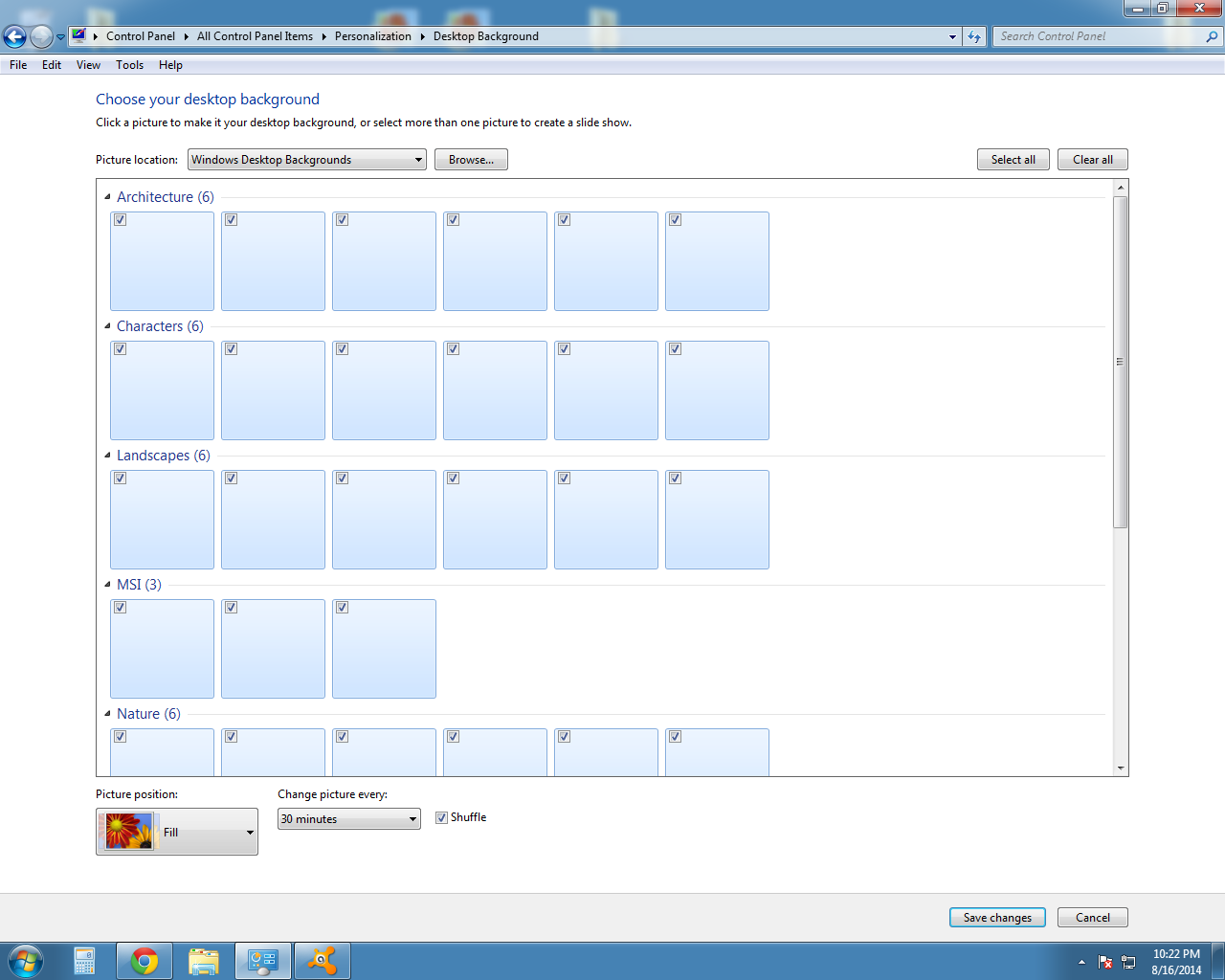
what ive tried:
- delete the transcoded img file
- restore pc
- uninstal last updates
- reinstal old and new updates
- regedit
- sfc /scannow
- chkdsk /r /f
- recheck windows experience index
- theres probably a few more just done so much i dont remember
windows 7 enterprise, up to date
processor a-10 series, integrated gxf
8gb ram
msi motherboard
Last edited by a moderator:
My Computer
- Computer type
- PC/Desktop
- Computer Manufacturer/Model Number
- custon build
- OS
- New Brunswick
- CPU
- A-10 6790k
- Motherboard
- MSI
- Memory
- 8GB
- Graphics Card(s)
- AMD HD 8670D
- Hard Drives
- 1x 1TB
- Antivirus
- Avast! Free
- Browser
- Chrome
