
Solved not trusting 7

nt62

New member
Local time
8:23 AM
Messages
12
Was going to post in General Discussion but NOT looking for support.
Posting in Chillout Room - Off Topic Chat and Fun ? well I don't know ...
Suppose it's just a statement.

___________________________________
I like Windows 7.
The UI is beautiful.

Even though I have drivers for current hardware, some issues have developed.
7 ruined a 4 terabyte drive when a disk check occurred during boot.
7 ruined 2 SSDs and I had to use Linux GPart to fix the partition tables.
7 ruined an mSATA 3 drive that also had to have the partition table fixed.
7 crashed and became unbootable. This happened on 2 separate clean installations.
8 or 10 have never had an issue with data loss.
Others have had problems with 8 or 10, fortunately, not my experience yet.
Using any OS is risky.

I like to do clean installs, but the OOBE leaves almost nothing working. (in 7)
No USB3, No network, No video driver (except basic MS), No sound.
On a clean install, the OS requires as many as about 200 updates to be current.

That can be managed, but is it safe to trust Windows 7 to a 6 terabyte drive?
Or PCI SSD mSATA 3 hardware? Sure the drivers work, but data loss has occurred.
I don't feel comfortable using 7 with a 6 terabyte USB3 drive.
... or hardware not designed for Windows 7.

The evidence is in. Windows 8.x and 10 are safer to use.
Going to have to stop using 7.

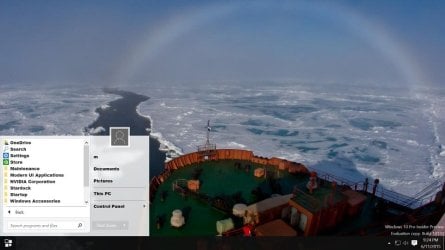
Not a fan of the Windows 10 hybrid menu but this works.
 

Attachments
  • Windows 10 alternative.jpg
    Windows 10 alternative.jpg
    52.9 KB · Views: 91
Last edited:

My Computer

Computer type
PC/Desktop
OS
os
I have never heard of Windows 7 causing all those problems. I would suggest that something else is causing this problem. I have no idea about a 6 tig drive.

Are you using Raid?
 

My Computer

Computer type
PC/Desktop
Computer Manufacturer/Model Number
Home made Desktop
OS
Windows 10 Pro. 64/ version 1709 Windows 7 Pro/64
CPU
Intel i7-6800K @ 4.3
Motherboard
ASUS X-99 Deluxe II
Memory
Corsair Platinum 16 gig @2400
Graphics Card(s)
EVGA GTX 1070 OC
Monitor(s) Displays
Asus 27" LED LCD/VE278Q
Screen Resolution
1920-1080 or 1280-720 HDMI
Hard Drives
INTEL SSD 730-240 Gb Sata 3.0/
PSU
EVGA Platium 1200W
Case
Phanteks Luxe Tempered Glass 8 fans/ one radiator
Cooling
XSPC/ Water Cooled CPU
Keyboard
Das 4 Professional
Mouse
Logitech M705/MX Anywhere 2-S
Internet Speed
100 mbits
Antivirus
Microsoft Security Essentials/ Malwarebytes Premium 3.0/ SAS
Browser
I.E. 11 default/Firefox/ ISP Time Warner Cable/Spectrum
Other Info
LG BluRay Burner/
Sound system-KLipsch-THX/
Icy Dock ssd Hot Swap bays.
I have never heard of Windows 7 causing all those problems. I would suggest that something else is causing this problem. I have no idea about a 6 TB drive.

Are you using Raid?

Thanks LB. No RAID. The thing is, how many are even aware that a 4 or 6 terabyte SATA3 drive exists?
Windows 7 was not designed for a 4 or 6 TB HDD or PCIE SSD or mSATA.
How many know about PCIE drives?
That is one reason ("never heard of") ... very few people have this hardware.

I can see 7 causing no problems with USB2 or drives 2 TB SATA2 or less.
In any event, I am not going to try and wrestle with 7. The OOBE is a PIA.

Please see post number 1 sentence number 1.
 
Last edited:

My Computer

Computer type
PC/Desktop
OS
os
I've been running a 4TB drive 24/7 in my computer for around seven or eight months now without any problems. I also have five 4TB drives that I use in an internal dock in my computer for keeping backups on. All of them run just fine.

All of my internal drives—three HDDs and one SSD—are running on SATA III ports in Win 7 without any trouble. All except one are rated for SATA III; one is an older SATA II drive and is doing just fine.

I'm pretty sure most of know that 4-6TB drives exist (they have been around for quite some time). HGST and Seagate have been selling 8TB drives for a little while now.

Many, if not most, of us know about PSIe and mSATA SSDs. Over on the www.Overclock.net forums, quite a few people are using them with Win 7 with no trouble at all. Even SSDs that will use NVMe instead of AHCI will run just fine on Win 7 as long as the MOBO will support NVMe.

I've run external HDDs, some as large as 4TB, and SSDs in docks or enclosures on USB 3.O and eSATA without any problems on all my Win 7 machines.

As Jack said, something else has to be causing your problems.
 

My Computer

Computer type
PC/Desktop
Computer Manufacturer/Model Number
Custom Build
OS
Win 7 Ultimate 64 bit
CPU
Intel i7-3930K
Motherboard
ASUS P9X79 WS
Memory
Kingston HyperX Genesis 32GB Kit (8x4GB Modules) 1600MHz DDR
Graphics Card(s)
MSI R7850 Twin Frozr 2GD5/OC Radeon HD 7850 2GB 256-bit GDDR
Sound Card
Asus Xonar Essence STX
Monitor(s) Displays
3x Asus VG248QE 24", Vizio 32" TV
Screen Resolution
1920 x 1080, ?
Hard Drives
Samsung 128GB 840 Pro SSD (1),
Samsung 4TB 850 EVO SSDs (4)
Samsung 4TB 850 EVO SSDs (16) external backup drives used in 2.5" hot swap bays in the computer.
PSU
Corsair HX750w
Case
Antec Two Hundred v2 (modified)
Cooling
Cooler Master GeminII S524 120mm (fan replaced with a 140mm)
Keyboard
Logitech G510s
Mouse
Logitech M525 (two in use)
Internet Speed
=< 32Mbps down, 8Mbps up
Antivirus
AVAST!, MBAM, SAS, Spybot S&D (all but MBAM free) Glary Util
Browser
IE11
Other Info
LSI 9211-8i HBA card (8 SATA III ports), 2.5" & 3.5" Hot Swap Bays, HooToo HT-CR001 PCI-E to USB 3.0 Internal Hub + 6 Slot Card Reader, and LG Model CH12LS28 BD-ROM Optical Drive. Also, ScanSnap S1500 ADF duplexing scanner, Canon 9000F flat bed scanner, Corsair SP2500 2.1 speakers, Samsung CLP 415nw laser color printer, Cyberpower PP2200SW UPS
I've been running a 4TB drive 24/7 in my computer for around seven or eight months now without any problems. I also have five 4TB drives that I use in an internal dock in my computer for keeping backups on. All of them run just fine.

Geez. Didn't want to rustle any feathers! Running 24/7 is different from turning a motherboard off and changing OSystems several times a day. Constantly running, I have had the same success.

... didn't really want to get into details but I agree that 7 handles all of that just fine when the system is stable. I flip Operating Systems changing SSDs almost daily and requires shutting down many times a day.
I never said 7 with proper drivers in a stable mode is a problem.

The point of "something else", well, I have been running 8.x and server 2012 for 3 years and never had a fail.
The only fail occurred using 7.

I have resolved this issue by not using 7.
My preference is to do a regular clean installation of an OS.
Most like to get a system running and keep using the same setup for years.
I agree it may be common knowledge for forumeers and techs to be aware,
... the average big box store browser might not be up to speed on new tech.
 
Last edited:

My Computer

Computer type
PC/Desktop
OS
os
Well, you never mentioned that you were switching OSes several times daily. I read somewhere that people were having problems with Win 7 when dual booting with Win 10. Seems to me that would make Win 10 the culprit, not Win 7.
 

My Computer

Computer type
PC/Desktop
Computer Manufacturer/Model Number
Custom Build
OS
Win 7 Ultimate 64 bit
CPU
Intel i7-3930K
Motherboard
ASUS P9X79 WS
Memory
Kingston HyperX Genesis 32GB Kit (8x4GB Modules) 1600MHz DDR
Graphics Card(s)
MSI R7850 Twin Frozr 2GD5/OC Radeon HD 7850 2GB 256-bit GDDR
Sound Card
Asus Xonar Essence STX
Monitor(s) Displays
3x Asus VG248QE 24", Vizio 32" TV
Screen Resolution
1920 x 1080, ?
Hard Drives
Samsung 128GB 840 Pro SSD (1),
Samsung 4TB 850 EVO SSDs (4)
Samsung 4TB 850 EVO SSDs (16) external backup drives used in 2.5" hot swap bays in the computer.
PSU
Corsair HX750w
Case
Antec Two Hundred v2 (modified)
Cooling
Cooler Master GeminII S524 120mm (fan replaced with a 140mm)
Keyboard
Logitech G510s
Mouse
Logitech M525 (two in use)
Internet Speed
=< 32Mbps down, 8Mbps up
Antivirus
AVAST!, MBAM, SAS, Spybot S&D (all but MBAM free) Glary Util
Browser
IE11
Other Info
LSI 9211-8i HBA card (8 SATA III ports), 2.5" & 3.5" Hot Swap Bays, HooToo HT-CR001 PCI-E to USB 3.0 Internal Hub + 6 Slot Card Reader, and LG Model CH12LS28 BD-ROM Optical Drive. Also, ScanSnap S1500 ADF duplexing scanner, Canon 9000F flat bed scanner, Corsair SP2500 2.1 speakers, Samsung CLP 415nw laser color printer, Cyberpower PP2200SW UPS
Well, you never mentioned that you were switching OSes several times daily. I read somewhere that people were having problems with Win 7 when dual booting with Win 10. Seems to me that would make Win 10 the culprit, not Win 7.

I don't dual boot. Geez, details, details... My OSs are on separate SSDs.
My board is connected to 1 SSD only.
When finished with the OS, the PC is shut off, and the SSD is changed.

Must repeat, no issues happened with 8.x or server, a fail only happened booting into 7.
 

My Computer

Computer type
PC/Desktop
OS
os
Thanks LF and LB.

I can deal with these issues ok, and easy. I like to fix things. But my 4TB was a total loss. Not repairable.
And, the OOBE is unacceptable as of 2015. To start from scratch requires allocating about 2 hours.
Clean installing 8.x, server 2012, or 10 takes about 10 minutes and they require no updates to be fully functional.

Please see post number 1 sentence number 1.
 
Last edited:

My Computer

Computer type
PC/Desktop
OS
os
Well, you never mentioned that you were switching OSes several times daily. I read somewhere that people were having problems with Win 7 when dual booting with Win 10. Seems to me that would make Win 10 the culprit, not Win 7.

I don't dual boot. Geez, details, details... My OSs are on separate SSDs.
My board is connected to 1 SSD only.
When finished with the OS, the PC is shut off, and the SSD is changed.

Must repeat, no issues happened with 8.x or server, a fail only happened booting into 7.

Go to the Win 10 forums and ask about it; that was where I read it. It had something to do with some data being changed when using Win 10 that caused the problems when going back to Win 7.

Does the problem occur when you switch between only between Win 8.x or Server and Win 7 or only when you add Win 10 to the mix?
 

My Computer

Computer type
PC/Desktop
Computer Manufacturer/Model Number
Custom Build
OS
Win 7 Ultimate 64 bit
CPU
Intel i7-3930K
Motherboard
ASUS P9X79 WS
Memory
Kingston HyperX Genesis 32GB Kit (8x4GB Modules) 1600MHz DDR
Graphics Card(s)
MSI R7850 Twin Frozr 2GD5/OC Radeon HD 7850 2GB 256-bit GDDR
Sound Card
Asus Xonar Essence STX
Monitor(s) Displays
3x Asus VG248QE 24", Vizio 32" TV
Screen Resolution
1920 x 1080, ?
Hard Drives
Samsung 128GB 840 Pro SSD (1),
Samsung 4TB 850 EVO SSDs (4)
Samsung 4TB 850 EVO SSDs (16) external backup drives used in 2.5" hot swap bays in the computer.
PSU
Corsair HX750w
Case
Antec Two Hundred v2 (modified)
Cooling
Cooler Master GeminII S524 120mm (fan replaced with a 140mm)
Keyboard
Logitech G510s
Mouse
Logitech M525 (two in use)
Internet Speed
=< 32Mbps down, 8Mbps up
Antivirus
AVAST!, MBAM, SAS, Spybot S&D (all but MBAM free) Glary Util
Browser
IE11
Other Info
LSI 9211-8i HBA card (8 SATA III ports), 2.5" & 3.5" Hot Swap Bays, HooToo HT-CR001 PCI-E to USB 3.0 Internal Hub + 6 Slot Card Reader, and LG Model CH12LS28 BD-ROM Optical Drive. Also, ScanSnap S1500 ADF duplexing scanner, Canon 9000F flat bed scanner, Corsair SP2500 2.1 speakers, Samsung CLP 415nw laser color printer, Cyberpower PP2200SW UPS
It had something to do with some data being changed when using Win 10 that caused the problems when going back to Win 7.

That might be it. So if it is, there is no solution. Either use 7 only and never expose your data to 10 or stop using 7. I don't know. I did notice 10 could handle permissions better.
After using 10 and going back to 8.x or 7, some file permissions had changed.

Today I clean installed 8.1.1 enterprise on 1 SSD and 10 build 130 on another SSD.
Tomorrow I may clean install 8.0 pro,
and in the afternoon do an install of Server 2016 Technical Preview 2 evaluation.

I like Windows 7 ... not a fan of diskcheck or feeding 7 with drivers to make it work.
 

My Computer

Computer type
PC/Desktop
OS
os
Windows 7 was not designed for a 4 or 6 TB HDD or PCIE SSD or mSATA.
Actually, Windows since 2003 SP1 has been ready for drives up to 16EB, with NTFS volumes maxing out at 256TB at 64K cluster size (support for drives larger than 2TB came in with NTFS for Windows 2000, as it were, as cluster sizes larger than 4k were supported). NTFS has a limitation based on cluster size, so at 4K cluster sizes the limitation before Windows 2000 was 2TB. MBR also has limitations based on 32bit math and hex - if anyone is curious, those are covered here:
Understanding the 2 TB Limit in Windows Storage - Ask the Core Team - Site Home - TechNet Blogs

Saying Windows 7 not being designed for larger disks is just not accurate. Since Windows 2000 you could have drives up to 256TB if the hardware would support it, and 2003 SP1 increased that via GPT disks to allow volumes/disks up to 16EB in size, again, assuming hardware support and a drive that large.

Lastly, killing that many drives does sound more like a multi-boot issue, or a power cleanliness issue along the rails, rather than being an OS problem. Anything's possible, but that many bad drives does remove a lot of the probables. Anyway, good luck, I've rambled enough.
 

My Computer

Computer type
PC/Desktop
Computer Manufacturer/Model Number
Custom
OS
Windows 10 Pro x64
CPU
Intel Core i7 4790K @ 4.5GHz
Motherboard
Asus Maximus Hero VII
Memory
32GB DDR3
Graphics Card(s)
Nvidia GeForce GTX970
Sound Card
Realtek HD Audio
Screen Resolution
1920x1200
Hard Drives
1x Samsung 250GB SSD
4x WD RE 2TB (RAIDZ)
PSU
Corsair AX760i
Case
Fractal Design Define R4
Cooling
Noctua NH-D15
Actually, Windows since 2003 SP1 has been ready for drives up to 16EB, with NTFS volumes maxing out at 256TB at 64K cluster size (support for drives larger than 2TB came in with NTFS for Windows 2000, as it were, as cluster sizes larger than 4k were supported).

Well, you got me. I haven't read your link but really, drive architectural history is not relevant.
Retail end user motherboards could not support such dramatic configurations.
256TB? 16EB? Anybody got a million dollars? That's the realm of a server farm.
RAID blade systems are not relevant.

If Windows 2003 was ready for drives that did not exist,
what are we talking about here?

...does sound more like a multi-boot issue...
... rather than being an OS problem

I don't multi-boot.
Again, 8.x and server have worked perfectly.
Only 7 failed.


Please see post number 1 sentence number 1.
thanks
 
Last edited:

My Computer

Computer type
PC/Desktop
OS
os
You claim drive failures and a distrust of Windows 7 because of it, and then postulate that it could be because Windows 7 wasn't ready for such large drives. I simply provided data that Windows 7 was indeed ready for those drives, even if manufacturers of consumer-grade electronics were not. Your failures are indicative of other problems, I was simply pointing it out.
 

My Computer

Computer type
PC/Desktop
Computer Manufacturer/Model Number
Custom
OS
Windows 10 Pro x64
CPU
Intel Core i7 4790K @ 4.5GHz
Motherboard
Asus Maximus Hero VII
Memory
32GB DDR3
Graphics Card(s)
Nvidia GeForce GTX970
Sound Card
Realtek HD Audio
Screen Resolution
1920x1200
Hard Drives
1x Samsung 250GB SSD
4x WD RE 2TB (RAIDZ)
PSU
Corsair AX760i
Case
Fractal Design Define R4
Cooling
Noctua NH-D15
I refer anyone to post number 1 sentence number 1.

I don't trust 7 anymore ok. Please feel free to stay with 7.
The issues mentioned in post 1 are only the result of booting into Windows 7.

Thanks Again. Very impressive credentials experience list Cluberti in your sig text.
I had an MCP and MCSE back in 1998.
I quit due to cost and time. This was before cell phones when we had to use pay phones.
(please, no history of cell phones)

We had to go out and buy books.

Thanks for responding everyone
 
Last edited:

My Computer

Computer type
PC/Desktop
OS
os
If I was loosing that many hard drives I would start with this.
From your specs.
PSU Pico PSU - Rosewill Silent Fanless 500 watt

Lack of proper voltage and amp control could cause such a problem but their again you would think other things would be affected. I'm presuming that your temps are as they should be.

Their has got to be a reason the drives are going bad and I don't believe it a operating system.

Are these drives that are going bad in docking stations?
Some people have problems with docking stations that have Advanced Formatting.

I really don't care what operating system you use. Use what works for you.

I'm just curious what is causing the problem.
I noticed in your specs you have fan less power supply and Passive cooling. That would be another thing I would suggest investigating.

If I had your problem I would check the basic first.
Proper power and proper cooling and that would include checking all external drives. Some external enclosures don't do neither well.

I'm on this forum 360 days a year reading many threads for hours per day. I take time out for a trip to the hospital now and then. I would think with all that time and reading I would of seen problems like you describe.

The members in this thread are just trying to share information and if we can, help you with your problem. Yes, many of our members have a wall full of sheep skins in computing and their are members like me with none. One thing we have in common is we want to help others.
 

My Computer

Computer type
PC/Desktop
Computer Manufacturer/Model Number
Home made Desktop
OS
Windows 10 Pro. 64/ version 1709 Windows 7 Pro/64
CPU
Intel i7-6800K @ 4.3
Motherboard
ASUS X-99 Deluxe II
Memory
Corsair Platinum 16 gig @2400
Graphics Card(s)
EVGA GTX 1070 OC
Monitor(s) Displays
Asus 27" LED LCD/VE278Q
Screen Resolution
1920-1080 or 1280-720 HDMI
Hard Drives
INTEL SSD 730-240 Gb Sata 3.0/
PSU
EVGA Platium 1200W
Case
Phanteks Luxe Tempered Glass 8 fans/ one radiator
Cooling
XSPC/ Water Cooled CPU
Keyboard
Das 4 Professional
Mouse
Logitech M705/MX Anywhere 2-S
Internet Speed
100 mbits
Antivirus
Microsoft Security Essentials/ Malwarebytes Premium 3.0/ SAS
Browser
I.E. 11 default/Firefox/ ISP Time Warner Cable/Spectrum
Other Info
LG BluRay Burner/
Sound system-KLipsch-THX/
Icy Dock ssd Hot Swap bays.
... I don't believe it's the operating system...

Please see post number 1 sentence number 1

Forgive me, I edited the quote to "it's the" etc...
Thanks LB. The thread has been marked as solved.

Should I repeat? The only fail was with 7.
8.0 - 8.1 - 8.1.1 - server 2012 - server 2012 R2 -
server 2016 preview - server 2016 technical preview 2 -
and 10.preview build ad nauseum have all worked perfectly (no fails).

The only fail was booting into 7.

I am keenly aware of my stark departure from typical hardware configurations.
All devices are operating within normal parameters.
There is lots of animosity about silent systems where gamers and power users roam.

The problem is solved. End of story. All devices have been repaired and are working.
I am currently running 8.1.1 with video running as background on the start screen.
Very pleased with how this system works.
... really like tiles, especially with a pleasant ocean scene of rolling waves in the background.

Just set up an extended volume of 3 mSATA drives on a PCIe card.
Now there is an SSD showing with 1.2TB of available space.

I need to move on to other matters.
Thanks Again Very Much.
 
Last edited:

My Computer

Computer type
PC/Desktop
OS
os
Back
Top