
I have a Samsung R720.
My touch-pad has been working fine for a few years but now refuses to even turn on.
I've tried a lot of things.
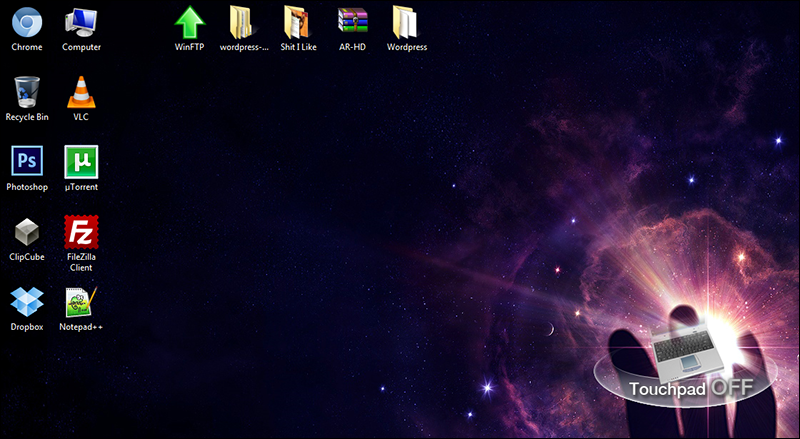
I'm quite lost now. When I use the hotkey to turn on/off the touch-pad I always get this message. It always says off, and the light of my note-pad never even turns on anymore.
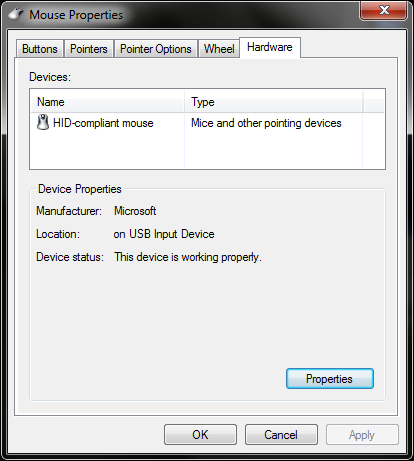
I've installed the synaptics driver, and the touch-pad driver from the Samsung site and still I see this.
All I want is just lay down in my bed with my notebook but I can't anymore.. could anyone help me out, please?
My touch-pad has been working fine for a few years but now refuses to even turn on.
I've tried a lot of things.
- Formatted everything and installed a new copy of Windows 7.
- Downloaded all sorts of touch-pad drivers (synaptics etc).
- All kinds of things in device manager.
- Deleted mouse/synaptics drivers and installed again.
I'm quite lost now. When I use the hotkey to turn on/off the touch-pad I always get this message. It always says off, and the light of my note-pad never even turns on anymore.
I've installed the synaptics driver, and the touch-pad driver from the Samsung site and still I see this.
All I want is just lay down in my bed with my notebook but I can't anymore.. could anyone help me out, please?
My Computer
- Computer type
- PC/Desktop
- Computer Manufacturer/Model Number
- Custom
- OS
- Windows 7 Ultimate 64-bit.
- CPU
- Intel Core i5 4460 / 3.2 Ghz
- Motherboard
- Gigabyte G1.Sniper B5
- Memory
- Crucial Ballistix Sport 8GB
- Graphics Card(s)
- Club3D Radeon R9 280 royalKing 3GB - GDDR5
- Monitor(s) Displays
- Philips 237EQPH IPS LED
- Screen Resolution
- 1920x1080
- Hard Drives
- Crucial M500 - SSD - 120 GB
Seagate 500GB External Hard Drive
- PSU
- Sea Sonic S12II-520 Bronze
- Case
- Cooler Master N300
- Cooling
- Titan Fenrir TTC-NK85TZ
- Antivirus
- Malwarebytes Anti-Malware.
- Browser
- Chromium.