

nizaradil
New member
Keep Your win seven Desktop Clean with the Magic Folder
The Magic Folder is actually just a Windows Sidebar gadget that you can drag files to, and it can automatically sort them into the proper folders, based on rules which you can configure easily.
Using the Magic Folder
Once you install the gadget, you'll probably need to add it by right-clicking on the sidebar somewhere and choosing "Add Gadgets" and then dragging it to the desktop or the sidebar.
The first time you add the gadget to your desktop you'll be prompted with a quick start screen… I would leave the checkbox alone, and click on the green button at the bottom.
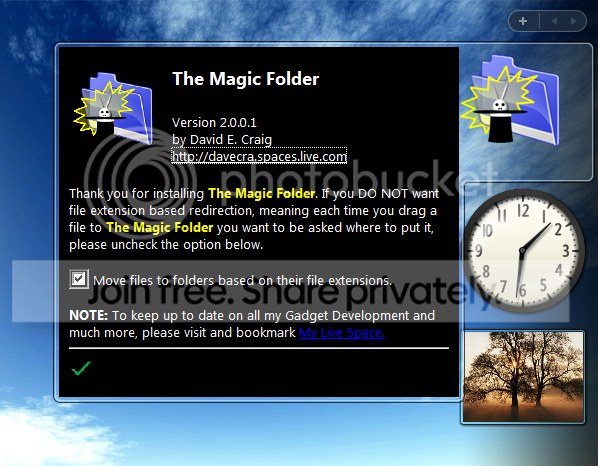
Now you'll want to open up the settings by clicking on the little wrench icon that floats next to the gadget.
The first thing we'll do is head over to the Visual tab and change the settings to whatever style you like. I prefer the Default style, but you might like the "Magic" one too.
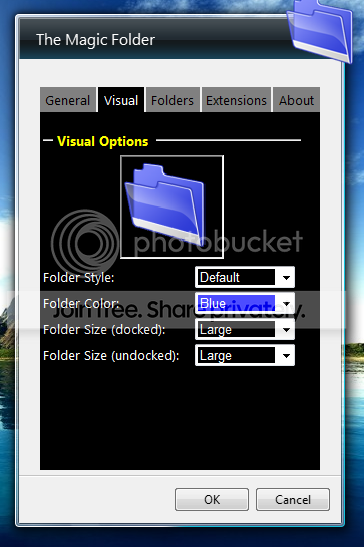
Without further configuring, we can start to use the gadget… just drag a file onto the magic folder…
And you'll be prompted for a folder location to move the files to, from a list of favorite folders (which we can configure).
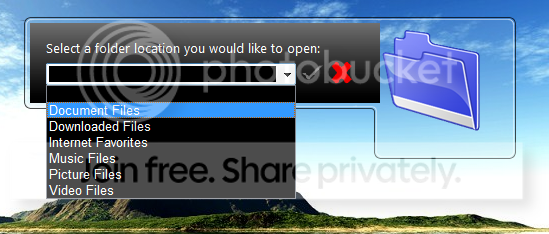
Once you've selected the folder and clicked the green check button, the file will be moved and you'll get a confirmation (which we can also turn off).
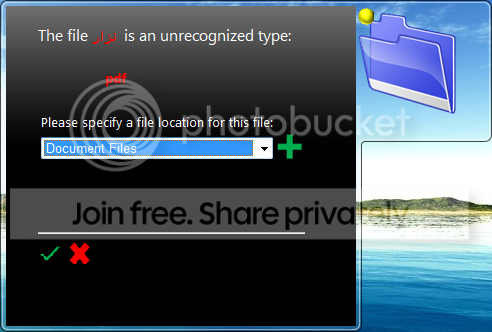
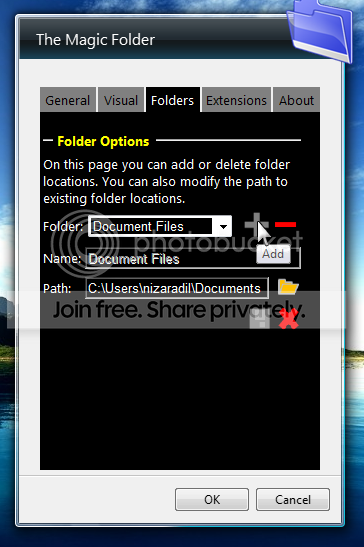
Back in the settings panel, you can take a look at the Folders tab to customize that list of folders from the drop-down above.
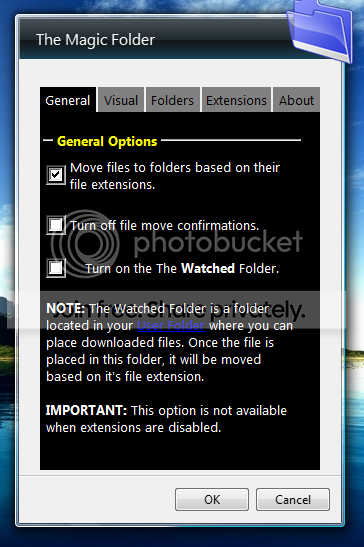
The first thing I did was turn off the "file move confirmations", which I found really annoying. You can also choose to move files based on their extensions by checking the top box, which will cause the Extensions tab to be enabled.
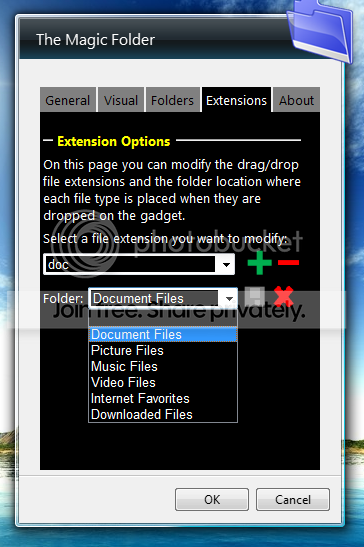
Now you can use the Extensions tab to choose different file extensions and where they should be moved by default. Most of the common extensions are already configured for you… for instance Word documents will be moved to your Documents folder by default.
Note that once you enable the option to move files automatically, you won't be prompted at all… the files will simply be magically moved.
There's another option that can be very interesting… the "Watched Folder", which will create a new folder where the rules are automatically applied…
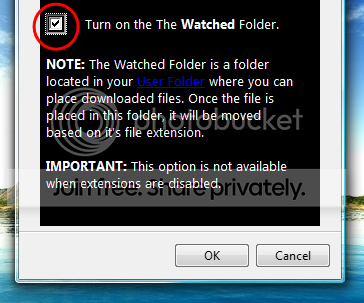
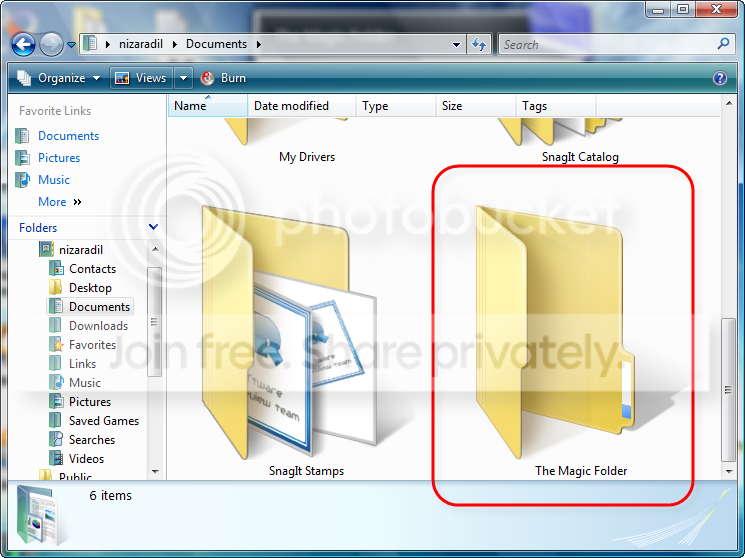
If you turn this option on, you'll see a new folder in your User directory called "The Magic Folder". Anything moved to this folder will be processed and moved into the automatic folders without requiring any user intervention.
Download The Magic Folder Sidebar Gadget
nizaradil
The Magic Folder is actually just a Windows Sidebar gadget that you can drag files to, and it can automatically sort them into the proper folders, based on rules which you can configure easily.
Using the Magic Folder
Once you install the gadget, you'll probably need to add it by right-clicking on the sidebar somewhere and choosing "Add Gadgets" and then dragging it to the desktop or the sidebar.
The first time you add the gadget to your desktop you'll be prompted with a quick start screen… I would leave the checkbox alone, and click on the green button at the bottom.
Now you'll want to open up the settings by clicking on the little wrench icon that floats next to the gadget.
The first thing we'll do is head over to the Visual tab and change the settings to whatever style you like. I prefer the Default style, but you might like the "Magic" one too.
Without further configuring, we can start to use the gadget… just drag a file onto the magic folder…
And you'll be prompted for a folder location to move the files to, from a list of favorite folders (which we can configure).
Once you've selected the folder and clicked the green check button, the file will be moved and you'll get a confirmation (which we can also turn off).
Back in the settings panel, you can take a look at the Folders tab to customize that list of folders from the drop-down above.
The first thing I did was turn off the "file move confirmations", which I found really annoying. You can also choose to move files based on their extensions by checking the top box, which will cause the Extensions tab to be enabled.
Now you can use the Extensions tab to choose different file extensions and where they should be moved by default. Most of the common extensions are already configured for you… for instance Word documents will be moved to your Documents folder by default.
Note that once you enable the option to move files automatically, you won't be prompted at all… the files will simply be magically moved.
There's another option that can be very interesting… the "Watched Folder", which will create a new folder where the rules are automatically applied…
If you turn this option on, you'll see a new folder in your User directory called "The Magic Folder". Anything moved to this folder will be processed and moved into the automatic folders without requiring any user intervention.
Download The Magic Folder Sidebar Gadget
nizaradil
My Computer
At a glance
windows 7
- OS
- windows 7


