
CharlieBrown22
New member
- Local time
- 6:48 PM
- Messages
- 16
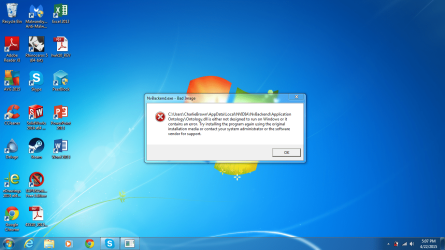
After booting up, I got the following error message twice (see attached for screenshot):
The last time I updated my graphic card drivers, I used the guide below:
http://www.sevenforums.com/tutorials/327414-nvidia-drivers-avoid-problems.html
Anyone get this type of error before? Any suggestions?
C:\Users\CharlieBrown\AppData\Local\NVIDIA\NvBackend\ApplicationOntology\Ontology.dll is either not designed to run on Windows or it contains an error. Try installing the program again using the original installation media or contact your system administrator or the software vendor for support.
The last time I updated my graphic card drivers, I used the guide below:
http://www.sevenforums.com/tutorials/327414-nvidia-drivers-avoid-problems.html
Anyone get this type of error before? Any suggestions?
Attachments
My Computer
- Computer type
- Laptop
- Computer Manufacturer/Model Number
- Toshiba Satellite A665-S6070
- OS
- 64-bit Windows 7 Home Premium
- CPU
- Intel Core i7 Q 720 @ 1.60Ghz
- Memory
- 4096 MB RAM
- Graphics Card(s)
- NVIDIA GeForce 310M
- Screen Resolution
- 1366 x 768 (32 bit) (60Hz)
