NVIDIA Graphics Driver has stopped working

Raw64life

New member
Local time
7:47 AM
Messages
2
Hi. I have a GTX570 and have had my computer for a little over 2 years with no problems whatsoever. About a week ago my computer starting randomly turning off (conveniently mere weeks after the warranties on most of my parts has expired). The computer doesn't actually shut down entirely as the fans still spin and everything but the screen just goes black. Since the first crash, subsequent crashes have happened anywhere from a couple of days after restarting my computer to before I can even enter my password on the Windows startup screen. It's completely and utterly random. I've yet to have a crash in while in safe mode, but that might just be luck. I should note that although Windows describes the problem as BlueScreen, I've never actually get to see it. The screen just goes black and that's it. And of course, when I try to troubleshoot the problems, Windows either can't download the solution or gives me something entirely useless. I've tried the following...

- Updating to the newest drivers
- Uninstalling and re-installing my old drivers
- System Restore to point prior to first crash
- Temperature Check
- Cleaning the ever loving crap out of my computer

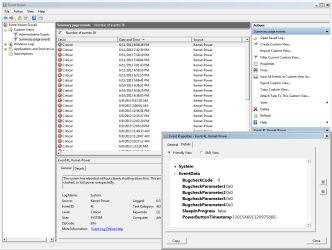
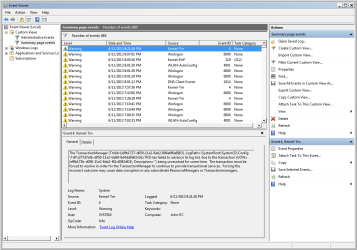
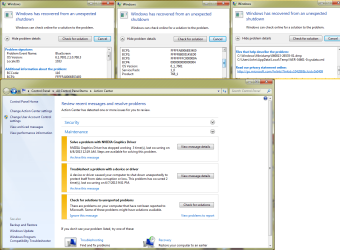
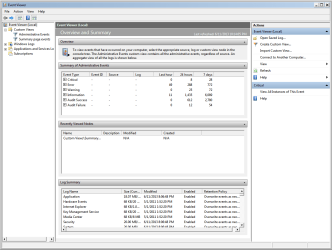
...all to no avail. I've searched around here and couldn't quite seem to find anyone with the same problem as me. Screenshots of what Windows give me in the Action Center and my Event Viewer as well as my minidump are attached. I'm starting to twitch here. Any help would be appreciated.
 

Attachments
  • GTX570 W7-64 6-11-2013 minidump.zip
    GTX570 W7-64 6-11-2013 minidump.zip
    600.9 KB · Views: 4
  • Untitled1.png
    Untitled1.png
    31.3 KB · Views: 4
  • Untitled2.png
    Untitled2.png
    35.1 KB · Views: 6
  • Untitled3.png
    Untitled3.png
    34.5 KB · Views: 5
  • Untitled4.png
    Untitled4.png
    76.2 KB · Views: 8

My Computer

Computer type
PC/Desktop
OS
Windows 7 64-bit
CPU
Intel i5-2500K
Motherboard
ASUS
Memory
2 x 4GB
Graphics Card(s)
GTX 570
Hard Drives
80GB SSD
2TB HDD
PSU
750w
Case
Cooler Master
Scanned for Viruses?

Reseated the video card, checked that the 6 or 8 pin power connectors are tight, and checked the PCIe x16 slot out?

Your crashes are related to dxgkrnl.sys

What is the dxgkrnl.sys file?

I'd reinstall Direct-X...

Frequent crashes like yours if you didn't change anything and not a heat issue, likely your PSU has gone bad, you can buy a PSU tester for roughly $20.

PSU's are basically a failure point that everyone will run into sooner or later, if your PSU is mediocre, 2 years is not that unusual.
 

My Computer

Computer type
PC/Desktop
Computer Manufacturer/Model Number
Self Built Custom
OS
Windows 7 Ultimate Retail Box (64-bit installed) + Service Pack 1
CPU
AMD FX-8350 CPU v1.15 (or 1.0F) BIOS was required!
Motherboard
MSI 890FXA-GD70
Memory
8G CAS-7 G-Skill DDR3 @1333 (2 fours) [mobo nonOC max rec'd]
Graphics Card(s)
Radeon HD 7950 [3 gigs of GDDR5] MSI Twin Frozr model
Sound Card
Realtek High Definition Audio (onboard mobo, ALC-889 chip)
Monitor(s) Displays
2 WS LED Monitors: One LG One Viewsonic
Screen Resolution
1920 by 1080
Hard Drives
SSD for OS: Samsung 840 Pro
SSD for VM and utilities: Adata SX900
7200 RPM SATA HDs for the rest: Hitachi and Seagate
PSU
Corsair TX850 - 850W max, in service since August 2010.
Case
Thermaltake Armor A90
Cooling
Thermaltake Spin Q CPU Cooler, in service since August 2010
Keyboard
Logitech G11
Mouse
Logitech M310 Wireless
Internet Speed
100 Megabit broadband supposedly upgraded from 50 (Cable)
Antivirus
Bitdefender Internet Security 2014 suite
Browser
Pale Moon 64-bit main, also IceDragon, Opera, and Maxthon.
Other Info
CompTIA A+ certified (220-800 series) in July 2013.
Yes I have scanned for viruses, and I checked out my video card and everything looks good. My computer has been running fine all day in safe mode, and when my computer has failed from the errors, it never actually shuts down, but rather the screen just turns black with everything still running, so I don't think the PSU is the issue, although I could be wrong.

I'm using DirectX 11 and I'm having a hell of a time trying to figure out a way to reinstall it. I'm having the same problem as this guy in that regard. Is there actually a way for me to reinstall DirectX 11?
 

My Computer

Computer type
PC/Desktop
OS
Windows 7 64-bit
CPU
Intel i5-2500K
Motherboard
ASUS
Memory
2 x 4GB
Graphics Card(s)
GTX 570
Hard Drives
80GB SSD
2TB HDD
PSU
750w
Case
Cooler Master
IS the trouble with DX11 finding it to install or are you getting some type of error message reinstalling it?

You completely deleted the video card driver also? and rebooted and then installed another one, with say Driver Sweeper:

http://www.sevenforums.com/tutorials/83814-drivers-clean-left-over-files-after-uninstalling.html

CCleaner from piriform.com is another good cleaning tool, free also.

If you have any spare video card I would try another one to eliminate your 570 gone bad.

No heat problems you said, otherwise I would suggest even replacing the thermal paste on the video card.
Your CPU paste would be suspect for same reason.

You've checked and reseated your RAM also?

Since you did a restore point before the crashes, and they continue, it's likely a hardware failure then or one caused perhaps by a bios setting, so if I was working to try to say it's not a hardware component, I would jot down your BIOS settings, and then try the defaults or even do a soft reset, there is likely a button on the motherboard or within all the ports on the back, if not, it's a jumper on the board.

Still fails miserably after that, then it's Video card, PSU or motherboard, and hopefully not all 3.

If you were overclocking at any point prior to the crashing, depends what was being pushed too hard, but that can break everything pretty much in a system that is not given extra care.

You get a lot of storms, brownouts, outages, in your area?

The outlet you plug your PC into, if we were going deep deep deep, I'd take a multi-tester to it and check the voltage.
I hope you use a surge protector strip at the very least.

When your lost video all those times, anything special going on, like Direct-X gaming or other high video demand apps going?

Next time it happens hit the caps-lock key and if that still changes the light indicator on the keyboard then indeed you are not hard crashed.

For future troubleshooting:

http://www.newegg.com/Product/Product.aspx?Item=N82E16899161001

and a cheap spare video card like:

http://www.newegg.com/Product/Product.aspx?Item=N82E16814121662

If your motherboard has more PCIe-16 slots on it, I would try moving your video card over to another one to eliminate a bad motherboard slot, also.

Let's add this too, might as well:

Get into a command prompt with admin rights and do:

SFC /scannow

That will verify your windows install files are correct.
 
Last edited:

My Computer

Computer type
PC/Desktop
Computer Manufacturer/Model Number
Self Built Custom
OS
Windows 7 Ultimate Retail Box (64-bit installed) + Service Pack 1
CPU
AMD FX-8350 CPU v1.15 (or 1.0F) BIOS was required!
Motherboard
MSI 890FXA-GD70
Memory
8G CAS-7 G-Skill DDR3 @1333 (2 fours) [mobo nonOC max rec'd]
Graphics Card(s)
Radeon HD 7950 [3 gigs of GDDR5] MSI Twin Frozr model
Sound Card
Realtek High Definition Audio (onboard mobo, ALC-889 chip)
Monitor(s) Displays
2 WS LED Monitors: One LG One Viewsonic
Screen Resolution
1920 by 1080
Hard Drives
SSD for OS: Samsung 840 Pro
SSD for VM and utilities: Adata SX900
7200 RPM SATA HDs for the rest: Hitachi and Seagate
PSU
Corsair TX850 - 850W max, in service since August 2010.
Case
Thermaltake Armor A90
Cooling
Thermaltake Spin Q CPU Cooler, in service since August 2010
Keyboard
Logitech G11
Mouse
Logitech M310 Wireless
Internet Speed
100 Megabit broadband supposedly upgraded from 50 (Cable)
Antivirus
Bitdefender Internet Security 2014 suite
Browser
Pale Moon 64-bit main, also IceDragon, Opera, and Maxthon.
Other Info
CompTIA A+ certified (220-800 series) in July 2013.
Back
Top