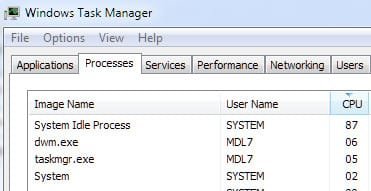
Hey,
Every now and then (today and yesterday) my computer, a pretty new windows-7 HP laptop, gets a ton of lag. First webpages will stop loading. Next when I try to restart my browser I can't open it again. From that point I can't open any new programs except for small things like notepad. I can still use some pre-loaded programs such as trillin (a chat client), but not all (such as google chrome, firefox, and IE). The only way I can fix it is by restarting my computer.
I ran a virus scan (both Norton and Malwarebytes) and I didn't get anything.
Any idea what's up?
Every now and then (today and yesterday) my computer, a pretty new windows-7 HP laptop, gets a ton of lag. First webpages will stop loading. Next when I try to restart my browser I can't open it again. From that point I can't open any new programs except for small things like notepad. I can still use some pre-loaded programs such as trillin (a chat client), but not all (such as google chrome, firefox, and IE). The only way I can fix it is by restarting my computer.
I ran a virus scan (both Norton and Malwarebytes) and I didn't get anything.
Any idea what's up?
My Computer
At a glance
Windows 7 Home Premium 64bitInteli3
- Computer Manufacturer/Model Number
- HP
- OS
- Windows 7 Home Premium 64bit
- CPU
- Inteli3
- Screen Resolution
- 1020x786