- Local time
- 1:42 PM
- Messages
- 213
Workin' with a GA-Z68X-UD3H-B3 Motherboard
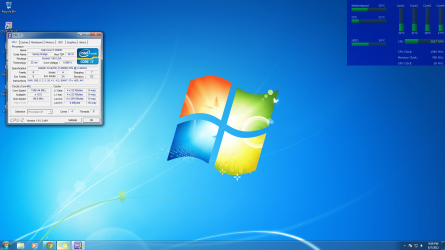
And an i7-2600k
Ok... So i was using the utility Easy tune (A tool from my motherboard page) to do this form me but it didn't work out so well...
good news is that during the process i found a setting in the BIOS that when configured can reduce the probability of problems when OCing. Good stuff.
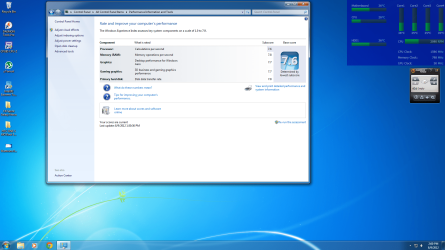
Now, Easy Tune basically overclocked my "Turbo Boost" ... When i look at my Windows Index Experience, it sais 3.4(stock) - 3.9 with Turbo boost.... Is there a way to overclock the 3.4, or is overclocking the turbo boost the same ?
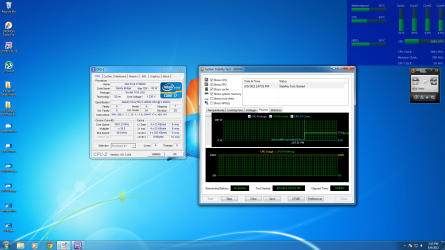
My have an H100 and did a stress test for only 5 minutes but stayed at 40 Celsius the entire time.
I've changed the multiplier in the BIOS to read 3.9 instead of 3.4 like stock, but that doesn't work well. Windows takes forever to load programs on startup and i usually have to reboot. I'm thinking the Easy Tune configured other settings to make it work (at least a little) more properly.
My system specs will show u i have ripjaw 2x4GB sticks, which i head is one of hte preferred brands when OCing...
Also, i was told i need to not only watch out for HEAT as a danger (which with the h100 seems to be the last of my problems), but something to do with the RAM bus speed or something like that can cause problems as well. Info on that please?
I want to overclock this maybe to its max potential and i need help. Help me make my beast of a machine more BEASTLY, someone! pretty PLEASE ... I'm a quick learner lol.
Oh and if the Intel Extreme Tuning Utility will help configure this easier and someone just happens to have experience with it, that'd be awesome too =)
Thanks in advance, as always.
And an i7-2600k
Ok... So i was using the utility Easy tune (A tool from my motherboard page) to do this form me but it didn't work out so well...
good news is that during the process i found a setting in the BIOS that when configured can reduce the probability of problems when OCing. Good stuff.
Now, Easy Tune basically overclocked my "Turbo Boost" ... When i look at my Windows Index Experience, it sais 3.4(stock) - 3.9 with Turbo boost.... Is there a way to overclock the 3.4, or is overclocking the turbo boost the same ?
My have an H100 and did a stress test for only 5 minutes but stayed at 40 Celsius the entire time.
I've changed the multiplier in the BIOS to read 3.9 instead of 3.4 like stock, but that doesn't work well. Windows takes forever to load programs on startup and i usually have to reboot. I'm thinking the Easy Tune configured other settings to make it work (at least a little) more properly.
My system specs will show u i have ripjaw 2x4GB sticks, which i head is one of hte preferred brands when OCing...
Also, i was told i need to not only watch out for HEAT as a danger (which with the h100 seems to be the last of my problems), but something to do with the RAM bus speed or something like that can cause problems as well. Info on that please?
I want to overclock this maybe to its max potential and i need help. Help me make my beast of a machine more BEASTLY, someone! pretty PLEASE
... I'm a quick learner lol.Oh and if the Intel Extreme Tuning Utility will help configure this easier and someone just happens to have experience with it, that'd be awesome too =)
Thanks in advance, as always.
Last edited:
My Computer
At a glance
Windows 7 Professional Version 6.1 Build 7601...Q66004GB TotalGeForce 9500GT =(
- Computer type
- PC/Desktop
- Computer Manufacturer/Model Number
- Dell Inspiron 530
- OS
- Windows 7 Professional Version 6.1 Build 7601 SP1
- CPU
- Q6600
- Motherboard
- IDK
- Memory
- 4GB Total
- Graphics Card(s)
- GeForce 9500GT =(
- Sound Card
- Onboard
- Monitor(s) Displays
- Smaller than what i want
- Screen Resolution
- Not up to par
- Hard Drives
- Not an SSD
- PSU
- 350 Watt or W/E this model comes with
- Case
- Dell Inspiron 530
- Cooling
- Factory
- Keyboard
- Logitech G510
- Mouse
- Logitech G500
- Internet Speed
- Eh, its okay.
- Browser
- Aviator.
- Other Info
- I want my old computer back.