Solved Old files opened appear as Internet shortcut even after recent files..

johnboy777

New member
Local time
4:15 AM
Messages
3
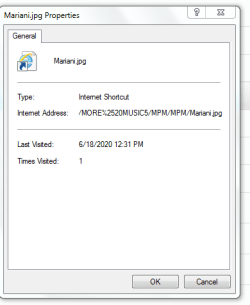
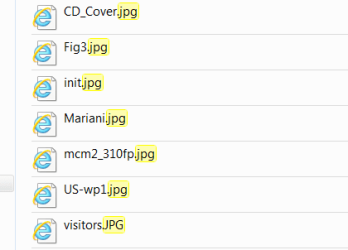
When I do a search on drive C: for file types, I get results that show recent files accessed that are labelled as Internet Shortcut? Even after deleting recent files, these remain somewhere on my computer. How can these results be deleted? And how can this storing of files accessed be turned off?

This happens as well for files accessed off of thumbdrives and the address of the file is clearly saved even after thumbdrive is removed. I want to delete these records for security and prevent Windows from doing this in the future. Any tips? Thanks.
 

Attachments

  • Screenshot1.PNG
    Screenshot1.PNG
    4.5 KB · Views: 12
  • Screenshot2.PNG
    Screenshot2.PNG
    8.1 KB · Views: 12

My Computer My Computer

At a glance

Win 7 pro 64 bit
Computer type
PC/Desktop
OS
Win 7 pro 64 bit
Screenshots

Trying again to add screenshots . . . I am new at this.
 

Attachments

  • Screenshot1.PNG
    Screenshot1.PNG
    4.5 KB · Views: 11
  • Screenshot2.PNG
    Screenshot2.PNG
    8.1 KB · Views: 11

My Computer My Computer

At a glance

Win 7 pro 64 bit
Computer type
PC/Desktop
OS
Win 7 pro 64 bit
Well, since no tips had come in so far today, I did some more digging and came up with what seems to have been the answer.


Changing Internet Explorer settings:
Press Windows+R.
Enter inetcpl.cpl, and then click OK.
Under General - Delete Browsing history
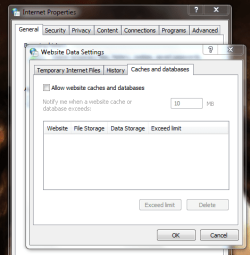
Also go to Settings
Click on Caches and databases
Unclick Allow website caches and databases
Click OK
Close that tab
Click OK for the Internet Properties box
Exit Internet Properties box


I did the above steps and did a fresh search on drive C: afterwards and those nagging IE Internet Shortcut results all disappeared. I hope new results won't arise in future searches. We will see...
 

Attachments

  • Screenshot3.PNG
    Screenshot3.PNG
    22.5 KB · Views: 9
  • Screenshot4.PNG
    Screenshot4.PNG
    21.9 KB · Views: 9

My Computer My Computer

At a glance

Win 7 pro 64 bit
Computer type
PC/Desktop
OS
Win 7 pro 64 bit
for me, this is a virus infection :(

if the internet explorer method desnt works plz let me know to help you then.
 

My Computer My Computer

At a glance

Windows 7 Home Premium x86 (Original)AMD AthlonXP 2600+2,5 GB DDR2PnP Unichrome SVGA
Computer type
PC/Desktop
Computer Manufacturer/Model Number
XTech
OS
Windows 7 Home Premium x86 (Original)
CPU
AMD AthlonXP 2600+
Motherboard
Biostar M7VIZ SATA
Memory
2,5 GB DDR2
Graphics Card(s)
PnP Unichrome SVGA
Hard Drives
Samsung IDE 500 GB (main)
Samsung SATA 16 GB (2nd)
Antivirus
none
Browser
MS Edge Chromium
Back
Top