Hi all,
I've been trying to solve this problem for a few hours now and I think I'm going crazy.
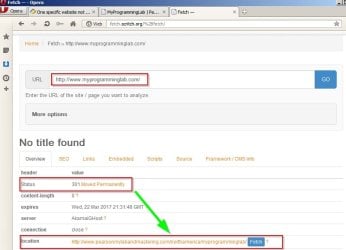
I'm trying to log into the following website: MyProgrammingLab | Pearson
It says it's connecting for a bit, and then the connection times out (the URL changes to MyProgrammingLab | Pearson).
What I've tried doing so far:
1. Trying on different browsers (firefox and IE) - same problem.
2. Tried on other devices (cellphone via WiFi connection + other computer on network) - it worked there, so I'm thinking this isn't a network issue.
3. Flushed DNS
4. netsh winsock reset catalog, netsh int ipv4 reset reset.log, netsh int ipv6 reset reset.log
5. Windows update, clearing all possible cache and temporary files, disabling antivirus and all of that popular stuff.
6. Restarted the computer (several times, fun)
7. Ping and tracert both work for pearson.turingscraft.com; trying to enter the IP that shows up for tracert also time outs.
8. Checked if NIC drivers are up to date (they are).
9. Updated Java.
10. Checked the hosts file.
11. Connected to a cellphone hotspot and tried logging into the website - still nothing (does work on the phone itself).
It drives me crazy that I can't figure this out, and I can't seem to find anything new in my google searches. Help.
I've been trying to solve this problem for a few hours now and I think I'm going crazy.
I'm trying to log into the following website: MyProgrammingLab | Pearson
It says it's connecting for a bit, and then the connection times out (the URL changes to MyProgrammingLab | Pearson).
What I've tried doing so far:
1. Trying on different browsers (firefox and IE) - same problem.
2. Tried on other devices (cellphone via WiFi connection + other computer on network) - it worked there, so I'm thinking this isn't a network issue.
3. Flushed DNS
4. netsh winsock reset catalog, netsh int ipv4 reset reset.log, netsh int ipv6 reset reset.log
5. Windows update, clearing all possible cache and temporary files, disabling antivirus and all of that popular stuff.
6. Restarted the computer (several times, fun)
7. Ping and tracert both work for pearson.turingscraft.com; trying to enter the IP that shows up for tracert also time outs.
8. Checked if NIC drivers are up to date (they are).
9. Updated Java.
10. Checked the hosts file.
11. Connected to a cellphone hotspot and tried logging into the website - still nothing (does work on the phone itself).
It drives me crazy that I can't figure this out, and I can't seem to find anything new in my google searches. Help.
My Computer
- Computer type
- PC/Desktop
- OS
- Windows 7 Ultimate 32bit