Hi all,
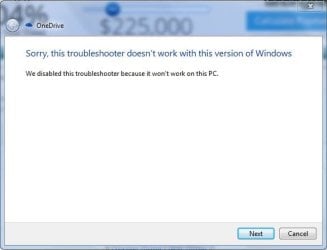
I seem to be having an issue with OneDrive flat out refusing to open. I have recreated this problem on multiple machines (ones on and off domains) and it has me stumped. Hopefully the great people on here can provide some insight.
Here are some things I've done so far:
Restarted to see if that'd fix it
Uninstalled and performed a clean boot
Reinstalled with the same result.
I've tried running %localappdata%\Microsoft\OneDrive\onedrive.exe /reset and
%localappdata%\Microsoft\OneDrive\onedrive.exe
My end results have all been the same where I have no process running in the back ground for it, no system tray, no pop up error, and am frankly at a loss. Any help would be greatly appreciated!
Thank you in advance, ladies n gents.
*PS: If there is any information that you may need please don't hesitate and I will give as much as I can.
I seem to be having an issue with OneDrive flat out refusing to open. I have recreated this problem on multiple machines (ones on and off domains) and it has me stumped. Hopefully the great people on here can provide some insight.
Here are some things I've done so far:
Restarted to see if that'd fix it
Uninstalled and performed a clean boot
Reinstalled with the same result.
I've tried running %localappdata%\Microsoft\OneDrive\onedrive.exe /reset and
%localappdata%\Microsoft\OneDrive\onedrive.exe
My end results have all been the same where I have no process running in the back ground for it, no system tray, no pop up error, and am frankly at a loss. Any help would be greatly appreciated!
Thank you in advance, ladies n gents.
*PS: If there is any information that you may need please don't hesitate and I will give as much as I can.
My Computer
- Computer type
- Laptop
- Computer Manufacturer/Model Number
- Dell
- OS
- Windows 7 Professional 64 bit
- CPU
- Intel(R) Core(TM) i5-5200U CPU @ 2.20GHz
- Motherboard
- Dell Inc. 0THWR2
- Memory
- 4.00 GB
- Graphics Card(s)
- (1) Intel(R) HD Graphics 5500
- Hard Drives
- ST500LM0 21-1KJ152 SCSI Disk Device