
open multiple instances within the same website

research97132

New member
Local time
12:09 PM
Messages
2
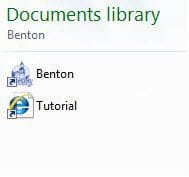
I am using Windows 7 with IE 8 on a laptop with a second monitor. When I open a website e.g. http://www.co.benton.or.us/maps/bentonmaps.php and then open another instance within that site e.g. BentonMaps Tutorial, a new window opens and replaces the original and so on. I want to view the tutorial on one monitor while working the program e.g. Assessment Maps on the other. I tried changing the settings in the Folder Options/Managing pairs of web pages....., but that did not work. I am somewhat of a novice. The only way I can do it, is open a new session of the same site, but if I must take a break and work on something else, I have to start the process over, which wastes time. I should be able to open another instance from the original and keep that running. I have shortcuts to these pages (see screen shot below) but I cannot open them individually and view on both monitors. Very frustrating. There must be a setting that I have missed or maybe that particular site does not allow it, for I was able to open the link regarding screen shots here and move it to the other monitor. Appreciate your help.
Thanks,
Research
10-19-2011 12-16-57 AM.jpg
 

My Computer

OS
Windows 7 Home Premium 32 bit
AFAIK, Windows doesn't allow you to "assign" monitors to different functions. The four choices appear to be Duplicate, Extend, Desktop on one, Desktop on the other. So I think you want the "Extend" option, which makes your available display area bigger so that you can drag one window over to the other monitor.
 

My Computer

Computer type
PC/Desktop
Computer Manufacturer/Model Number
OQO 2+
OS
Windows 8 Pro w/MC 32-bit
CPU
Intel Atom 1.86 GHz
Motherboard
OQO 2+
Memory
2 GB
Graphics Card(s)
Intel GMA 500
Sound Card
IDT
Monitor(s) Displays
LCD
Screen Resolution
800 x 480 (portable) 1280 x 1024 (docked)
Hard Drives
64 GB SSD
PSU
9 Ah Battery (portable) or OQO Brick (docked)
Case
Shirt Pocket Sized
Cooling
Tiny Fan
Keyboard
Slide out (portable) DiNovo Edge (docked)
Mouse
Eraser head (portable) Logitech Bluetooth (docked)
Internet Speed
WWAN or 802.11G (portable) T1 (docked)
Browser
IE 10
Other Info
DVD-RW OQO Docking Station
Thanks for your reply. I have the "extend" selected. I talked to the tech at the Benton County GIS Dept. and he suggested that I right click and open the link in a new window. That worked great, so I think its been solved. Really appreciate your reply and suggestions.
 

My Computer

OS
Windows 7 Home Premium 32 bit
Back
Top