

rottikid
New member
- Local time
- 6:07 PM
- Messages
- 13
 I opened Windows Update and only listed was an optional update. I didn't update at that time and when I went back to update I could not find the optional update. Ihave Windows 7 Home premium 64 Bit. I looked for updates again but it said everything was up to date. How can I find that update.. I'm not really good with computers any help will be greatly appreciated. I have one other question if you don't mind.
 I have to Unzip a ZIP-file with WinZip and save the content to my hard
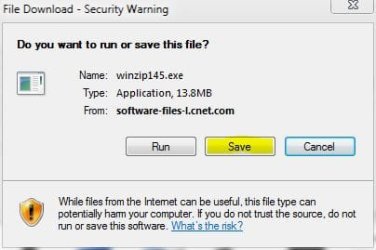
drive. Then use the unzipped EXE-file to run a program. This sound simple enough, I guess, if you know what you are doing. Where can I get this WinZip program that will run on Windows 7 Home Premium 64 Bit.
One other question. A program that I want to install supports Windows 7 64 bit in 32-bit emulation mode. What does that mean and how do I run this program. :huh:
Thanks again for all your help and cooperation. Have a good evening.
My Computer
- Computer Manufacturer/Model Number
- Maingear
- OS
- windows 7 Premium
- CPU
- Q9450 2.66Hzx 4
- Motherboard
- NVIDIA nForce 780i SLI Motherboard
- Memory
- Memory 8GB Kingston HyperX 8500 DDR2-1066 (4 x 2GB)
- Graphics Card(s)
- NVIDIA® GeForce™ 8800 GTS 512MB GDDR3
- Sound Card
- Creative Sound Blaster X-FI Titanium Fatality Champion Se
- Monitor(s) Displays
- Lenovo 22’ Thinkvision Resolution 1920 x 1200
- Hard Drives
- Hard Drive One: Western Digital Caviar SE16 1TB 7200RPM 16MB Cache - SATA II
Hard Drive Two: Western Digital Caviar SE16 1TB 7200RPM 16MB Cache - SATA II
- PSU
- : 750W Silverstone Strider Power Supply
- Case
- Silverstone TJ10 Exterior Automotive Color
- Cooling
- Zalman Ultra Quiet CNPS9500 LED 92mm CPU Cooler w/ Copper Ba


 you everyone for all your help and cooperation. Have a great night.