
You are using an out of date browser. It may not display this or other websites correctly.
You should upgrade or use an alternative browser.
You should upgrade or use an alternative browser.
Oracle Virtual Machine Printer Help
- Thread starter MishGEA
- Start date

- Local time
- 2:16 PM
- Messages
- 980
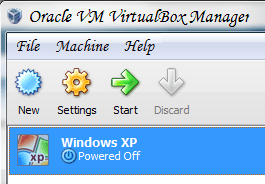
Ensure you have your printer plugged in to your computer and turn it on. Then within VirtualBox, go to the settings for your Virtual Machine and click on "USB". If you are missing USB, you may need to install the VirtualBox Extension Pack from Downloads - VirtualBox. You would just download and run it and allow it to be installed. Once USB is present, click on the USB icon with the green plus sign on it and select your printer from the list. After that, click "OK" and start up your Virtual Machine and the printer should be detected in it. You would then install drivers for that virtual guest as you would on any other PC.
Also ensure that you've installed the Guest Additions if you haven't already done so.
Also ensure that you've installed the Guest Additions if you haven't already done so.
Attachments

My Computer
- OS
- Windows 7 Ultimate x64 SP1
- CPU
- Intel Core i3 530 2.93 Ghz Clarkdale
- Motherboard
- ASRock P55 PRO/USB3 LGA 1156
- Memory
- 4 GB OCZ DDR3 1600 (PC12800) Low Voltage Desktop Memory
- Graphics Card(s)
- Nvidia GeForce GTX 550 Ti with 1 GB of RAM
- Sound Card
- Realtek HD ALC892
- Monitor(s) Displays
- 20'' eMachines E202HDbmd Glare Panel Widescreen
- Screen Resolution
- 1600 x 900
- Hard Drives
- Western Digital 1 TB Caviar Black Edition (7200 RPM) SATA
Hitachi Deskstar 500 GB (7200 RPM) SATA
Samsung SpinPoint 400 GB (7200 RPM) SATA
- PSU
- Rosewill Xtreme Series RX750-D-B ATX12V v2.2 & EPS12V (750W)
- Case
- Cooler Master Centurion 534 RC-534-KKN2-GP Mid-Tower
- Cooling
- Standard Case Fans and Stock CPU Heatsink
- Keyboard
- Microsoft Wireless Optical Desktop Elite
- Mouse
- Microsoft Wireless Optical Desktop Elite
- Internet Speed
- 7.1 Mbps Verizon DSL
Thanks
I did have Extension pack and guest additions installed.
Clicked on USB and found my printer.
Added it.
When I rebooted I saw new USB drivers loading automatically.
Tried to print and got printer not found.
Printer is working from physical machine.
Can it only be connected to one machine at a time?
Mish
I did have Extension pack and guest additions installed.
Clicked on USB and found my printer.
Added it.
When I rebooted I saw new USB drivers loading automatically.
Tried to print and got printer not found.
Printer is working from physical machine.
Can it only be connected to one machine at a time?
Mish
My Computer
- OS
- Windows 7 ultimate 64
- Local time
- 2:16 PM
- Messages
- 980
Yes, it can only be directly connected to one machine at a time. Ensure that you've actually installed the printer on the virtual guest while having the printer connected to the virtual machine by installing its drivers within the virtual guest and having it be detected as you would on any physical machine. For example, if you have Windows XP running in the virtual guest and your printer is an HP CM2320nf, you would download and install Windows XP Drivers for the HP CM2320nf within the virtual guest and it would then work properly.
Just having it be USB detected does allow the virtual guest to see the printer but if the guest operating system doesn't have a built-in driver for the printer, it will not print as you need to add it in.
Just having it be USB detected does allow the virtual guest to see the printer but if the guest operating system doesn't have a built-in driver for the printer, it will not print as you need to add it in.
My Computer
- OS
- Windows 7 Ultimate x64 SP1
- CPU
- Intel Core i3 530 2.93 Ghz Clarkdale
- Motherboard
- ASRock P55 PRO/USB3 LGA 1156
- Memory
- 4 GB OCZ DDR3 1600 (PC12800) Low Voltage Desktop Memory
- Graphics Card(s)
- Nvidia GeForce GTX 550 Ti with 1 GB of RAM
- Sound Card
- Realtek HD ALC892
- Monitor(s) Displays
- 20'' eMachines E202HDbmd Glare Panel Widescreen
- Screen Resolution
- 1600 x 900
- Hard Drives
- Western Digital 1 TB Caviar Black Edition (7200 RPM) SATA
Hitachi Deskstar 500 GB (7200 RPM) SATA
Samsung SpinPoint 400 GB (7200 RPM) SATA
- PSU
- Rosewill Xtreme Series RX750-D-B ATX12V v2.2 & EPS12V (750W)
- Case
- Cooler Master Centurion 534 RC-534-KKN2-GP Mid-Tower
- Cooling
- Standard Case Fans and Stock CPU Heatsink
- Keyboard
- Microsoft Wireless Optical Desktop Elite
- Mouse
- Microsoft Wireless Optical Desktop Elite
- Internet Speed
- 7.1 Mbps Verizon DSL
- Local time
- 2:16 PM
- Messages
- 980
Definitely. What you can do is share it from the host machine and provided you are using a bridged adapter for your VM, then you should be able to add this printer in by name in your virtual guest. On your host machine just go to Devices and Printers under the Control Panel and right-click on the printer you wish to share, click on "Printer Properties" then go the sharing tab and make sure the check box to share is checked and pick an easy name with which to identify the printer.
My Computer
- OS
- Windows 7 Ultimate x64 SP1
- CPU
- Intel Core i3 530 2.93 Ghz Clarkdale
- Motherboard
- ASRock P55 PRO/USB3 LGA 1156
- Memory
- 4 GB OCZ DDR3 1600 (PC12800) Low Voltage Desktop Memory
- Graphics Card(s)
- Nvidia GeForce GTX 550 Ti with 1 GB of RAM
- Sound Card
- Realtek HD ALC892
- Monitor(s) Displays
- 20'' eMachines E202HDbmd Glare Panel Widescreen
- Screen Resolution
- 1600 x 900
- Hard Drives
- Western Digital 1 TB Caviar Black Edition (7200 RPM) SATA
Hitachi Deskstar 500 GB (7200 RPM) SATA
Samsung SpinPoint 400 GB (7200 RPM) SATA
- PSU
- Rosewill Xtreme Series RX750-D-B ATX12V v2.2 & EPS12V (750W)
- Case
- Cooler Master Centurion 534 RC-534-KKN2-GP Mid-Tower
- Cooling
- Standard Case Fans and Stock CPU Heatsink
- Keyboard
- Microsoft Wireless Optical Desktop Elite
- Mouse
- Microsoft Wireless Optical Desktop Elite
- Internet Speed
- 7.1 Mbps Verizon DSL