MikeyChris
New member
- Local time
- 2:16 PM
- Messages
- 19
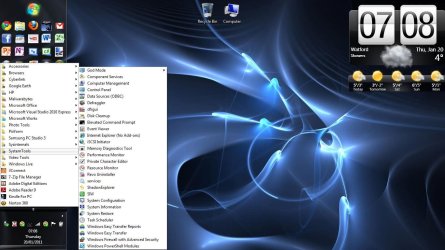
I am finding Win 7 to be a mixed bag. Some things I really like, others not so much. In older versions it was simple to organize my start menu by right clicking the START button and clicking on OPEN or OPEN ALL USERS, then PROGRAMS and copy, move, make folders, etc. as I wanted to organize things. With Win 7 it isn't so easy, and in fact some of my programs that do NOT like to be installed in the PROGRAM FILES folders I find cannot have shortcuts placed anywhere but the desktop. It seems Microsoft is taking away control from power users in an effort to dumb down the OS to help those folks that just want to USE their computer (i.e. be a MAC).
Has anyone found a way to build their START MENU the way they like?
I know the search bar makes this seem unnecessary, but I am a bit anal about this and want to arrange things the way I want them.
Thanx.
Has anyone found a way to build their START MENU the way they like?
I know the search bar makes this seem unnecessary, but I am a bit anal about this and want to arrange things the way I want them.
Thanx.
My Computer
- Computer type
- PC/Desktop
- Computer Manufacturer/Model Number
- Lenovo M70e
- OS
- Win 7 Pro 64 bit
- CPU
- Core 2 Duo E8400 3Ghz
- Motherboard
- Unknown
- Memory
- 4 GB
- Graphics Card(s)
- Nvidea GE FORCE 310 512MB
- Sound Card
- mother board
- Monitor(s) Displays
- HP vs17
- Hard Drives
- 500GB maker unknown
- PSU
- unknown
- Case
- Lenovo
- Cooling
- several fans (PSU, CPU, Graphics, Case)
- Keyboard
- Lenovo KU-0225
- Mouse
- Lenovo
- Internet Speed
- 20MB/sec
- Antivirus
- MSSE
- Browser
- Chrome