takenaback
New member
- Local time
- 5:31 AM
- Messages
- 31
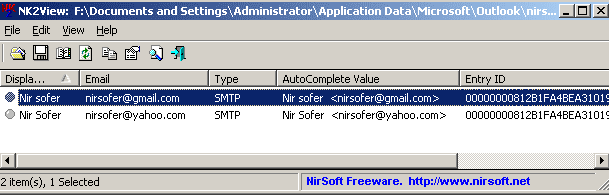
I can't get Outlook 2010 auto complete e-mail addresses to remain from session to session. Auto complete is removed every time I start Outlook again. I can put them in every session by dragging all my contacts to the inbox and pressing control + K to initiate auto complete for all my addresses, but once I close down Outlook and restart again they are not there and I have to physically type the address in which is becoming a bit of a drag. As you can see from the following image I have auto complete selected.

Any help would be appreciated.
Any help would be appreciated.
My Computer
At a glance
Windows 7 64bit UltimateCore i7 870 OC 4GhzKingston 8G(2x2G)2000Mhz PC16000 DDR3Sapphire ATI HD4350 512M DDR2 VGA DVI HDMI LP...
- Computer Manufacturer/Model Number
- custom-built
- OS
- Windows 7 64bit Ultimate
- CPU
- Core i7 870 OC 4Ghz
- Motherboard
- Gigabyte GA-P55-UD4 P55 DDR3
- Memory
- Kingston 8G(2x2G)2000Mhz PC16000 DDR3
- Graphics Card(s)
- Sapphire ATI HD4350 512M DDR2 VGA DVI HDMI LP Silent Heatsin
- Sound Card
- on-board
- Monitor(s) Displays
- Asus VK222U
- Hard Drives
- WD 1TB SATAII HDD 64M Cache Green Power/
WD 1TB SATAII HDD 64M Cache Green Power External esata Backup
- PSU
- Corsair HX-620
- Case
- NZXT Hush
- Cooling
- 2 120mm case fans/Noctua NH-U12P Special Edition SE2
- Keyboard
- Cherry silent keyboard
- Mouse
- Logitech Marble man mouse wheel
- Internet Speed
- 8.2Mbps/.86Mbps
- Other Info
- Logitech Z-2300 THX 2.1 Speakers System/Quickcam Pro 9000