Paid Software that is Windows 7 Compatible

Disc Software

  • Nero 8.3.6.0 (havn't atempted burn yet)
Working to an Extent /Need to use workarounds (also a note will be posted if it might break a few things):

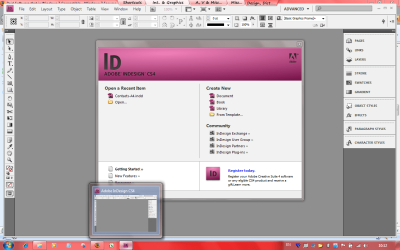
  • Indesign CS4 ( stops aero will running...)
  • VMware Workstation 6.5 (breaks homegroups) link


Nero 8.3.6.0 (Burning fully working without any errors or problems)

Indesign CS4 works perfectly
Attachment Posted for u to have a look
 

Attachments

  • cs4.png
    cs4.png
    68.9 KB · Views: 252
Acronis True Image Home 2009: Did a full System Image (clone Partition) and it ran smoothly, haven't done a restore... Didn't report time left for completion of the operation at all accurately but otherwise all seems fine. Used the DriveCleanser - that worked well also.
I used no compatibility fixes.
Acronis True Image Page
Acronis say its for XP and Vista - no mention of 7 - so not supported.

(Image from Acronis pdf)
I'd put Acronis on the list


I try a option Try/Decide..........win 7 never boot again...system error, try to repair but no luck
 

My Computer My Computer

At a glance

windows 7 64bit
OS
windows 7 64bit
Hello,

I would like to add Outpost firewall isn't working on 32bit version at least. I tried using compatibility mode, but that didn't work. Any suggestions? I'd like to use outpost instead of windows firewall, though I'll admit the new Windows Firewall is an improvement over the last one. Still needs work though before I feel comfortable using it long term...

If there is no way to get Outpost working, is there anyother free firewall I can get running on win7?

Thanks in advance,

-Wes
AKA TheJointChief

Have you the latest version of Outpost ?
I have it working OK in both x32 and x64 with no tweaks or anything.
 

My Computer My Computer

At a glance

W7 x64Intel Duo 3.4Corsair 4 x 2gb DDR2AMD 4870
Computer Manufacturer/Model Number
Home Built
OS
W7 x64
CPU
Intel Duo 3.4
Motherboard
ASUS P5Q
Memory
Corsair 4 x 2gb DDR2
Graphics Card(s)
AMD 4870
Sound Card
onboard
Monitor(s) Displays
LCD 19"
Screen Resolution
1240x1078
Hard Drives
3 sata
PSU
Antec 65o watts
Case
asaka
There all work in W7 RC x64

NOD32 4.0.424
Outpost Pro firewall 6.5.4(2525.381.0687) - installed in the Program Files (x86) folder.
SUPER antispyware 4.26.1002
AdMuncher beta 30615 Al new releases are betas for this program
Trojan Hunter.
PocoMail email program. Latest version Works.
Office 2003
O&O Defrag 11
O&O Unerase 4
Spybot Search and Destroy
Mailwasher Pro
EZ File Transplanter
Macro Scheduler 11
Printers Apprentice8
Screen Hunter 5.1 Pro
TrayDay
WinRAR 3.8 x32 and of course 3.9 x64
Macrium Reflect v4.2.2055 x64

Malware bytes 1.36. I do not have this "running", I have SAS running and I only use Malware Bytes as a secondary scan program.

Epson 4870 scanner. I tried the Vista x64 driver to see if it would work and it does.

Brother HL 2070N B/W laser printer. W7 found a driver and it works great.

If there are any train simmers out there MSTS and Rail Simulator work.

One think I hate about W7 is the taskbar, its always in the way somehow.
Why will MS not make it just like vista etc and let other programs go on top of it.

I hope this list is of some use.
 
Last edited:

My Computer My Computer

At a glance

W7 x64Intel Duo 3.4Corsair 4 x 2gb DDR2AMD 4870
Computer Manufacturer/Model Number
Home Built
OS
W7 x64
CPU
Intel Duo 3.4
Motherboard
ASUS P5Q
Memory
Corsair 4 x 2gb DDR2
Graphics Card(s)
AMD 4870
Sound Card
onboard
Monitor(s) Displays
LCD 19"
Screen Resolution
1240x1078
Hard Drives
3 sata
PSU
Antec 65o watts
Case
asaka
i can't live without reg mechanic and webroot's window washer, 2 excellent system cleaners (i've had no problems cleaning the registry with reg mechanic)
 

My Computer My Computer

At a glance

Windows 7 Ultimate (x64) SP1Intel 3770k 4.6GHz8GB (2x 4GB) Crucial BallistixSapphire 7950 (1060/1600)
Computer Manufacturer/Model Number
tw33k
OS
Windows 7 Ultimate (x64) SP1
CPU
Intel 3770k 4.6GHz
Motherboard
ASUS Maximus V Formula
Memory
8GB (2x 4GB) Crucial Ballistix
Graphics Card(s)
Sapphire 7950 (1060/1600)
Sound Card
On Board Realtek HD Audio
Monitor(s) Displays
27" Acer B273HU (via HDMI)
Screen Resolution
2048 x 1152
Hard Drives
Crucial M4 128GB
2TB WD Black
1TB Samsung F3 SATA
1TB WD Elite External
2TB WD USB 3.0
PSU
Corsair AX750 Gold
Case
Corsair Obsidian 800DW
Cooling
Corsair H100 (2x AP-121/2x UK-3000 push/pull)
Keyboard
Microsoft Wireless 5000
Mouse
Microsoft Wireless 5000
Internet Speed
5mb/s
Other Info
Logitech z-2300 2.1 speakers
Lamptron FC-5 v2
Can't see a mention of Easy CD/DA Converter anywhere.
This is a fantastic piece of kit for ripping, burning and converting files.
I've used it for a couple of years in Vista and it seems to run without problem in W7.

Cheers, John:)
 

My Computer My Computer

At a glance

Windows 7 Home Premium 64 biti7 [email protected]2x4GB Corsair Vegeance DDR3XFX GTX 260 Black Edition
Computer Manufacturer/Model Number
The Monolith. 3.1
OS
Windows 7 Home Premium 64 bit
CPU
i7 [email protected]
Motherboard
Gigabyte Z77-D3H
Memory
2x4GB Corsair Vegeance DDR3
Graphics Card(s)
XFX GTX 260 Black Edition
Sound Card
none-through large stereo hi fi
Monitor(s) Displays
Croosover 27MDP LED IPS Dell 2408 WFP
Screen Resolution
2560x1440 1920x1200
Hard Drives
1x Samsung 840Pro 128GB SSD
1x Samsung Spinpoint F1 1TB
PSU
Corsair AX 850 Watt
Case
Cooler Master ACTS 840
Cooling
Be Quiet! Dark Rock Pro
Keyboard
Enermax Aurora
Mouse
Logitech Ballmouse
Internet Speed
20MBPS
Here's some more that work fine in Windows 7, 64-bit edition:

ESET Smart Security (anti-virus & firewall). Note that ESET NOD32 is also available which is just the anti-virus software. Both have 32-bit and 64-bit versions.
Best Free Antivirus Software Trial: Free Home, Business and Gaming Download from ESET

Raxco's PerfectDisk 10, a disk defragmenter:
Work Computer Defrag | PerfectDisk 10 Professional Business Defragmentation Solutions by PerfectDisk

EmEditor, text editor:
http://www.emeditor.com/

Hex Editor Neo:
http://www.hhdsoftware.com/Products/index.html
 
Last edited:

My Computer My Computer

At a glance

Windows 7 Ultimate x64Intel Core i7 920 D0 @ 4.0 GHzCorsair XMS3 1600 MHz 6 x 2GB (12GB)VisionTek ATI Radeon HD 4870 X2
OS
Windows 7 Ultimate x64
CPU
Intel Core i7 920 D0 @ 4.0 GHz
Motherboard
Asus Rampage II Gene
Memory
Corsair XMS3 1600 MHz 6 x 2GB (12GB)
Graphics Card(s)
VisionTek ATI Radeon HD 4870 X2
Sound Card
Creative X-Fi XtremeGamer
Monitor(s) Displays
Eizo Nanao S2100 21"
Screen Resolution
1600 x 1200
Hard Drives
Western Digital VelociRaptor 150GB
Western Digital Cavier 500GB
PSU
Seasonic M12D 850 watt
Case
Antec Mini P180
Cooling
2 x Sanyo Denki 9G1212H101, 1 x Sanyo Denki 9G1212
Keyboard
Logitech Illuminated Keyboard
Mouse
Logitech MX-610
Internet Download Manager v5.17 Build 4

I have it on my Windows 7 64 bit build 7100 works perfectly
 

My Computer My Computer

At a glance

Windows XP
OS
Windows XP
3ds Max 2010 is working fine - just install and run... ;)
 

My Computer My Computer

At a glance

Windows 7 Build 7600
OS
Windows 7 Build 7600
Here are a few more that work well :)

Microsoft Office 2003
Adobe Photoshop Elements 6.0
FlashFXP
mIRC

Cheers
Zambz
 

My Computer My Computer

At a glance

Windows 7 RC1
OS
Windows 7 RC1
I figured I would try a few old ones that I got kicking around to see how they work. (Build 7100 x86)

Acronis True Image Home 10.0
- Installed and ran fine. Only problem was with setting up a task to backup. Using their wizard, I clicked on the files in "My Documents" and when it ran I got an error saying the the folder could not be found. I re-ran the wizard and instead directly selected the files under "Computer". Ran it again and it backed them up no problem. Deleted a file and restored it OK.

MS Office XP (a.k.a. 10)
- Installs with no problems. Didn't test everything yet. Clicking on Help I get the following: "The Office Assistant requires Microsoft Agent 2.0 or later. The product is available on the Office System Pack." (I don't know what's worse, that message or that freakin' Clippy thing.) Click on OK and Help opens normally. This only happens the first time that Help is used in a session. If you close the application and open it again then the message is back.

Corel WordPerfect Office 12
- Installs and WordPerfect and QuattroPro work fine. Help files cannot be accessed I get an error message "Help could not be started" and a window that tells me "The Help for this program was created in Windows Help format, which depends on a feature that isn't included in this version of Windows. However, you can download a program that will allow you to view Help created in the Windows Help format. For more information, go to the Microsoft Help and Support website." Going to the site allows you to download WinHlp32 for Vista or Server2008 only. No support for 7 yet.

Corel Paradox 10 (including Borland Database Engine)
- Installs and runs fine. Same help file problem as WPO12.

Macromedia Dreamweaver MX2004 (Yeah, I know it's Adobe but this version was from Macromedia)
- Installs and runs fine.

Autodesk AutoCAD 2008
- No problems encountered yet.

 

My Computer My Computer

At a glance

Win7 Pro x64Intel Core i7-930 Bloomfield 2.8GHzCorsair XMS3 6GBSapphire 100296HDMI Radeon HD 4670 1GB
Computer Manufacturer/Model Number
Juggernaut2 (My Own)
OS
Win7 Pro x64
CPU
Intel Core i7-930 Bloomfield 2.8GHz
Motherboard
Gigabyte GA-X58A-UD3R
Memory
Corsair XMS3 6GB
Graphics Card(s)
Sapphire 100296HDMI Radeon HD 4670 1GB
Monitor(s) Displays
Sharp LL-T19D1-B
Screen Resolution
1280x1024
Hard Drives
C:WD1001FALS, D:WD5001AALS
Case
LIAN LI PC-60FN Black
Keyboard
MS Natural Multimedia
Mouse
Logitech MX310
Other Info
Not a speed demon but it gets me through the day
Software that works with Windows 7 RC7100

* Norton Ghost 14
* Nero 8
* Magic DVD Ripper 5.3
* Office 2007 (duh!)
* Adobe Premiere Pro 7.0 - (works better on this PC than any previous PCs I've installed it on: this version of PP came out in 2003)

* Adobe CS2 installed correctly, yet to try to use any of them
 
Last edited:

My Computer My Computer

At a glance

Windows 7 Enterprise x64 SP1Intel Core i3-2100 @ 3.10GHz10 GB DDR3Asus EAH5450 series (Radeon)
Computer Manufacturer/Model Number
ATX Custom Build 2012
OS
Windows 7 Enterprise x64 SP1
CPU
Intel Core i3-2100 @ 3.10GHz
Motherboard
Intel DH67CL desktop ATX
Memory
10 GB DDR3
Graphics Card(s)
Asus EAH5450 series (Radeon)
Monitor(s) Displays
Samsung SyncMaster 226BW, Samsung Syncmaster P2450H
Screen Resolution
226BW: 1680 x 1050 & P2450H: 1920 x 1080
Hard Drives
Western Digital 320 GB sata (boot), Samsung 640 GB sata, Seagate 2 TB sata (data)
PSU
Cooler Master Extreme Power Plus 500W
Case
Thermaltake V3 Black Edition
Cooling
stock cooling with added intake fan
Keyboard
HP Wireless Elite Keyboard Wireless Keyboard
Mouse
Microsoft Touch
Internet Speed
Comcast Cable business class <=18Mb {averages 12Mb}
Other Info
Optical drives: LG SuperMulti Blue, HP DVD 1260T
Other: Kensington Bluetooth Receiver
Network: Buffalo Wireless N USB, DLink N router/DLink Ethernet Switch/DLink Xtreme N wireless bridge
Printer: HP Photosmart Plus, HP Officejet Pro 8600 Plus
PCs: HP dv6-3040us (7 x64 SP1), HP DM4-2165dx (7 x64 SP1), HP Pavilion zv6130us (7 x86), Apple Macbook Air (Lion)
************
I succesfully installed and used, on Win 7 RC 7100 x64 ( should work also on x86 :S ):

- Adobe Acrobat 9.0 Professional
- cFosSpeed 4.50
- Driver Magician 3.45
- Microsoft Visual Studio 2008 Professional ( also with SP1 )
- Visual Assist X for Visual Studio
- SiSoftware Sandra Professional Home 2009.SP3c
- UltraEdit 15
- Internet Download Manager
 
Last edited:

My Computer My Computer

At a glance

Windows 7 64-bitIntel Core i7 920Corsair Dominator 1600Gainward GTX 295
OS
Windows 7 64-bit
CPU
Intel Core i7 920
Motherboard
Asus P6T
Memory
Corsair Dominator 1600
Graphics Card(s)
Gainward GTX 295
Monitor(s) Displays
Asus MK241H
Screen Resolution
1920x1200
Hard Drives
Western Digital Velociraptor
PSU
Enermax Revolution 85+ 850W
Case
Antec Nine Hundred Two
Cooling
Noctua NH-U12P SE
Keyboard
Razer Reclusa
Mouse
Razer Copperhead
Internet Speed
7MB
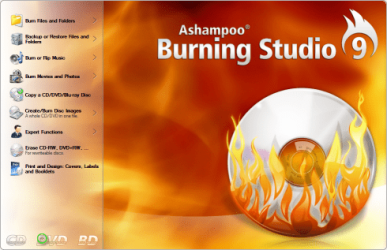
Ashampoo Burning Studio 9
I know 8.04 is there but I've just been testing the latest iteration from Ashampoo, done a variety of jobs (tho no blue ray stuff - I don't have the hardware) and this is da bomb.
Excellent software package, easy to use, comprehensive from making music CDs to images, to backing up to printing labels and covers - yet smallish package.
Not cheap at $US50 but this is a slick package.

Its worth adding that for free ImgBurn still does a terrific job but then so does Win7 itself - pretty bare bones but to burn files music or an image quick and easy 7 does it straight out of Explorer - good to use too coz its so intuitive!
 

Attachments

  • ashampoo bs splash.png
    ashampoo bs splash.png
    68.4 KB · Views: 27
Last edited:

My Computer My Computer

At a glance

Windows 7 Ultimate, UbuntuDDR 2Gb (!)6600GT
Computer Manufacturer/Model Number
AMD Athlon 64 3200+, Lenovo G560 i3
OS
Windows 7 Ultimate, Ubuntu
Motherboard
Gigabyte K8T8000
Memory
DDR 2Gb (!)
Graphics Card(s)
6600GT
Monitor(s) Displays
MultiMonitor (2) LCD
Hard Drives
Old Seagate 75
Big Western Digital
Samsung 500Gb pulled out of an external drive and installed
Ext: Maxtor (Firewire), 1Gb Lacie (Samsung)
Mouse
Logitech MX620 Cordless
ESET (NOD32) Smart Security Suite works fine! No drag on resources and no install problems.
 

My Computer My Computer

At a glance

Windows 7 RC
OS
Windows 7 RC
Sandboxie 3.38

On the Sandboxie - Download Sandboxie page it has a disclaimer that only W7 build 7100 is supported. However I'm using build 7077 and it's working fine for me. (Note that Sandboxie is 32 bit only. It modifies the kernel and since that's verboten on Vista64 the author says that's the end of that... only 32 bit support from now on.)

One of the nice things about Sandboxie is you can set the service to Manual and turn it off without rebooting. Just use the Windows sc.exe program to stop the service when you've closed all the sandboxed apps and closed the Sandboxie Control Program. Of course you can leave the service on Automatic if you want. I just like to know stuff weird on my system is not a side-effect of that service running.

Works fine with Minefield too!! If you are running NoScript you can set it to Enable Scripts Globally when running sandboxed and not have to click enable this or enable that. Downloads can be set to automatically go to the real folder for specific folders. Disk writes are trapped so nasties that try to write to your Registry never get to the real Registry, just a copy of the application's data from the Registry that's inside the Sandbox.

The free version is actually usable but it's such a nice program that I paid for the license. You get a few extra bells and whistles with the licensed version. I'd install and try the free one before buying just because some machines don't like the disk driver that is uses to control disk writes. If your system goes wacky and you have to cycle the power when you try to install then it's not for that machine(or you can try the beta... sometimes you can go back a minor version and get it to work.) On my machine the beta 3.37.15 worked great too. Don't know if you can download all the 3.37 betas or not. You'll have to find 'em yourself if the latest beta or release version doesn't work for you.

If you have 32 bit Vista then there are older releases for download you can try but none of them will work with W7.
 

My Computer My Computer

At a glance

Windows 7 32 bitAMD 5200+ dual core2 GBNVidia GeForce 6150SE 128 MB
Computer Manufacturer/Model Number
HP Media Center
OS
Windows 7 32 bit
CPU
AMD 5200+ dual core
Memory
2 GB
Graphics Card(s)
NVidia GeForce 6150SE 128 MB
Monitor(s) Displays
CRT
Screen Resolution
1280x1024
Hard Drives
500 GB Sata internal :

SIIG USB 3.0 docking stations w/WD Caviar Black 6 Gb/s drives
Keyboard
PS/2
Mouse
PS/2 Wheel Mouse
Other Info
SIIG USB 3.0 PCIexpress card.
Paintshop Pro X2 working perfectly well on 7201 :p
 

My Computer My Computer

At a glance

Windows 7 Ultimate x64AMD Sempron Dual Core3GBNVIDIA GeForce 6150SE nForce 430
Computer Manufacturer/Model Number
Compaq Desktop
OS
Windows 7 Ultimate x64
CPU
AMD Sempron Dual Core
Memory
3GB
Graphics Card(s)
NVIDIA GeForce 6150SE nForce 430
Screen Resolution
1024x768
Hard Drives
150GB Sata
Adobe Photoshop Elements 7

I'm using windows 7 as a clean install.

A few posts state Adobe Photoshop Elements 7 works.
I installed both Photoshop and Premiere 7.
Premiere 7 seems to be working.
Photoshop Elements 7 "editor" componant is not working.
The other two options work ie "organizer"

I uninstalled then installed again.
It used to work fine with XP.

As soon as I hit " Edit ", a window pops up and tells me:
Adobe Photoshop Elements (Editor) has stopped working Windows can check online for a solution.

It provides me two choices:
Check online for a sloution and close the program.... when I click this one no solution is found and the program closes. OR
Close the program

So it still doesn't work.

Here's the fine print

Problem signature:
Problem Event Name: APPCRASH
Application Name: PhotoshopElementsEditor.exe
Application Version: 7.0.0.0
Application Timestamp: 48cff252
Fault Module Name: lxcjtwds.ds
Fault Module Version: 2.77.0.0
Fault Module Timestamp: 433d4f80
Exception Code: c0000005
Exception Offset: 00004d62
OS Version: 6.1.7100.2.0.0.256.1
Locale ID: 1033
Additional Information 1: 0a9e
Additional Information 2: 0a9e372d3b4ad19135b953a78882e789
Additional Information 3: 0a9e
Additional Information 4: 0a9e372d3b4ad19135b953a78882e789

Can someone help me?
 

My Computer My Computer

At a glance

it was xp
OS
it was xp
I'm using windows 7 as a clean install.

A few posts state Adobe Photoshop Elements 7 works.
I installed both Photoshop and Premiere 7.
Premiere 7 seems to be working.
Photoshop Elements 7 "editor" componant is not working.
The other two options work ie "organizer"

I uninstalled then installed again.
It used to work fine with XP.

As soon as I hit " Edit ", a window pops up and tells me:
Adobe Photoshop Elements (Editor) has stopped working Windows can check online for a solution.

It provides me two choices:
Check online for a sloution and close the program.... when I click this one no solution is found and the program closes. OR
Close the program

So it still doesn't work.

Here's the fine print

Problem signature:
Problem Event Name: APPCRASH
Application Name: PhotoshopElementsEditor.exe
Application Version: 7.0.0.0
Application Timestamp: 48cff252
Fault Module Name: lxcjtwds.ds
Fault Module Version: 2.77.0.0
Fault Module Timestamp: 433d4f80
Exception Code: c0000005
Exception Offset: 00004d62
OS Version: 6.1.7100.2.0.0.256.1
Locale ID: 1033
Additional Information 1: 0a9e
Additional Information 2: 0a9e372d3b4ad19135b953a78882e789
Additional Information 3: 0a9e
Additional Information 4: 0a9e372d3b4ad19135b953a78882e789

Can someone help me?
justamon

Hi and welcome to sevenforums. Thanks for filling in you system specs. The only reference I could find for lxcjtwds.ds. is for a printer driver. Can I ask you to look a little further? You want to go to the search box (in start) and type event viewer. Click on event viewer and view the log under application. See if there are any errors listed. see pic. If they are could you take a snip of one (using snipping tool (type snipping in search)) so we can check it out

Hope this helped somewhat

Ken
 
Last edited:

My Computer My Computer

At a glance

Win 8 Release candidate 8400[email protected]4 gigsNvidia 9600M
Computer Manufacturer/Model Number
HP Pavillion dv-7 1005 Tx
OS
Win 8 Release candidate 8400
CPU
[email protected]
Memory
4 gigs
Graphics Card(s)
Nvidia 9600M
Sound Card
HD built-in
Monitor(s) Displays
17" Wxga
Screen Resolution
1440x900
Cooling
none
Internet Speed
45Mb down 5Mb up
whoa! thanks for the directions... so I try to copy the errors / applications, then my husband says.. hmm "printer" issues??? ok, the printer works with everything right now, so why would photoshop be dependent on a printer if all I was doing was trying to open it? - And some aspects of photoshop worked fine? As it turns out, we looked at the printer files, it said 32 something or another... but we're using the 64bit windows 7. So we download a new 64bit printer driver from the lexmark site and after some tweaking, we tried photoshop again and it worked! Thanks for examining this issue and bringing the printer issue to light. Still I don't see the connection, but for some reason it's connected. Now I know how to look at events, thanks zigzag3143 - you are skilled!
 

My Computer My Computer

At a glance

it was xp
OS
it was xp
Back
Top