

Today i came across the new Panda Cloud Antivirus from Panda Lab.
It supports Windows 7 (both 32 and 64 bit).
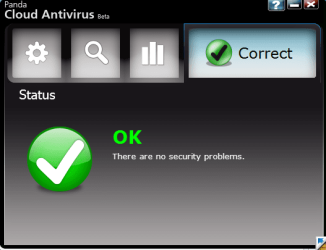
The main window. Very neat and simple.
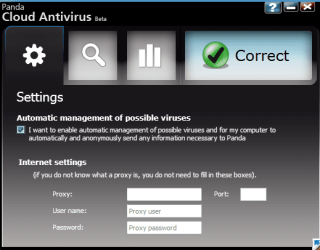
Nothing's there in the settings tab. May be because its still in beta phase.
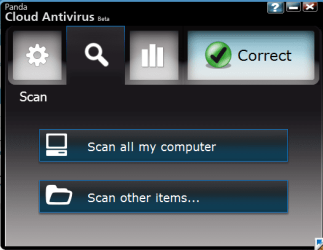
The scan window has option to scan the whole computer and custom scan.
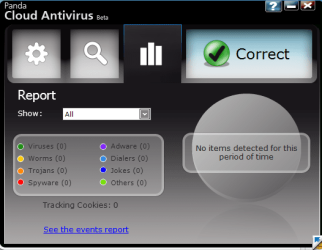
The Report tab shows the number of harmful items Panda Cloud AV has detected.
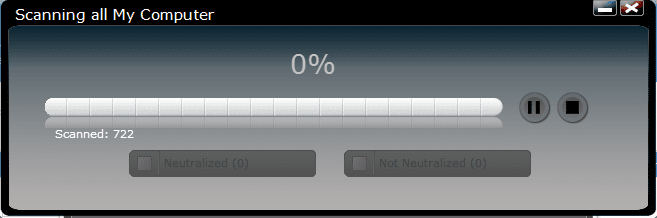
Scanning window has pause and stop scan buttons.
When idle, its using 14 MB.
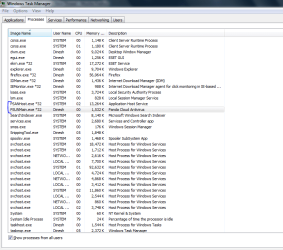
While scanning, its using around 20 MB.
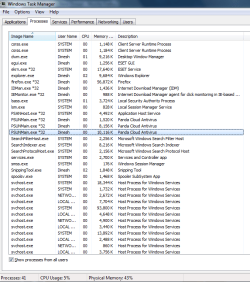
Will check the detections later.
Also, i m not sure if its more effective than the traditional antivirus.
However, the video on the cloud anti virus webpage says something else.
http://www.cloudantivirus.com/
It supports Windows 7 (both 32 and 64 bit).
The main window. Very neat and simple.
Nothing's there in the settings tab. May be because its still in beta phase.
The scan window has option to scan the whole computer and custom scan.
The Report tab shows the number of harmful items Panda Cloud AV has detected.
Scanning window has pause and stop scan buttons.
When idle, its using 14 MB.
While scanning, its using around 20 MB.
Will check the detections later.
Also, i m not sure if its more effective than the traditional antivirus.
However, the video on the cloud anti virus webpage says something else.
http://www.cloudantivirus.com/
Last edited:
My Computer
- Computer Manufacturer/Model Number
- Samsung NP530U4B-S02IN
- OS
- Windows® 8 Pro (64-bit)
- CPU
- Intel® Core™ i5 Processor 2467M (1.60GHz, 3MB L3 Cache)
- Motherboard
- Samsung Electronics
- Memory
- 6GB DDR3 System Memory at 1,333MHz (on BD 4GB + 2GB x 1)
- Graphics Card(s)
- AMD Radeon™ HD7550M 1GB DDR3 (Ext. Graphic)
- Sound Card
- Realtek High Definition Audio
- Monitor(s) Displays
- 35.56cm (14.0) SuperBright 300nit HD LED Display
- Screen Resolution
- 1366x768
- Hard Drives
- 1TB S-ATA II Hard Drive (5400RPM) with ExpressCache 16GB SSD
- Internet Speed
- sucks
- Antivirus
- Microsoft Security Essentials
- Browser
- Google Chrome (Sync enabled)


