
Hi,
Need a help very urgently.. I went to lot of discussions and am not able to find solution for my problem.. Please help me.
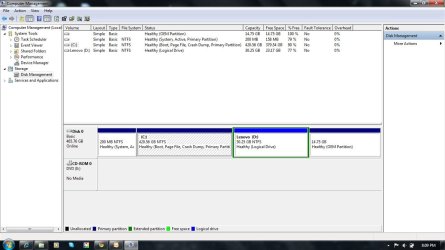
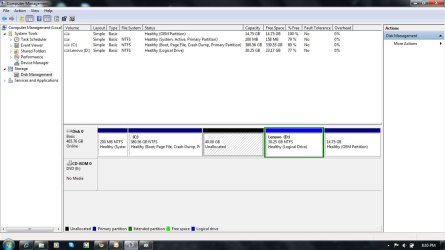
I have installed windows 7 home and mine is 500gb, two partitions with 420 in c: and 30 in d: ... I tried to partition c: (which s a primary partition) to two more partitions , but am not able to do that.. Able to shrink the C: , but after that its saying "already u having maximum number of partitions" but am having two only..
Attached pictures for ur reference.. please help me and give a soln...
Venkat.
Need a help very urgently.. I went to lot of discussions and am not able to find solution for my problem.. Please help me.
I have installed windows 7 home and mine is 500gb, two partitions with 420 in c: and 30 in d: ... I tried to partition c: (which s a primary partition) to two more partitions , but am not able to do that.. Able to shrink the C: , but after that its saying "already u having maximum number of partitions" but am having two only..
Attached pictures for ur reference.. please help me and give a soln...
Venkat.
Attachments

My Computer
- OS
- windows home 7


