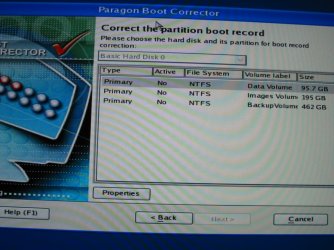
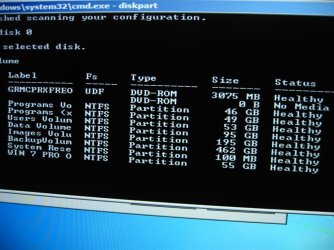
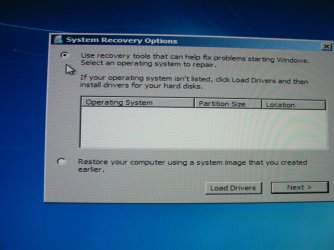
Few days back did a Win 7 Pro OEM clean install on a home built PC. Looked great. Installed chipset drivers. Set up my drives and volumes using disk management. Shutdown and on a cold start next AM Win 7 won't boot. Last line on BIOS screen says "boot mgr missing". Drat!! Booted to Win 7 install DVD to startup repair. In the start up repair window, view diagnostic and repair details it says "the partition table does not have a valid system partion". Still in start up repair but at the command line I ran commands to view all volumes, then I ran cmd bootrec /scanos. I see all volumes including the OS volume and the cmd bootrec /scanos returns the correct os volume. However I see my os volume is E:\ instead of c:\. So, my busy work with disk m'g'ment may have made a mess of my clean install. Before I dig this hole any deeper, I humbly ask, now what?
My Computer
- Computer Manufacturer/Model Number
- Home Build
- OS
- win 7 pro 64 OEM
- CPU
- Intel i7-950
- Motherboard
- G'byte GA-X58A-UD3R
- Memory
- 3x ocz 2gig OCZ3G2000LV6K
- Graphics Card(s)
- 1x g'byte GV-R585OC-1GD
- Sound Card
- n/a, on mobo
- Monitor(s) Displays
- 1x HP ZR22w 21.5
- Screen Resolution
- 1920x1024
- Hard Drives
- 1x ssd OCZ SATA II Agility 2 60gig
1x wd 1600YS SATA 160gig
1x wd 8088AADS SATA 800gig caviar green
- PSU
- antec TP-750
- Case
- lian li PC-9F
- Cooling
- c' master hyper 212 plus
- Keyboard
- CVT Avant Prime
- Mouse
- Win laser
- Internet Speed
- TWC ISP via cable
- Other Info
- 1x optical drive iHAS324-98B, 1x optical drive LG UH10LS20 OEM,