Partitions with no space.

DiCanio

New member
Local time
12:28 AM
Messages
7
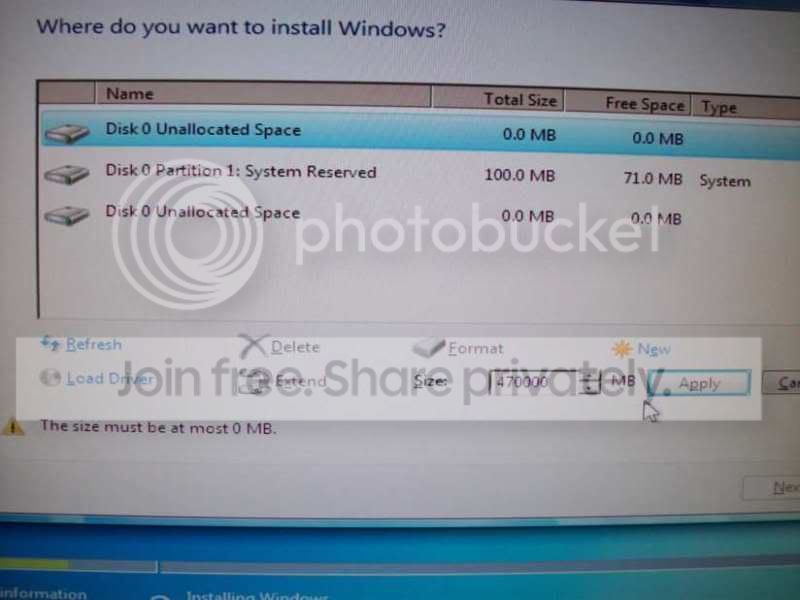
Hi, I have 2 partitions on my HD (500GB), C: and F: with my personal data, today I was going to format it but when it's time to decide what partition i need to format, it shows me 2 partitions with 0 space both and the one reserved with 100mb and I can't remove it or add a new one because it says that i have no space left.

Someone can help?


ps: Sorry for the english mistakes.
 

My Computer

OS
Seven
The zero space left might not be actual no space available. Eg. if i were to make my USB key bootable with windows recovery disk, im no longer able to put any data onto it. It's just the way the device works. When i go to format this "0 space free" Key it all reverts back to been "normal" again.

Same in your case.
 

My Computer

Computer Manufacturer/Model Number
Lenovo ThinkPad T60
OS
Windows 7 Ultimate 64Bit
CPU
GenuineIntel Intel(R) Core(TM) DuoCore T2400 @ 1.83GHz
Motherboard
Intel(R) 82801G (ICH7 Family)
Memory
2.00 GB
Graphics Card(s)
Mobile Intel(R) 945 Express Chipset
Sound Card
SoundMAX Integrated Digital HD Audio
Monitor(s) Displays
ThinkPad Display
Screen Resolution
1400x1050
Hard Drives
100Gb SATA
Keyboard
Standard Keyboard
Mouse
HID-compliant Mouse
Internet Speed
Cable Broadband - 54Mbps
Other Info
Intel(R) PRO/1000 PL Network Connection
11a/b/g Wireless LAN Mini PCI Express Adapter
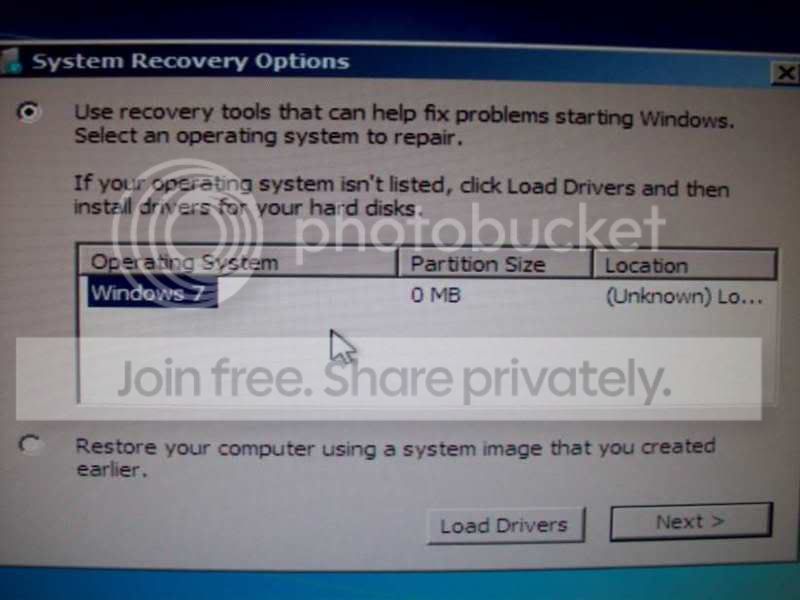
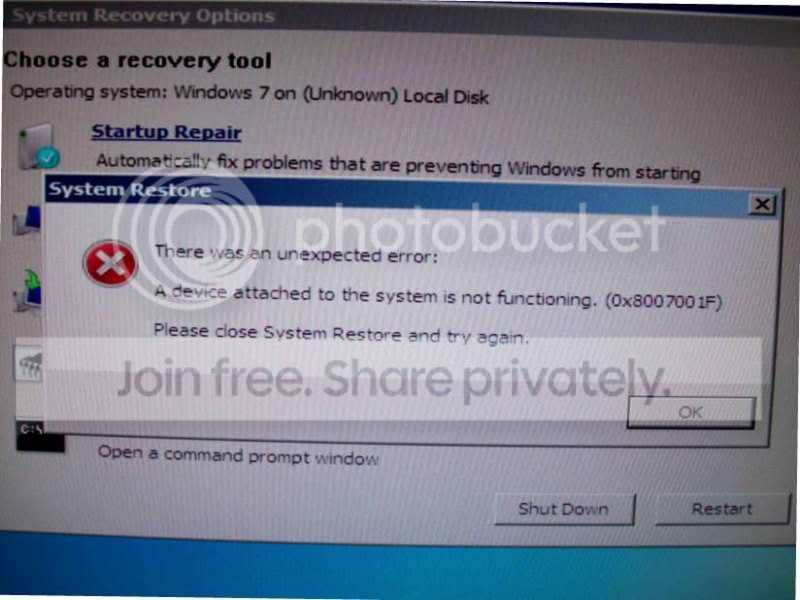
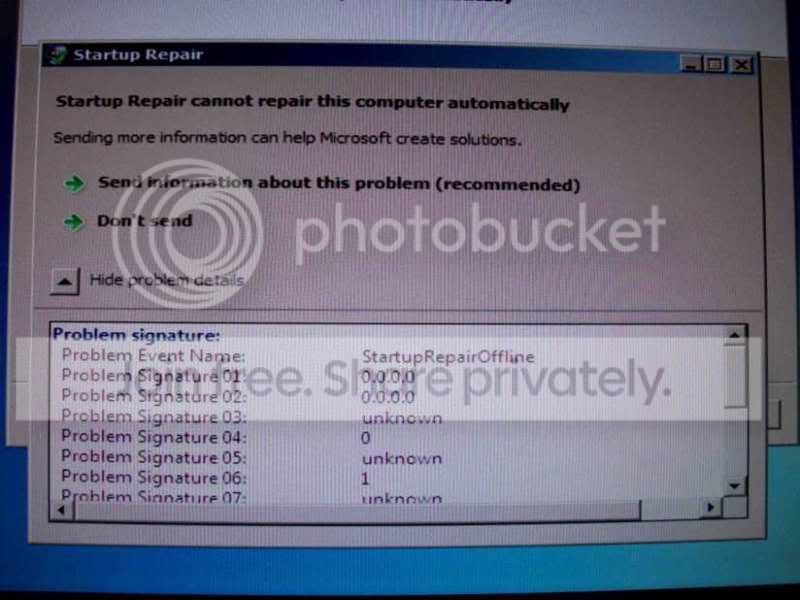
Sorry but I didn't undestand, I can't load windows cause it freezes and reboot again, I tried to use the windows recover but it says that it can not recover anything because there isn't a partition avaiable.

100_1208.jpg


100_1209.jpg


100_1210.jpg


100_1212.jpg


100_1213.jpg


100_1214.jpg
 

My Computer

OS
Seven
I thought you were asking to format a zero space parition? Didn't know you wanted to rescue your build.

If you already installed W7 onto this parition, it should be there in some form. I would stick in the DVD and attempt to re-install W7. If W7 sees that there is already an install, it will give u options as to repair existing, install new etc... Try the Repair option.
 

My Computer

Computer Manufacturer/Model Number
Lenovo ThinkPad T60
OS
Windows 7 Ultimate 64Bit
CPU
GenuineIntel Intel(R) Core(TM) DuoCore T2400 @ 1.83GHz
Motherboard
Intel(R) 82801G (ICH7 Family)
Memory
2.00 GB
Graphics Card(s)
Mobile Intel(R) 945 Express Chipset
Sound Card
SoundMAX Integrated Digital HD Audio
Monitor(s) Displays
ThinkPad Display
Screen Resolution
1400x1050
Hard Drives
100Gb SATA
Keyboard
Standard Keyboard
Mouse
HID-compliant Mouse
Internet Speed
Cable Broadband - 54Mbps
Other Info
Intel(R) PRO/1000 PL Network Connection
11a/b/g Wireless LAN Mini PCI Express Adapter
The repair install is not offered when booting from Win7 installer, only the options given when choosing Repair My Computer on the second installer screen.

Unlike XP, the repair install in Win7 cannot be done from boot mode but is an Upgrade Install over itself run from the desktop.

I have no idea why your OS is showing 0mb except that it isn't there. Or why there is 0mb unallocated space showing at the first of the disk where the MBR should be if there were space there, yet the partition creator says 470000mb available. That may be where the space is hiding.

But I think aem has the right idea to boot from the installer, delete all partitions, try to create one large partition to see how much space you can gather now, then format and reinstall. If there is still no space, then swap out the HDD to see what changes.
 
Well he really have no choice, if the "attempt" to repair using the DVD (depend on how much was originally installed, this option might not even come up) doesn't work, then it need s new fresh install. If you have any partition tool, might be best to set up all your partitions and format them before doing the install. That way you know everthing is clean.
 

My Computer

Computer Manufacturer/Model Number
Lenovo ThinkPad T60
OS
Windows 7 Ultimate 64Bit
CPU
GenuineIntel Intel(R) Core(TM) DuoCore T2400 @ 1.83GHz
Motherboard
Intel(R) 82801G (ICH7 Family)
Memory
2.00 GB
Graphics Card(s)
Mobile Intel(R) 945 Express Chipset
Sound Card
SoundMAX Integrated Digital HD Audio
Monitor(s) Displays
ThinkPad Display
Screen Resolution
1400x1050
Hard Drives
100Gb SATA
Keyboard
Standard Keyboard
Mouse
HID-compliant Mouse
Internet Speed
Cable Broadband - 54Mbps
Other Info
Intel(R) PRO/1000 PL Network Connection
11a/b/g Wireless LAN Mini PCI Express Adapter
Back
Top