
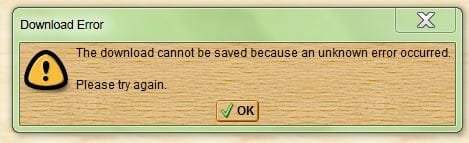
PDF error message

ellenc

New member
Member
VIP
Local time
9:30 PM
Messages
147
This happened over the last few days: I can't open PDFs. I get the attached message. I recently uninstalled Foxit and now use only Adobe Reader. There are some important pdf's I really need to access. ellenc
 

Attachments

  • PDF error message.JPG
    PDF error message.JPG
    20.8 KB · Views: 6

My Computer

Computer Manufacturer/Model Number
Dell Inspiron 546
OS
Windows 7 Professional
CPU
2.70gigahertz AMD Athlon 7750 Dual-Core
Motherboard
Dell, Inc. 0F896N A02
Memory
3328 Megabytes Usable Installed Memory
Graphics Card(s)
ATI Radcon HD 3200 Graphics
Monitor(s) Displays
Dell E1709W 17,2" monitor
Hard Drives
309.54G usable hard drive capacity
161.25G hard drive free space
Seagate FreeAgent Go 500G external drive
Seagate FreeAgent Go 160G external drive
Maxtor One Touch 250G external drive
When having 2 or more programs installed that can use the same file format then uninstalling the default program you lose the association for a format. What I'd do is right-click a .pdf file that's on your computer and choose Open With then in the list that comes up go to the bottom of the panel to Choose the program desired, in this case Adobe Reader. Click once on it and assure there's a checkmark in the box about always use this program then OK. Close AR then double-click a .pdf file, should open in AR. If that doesn't work reinstall Adobe Reader, get the latest from Adobe: Creative, marketing, and document management solutions.

If you can't view from the 'net right-click the link and choose Save As [or similar wording] then locate and try to open it.
 

My Computer

Computer type
PC/Desktop
Computer Manufacturer/Model Number
Customs, Dell, Gateway, HP, Toshiba, Acer, ASUS
OS
Windows 7 Ultimate 64-bit, Windows 8.1 64-bit, Mac OS X 10.10, Linux Mint 17, Windows 10 Pro TP
Keyboard
Microsoft
Mouse
Microsoft
Back
Top