- Local time
- 10:18 PM
- Messages
- 159
My son had a Windows 7 box with a 1 TB hard Drive partitioned with separate Swap / Temp (D), Gamed (E), Programs (E), and Data (F) drive partitions. This has served us well in the past as reinstalling the OS. To restore programs and games under the replaced / upgraded OS, we simply installed over themselves keeping all custom files, saved games etc.
He recently added a 120 GB SD for Windows and his most used programs / games. The idea was to keep the original boot partition on the hard drive as a backup (only 64 GB) in case the SSD went south. The same user name was used on both Win7 professional 64 bit installs.
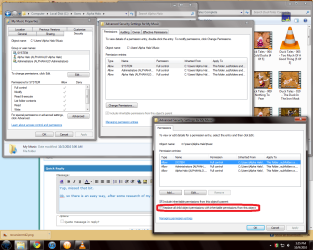
My problem is that trying to install some programs over themselves or even to delete folders on F:\ results in permissions issues that can't seem to be resolved in the normal properties / security / advanced / editing fashion.
Suggestions ?
He recently added a 120 GB SD for Windows and his most used programs / games. The idea was to keep the original boot partition on the hard drive as a backup (only 64 GB) in case the SSD went south. The same user name was used on both Win7 professional 64 bit installs.
My problem is that trying to install some programs over themselves or even to delete folders on F:\ results in permissions issues that can't seem to be resolved in the normal properties / security / advanced / editing fashion.
Suggestions ?
My Computer
- Computer Manufacturer/Model Number
- Home Built
- OS
- Windows 7 - 64 bit
- CPU
- i7 920
- Motherboard
- Asus Rampage II Extreme
- Memory
- Mushkin 998692
- Graphics Card(s)
- GTX 295 FTW Edition 1792MB
- Sound Card
- Sounblaster Xi Fi Extreme
- Monitor(s) Displays
- Dekk U2410
- Hard Drives
- Seagate 7200.12
- PSU
- Antec SG-850
- Case
- Antec 1200
- Cooling
- Prolimatech Megashadow