Hi!
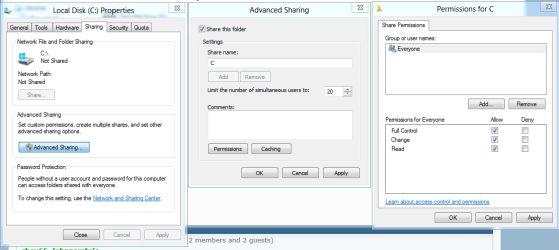
I have a windows 7 pc. I am using it as a media server to stream to my HTPC (windows XP Pro) in my living room. My problem is that I'm having problems with permissions of my folders. All of my media is on a seperate hard drive (F and everything I am sharing is in folders inside a subdirectory of this F drive (F:/Snoogans/movies, F:/Snoogans/TV Shows, F:/Snoogans/New). I have the directory (F:/Snoogans/) set up as a shared folder on my network with full premission to everyone. I have set it so that it gives the same permissions to all child objects. However, if I ad any files or folders to the subdirectories (perticularly the folder for new downloads) I can not see any files or folders that have been added from the network. To see them, I have to go in to my permissions and update them every time. Once I have done that I can see all of the files again. Any ideas of what I can do to solve this?
I have a windows 7 pc. I am using it as a media server to stream to my HTPC (windows XP Pro) in my living room. My problem is that I'm having problems with permissions of my folders. All of my media is on a seperate hard drive (F
and everything I am sharing is in folders inside a subdirectory of this F drive (F:/Snoogans/movies, F:/Snoogans/TV Shows, F:/Snoogans/New). I have the directory (F:/Snoogans/) set up as a shared folder on my network with full premission to everyone. I have set it so that it gives the same permissions to all child objects. However, if I ad any files or folders to the subdirectories (perticularly the folder for new downloads) I can not see any files or folders that have been added from the network. To see them, I have to go in to my permissions and update them every time. Once I have done that I can see all of the files again. Any ideas of what I can do to solve this?My Computer
- OS
- Windows 7 Home Premium x64