Pet hate -- Anti-Virus Software

jimbo45

New member
Guru
Gold Member
VIP
Local time
6:40 AM
Messages
5,941
Location
Hafnarfjörður IS
Hi everyone

I really have a PET HATE against pretty well ALL anti virus software (for Home networks).

First of all it rarely does what "it says on the tin" - and causes more aggravation with "False Positive" indications.

Next is slows the computer down usually hideously
Then if you need to uninstall it it is usually a pain and even if it does uninstall it often leaves rubbish all over your registry.

Finally the whole concept is WRONG. The software a) reads data from a VERY HACKABLE database for a start. b) then compares such things as lengths of files for various windows component files -- this is usually what triggers the false positives.

Finally any self respecting hacker would attack the AV software itself --can you imagine the AV program reporting that IT itself is responsible for a virus

Remember also

Quis custodiet ipsos custodes?

(Who guards the guards)

If you use the following rules then you should never get a Virus (and I've been using computers for over 35 years).

1) Use the ROUTERS's internal Logs and hardware firewall and Port blocking -- much much better than Software.

2) Don't open ANY email attachment unless you know who sent it.

3) If you download any music / games / films etc via torrents CHECK THE SOURCE. Torrents aren't actually as horrible as their reputation makes out and you soon can recognize the good ones and the fakes.

3) NEVER EVER EVER download these programs that offer to scan your computer to find drivers etc etc. At best these programs will usually refer you to some PAID FOR site even if the fee is small, or be full of ad / spy / nagware, and at worst will contain other "nasties"

Most viruses are actually distributed via corporate networks via email. A normal user taking proper precautions shouldn't have ANY virus problems .

Before installing anything know exactly what its doing and take backups before so you can restore the whole image in the event the software doesn't work.


I haven't done serious programming for many years but it's Hacking 101 can EASILY infect any AV software and this is something that AV software isn't built for -- it detects threats from "without" but not from "within".

This advice is for HOME networks -- on a corporate network other considerations apply.

Cheers

Just finishing now to watch Liverpool in the Champions League tonight.

jimbo
 
Last edited by a moderator:

My Computer

Computer type
PC/Desktop
Computer Manufacturer/Model Number
Custom built, several laptops HP/ASUS
OS
Linux CENTOS 7 / various Windows OS'es and servers
CPU
Intel i7 Intel i5
Memory
8GB, 16GB
Graphics Card(s)
On Motherboard
Sound Card
Realtek HD audio
Monitor(s) Displays
Apple Cinema display, Samsung LCD
Screen Resolution
1920 X 1080
Hard Drives
4 X 1TB SATA
Mouse
Toshiba wireless laser
Internet Speed
> 20MB up
We all have our pet hates but I can't agree with your assumptions about all anti virus software.

Yes there are ones that make the machine sluggish and are bad when it comes to trying to Uninstall but you can't group them all together like that.

OK so you are expert enough to not need one, sorry but not everyone is an expert and they need a good anti virus program to help them practise safe hex. The baddies are getting very sophisticated and it only takes a wrong click to cause trouble but if you have a good piece of software that will alert you to the problem it will make correcting the fault much easier, especially those not so expert as you are.

I'm no expert but I know enough to keep myself out of trouble but I wouldn't allow any of the machines on my network to work without having an anti virus and firewall in place behind a NAT Router. ;)
 
Last edited:

My Computer

Computer type
PC/Desktop
Computer Manufacturer/Model Number
Acer Aspire XC-704 x64 bit/ Asus K55A Notebook PC/HP Envy x360 Convertible 15-bq0xx
OS
Windows 10 64bit/Windows 10 64bit/Windows 10 64bit
CPU
Intel Pentium J3710 @ 60GHz/Intel B820,1.7GHz/AMD A9 Radeon
Motherboard
Acer Aspire XC-704 (SOCKET 0)/Asus/HP 8312 (Socket FP4)
Memory
8.00GB DDR3 @ 1599MHz/8GB 2 x 4GB DDR3/8.00GB Dual-Channel
Graphics Card(s)
Intel HD Graphics/Intel/512MB ATI AMD Radeon R5 Graphics (HP
Sound Card
Realtek High Definition Audio/Onboard/AMD High Definition Au
Monitor(s) Displays
Acer LCD K222HQL /Asus 15.6/Generic PnP Monitor (1920x1080@6
Screen Resolution
1920x1080@59Hz/1366 x 768/1920x1080@60Hz
Hard Drives
1863GBWesternn Digital WDC/Asus/119GB SanDisk SD8SN8U-128G-1006 (SSD)
931GB Hitachi HGST HTS721010A9E630 (SATA)
Keyboard
Microsoft Natural Ergonomic Keyboard 4000 (UK)/Inbuilt/Inbui
Mouse
Microsoft Optical Wheel Mouse/Same plus Touchpad/Same + Pad
Internet Speed
Infinity 2 up to 76 Mbps
Antivirus
MSE/MSE/MSE and all 3 have MalwareBytes Premium
Browser
Edge, Firefox/Edge, Firefox/Edge, Firefox, Chrome
Other Info
Seagate Expansion 500GB External Desktop Drive
Seagate Expansion Portable Drives 500GB and 1TB
Epson XP-332 Wireless Printer
Unfortunately, you don't need to install anything to get infected. Unattended websites are the 'kiddies' playground. All you have to do is land on one that's been hacked.

I definitely don't agree with your advice about not using an Antivirus program. Having one installed is much better than having none at all.
 

My Computer

Computer type
PC/Desktop
Computer Manufacturer/Model Number
Bruce ... somewhere in his 40's
OS
Windows 7 Ultimate 32bit SP1
CPU
Intel(R) Core(TM)2 Quad CPU @ 2.40GHz, 2400 MHz
Motherboard
INTEL/D975XBX2
Memory
4 GB
Graphics Card(s)
ATI Radeon HD 2600 Pro
Monitor(s) Displays
Samsung SyncMaster 914v
Screen Resolution
1280 x 1024
Hard Drives
2/500GB each ... ST3500630AS ATA Device.
One is not connected
PSU
Rocketfish 700 W
Case
G.Skill Gigabyte Chassis
Keyboard
Standard PS/2 Keyboard
Mouse
Microsoft PS/2 Mouse
Internet Speed
DSL
Antivirus
Avira Internet Security
Browser
IE 11
Other Info
ATI HDMI Audio
Hi,well I definitely think you should have AV installed.
 

My Computer

Computer Manufacturer/Model Number
Self Build 64bit
OS
Vista Ult64, Win7600
CPU
Intel Core 2 Quad Q6600 @ 2400 MHz 64bit OS
Motherboard
Asus P5E3 Deluxe WiFi @p 64 bit OS
Memory
4096 MB DDR3-SDRAM
Graphics Card(s)
ATI Radeon HD 3870 Series x2 Crossfired
Sound Card
Realtek on board
Monitor(s) Displays
Samsung SyncMaster - 23 inches
Screen Resolution
1680x1050 pixels at 60 Hz in True Colors
Hard Drives
Hitachi (250 GB)/Samsung 750 GB. /Barracuda 160 GB.
My Book 1 TB external..
PSU
Cooler Master 1000w
Case
Cooler Master Cosmos 1000.
Cooling
Fans and fresh air,
Keyboard
Wireless
Mouse
Wireless
Internet Speed
Never fast enough
Other Info
I use a Magnum.
Even though I have had only one alert in the past year from my AV, and it was a false pos., I still wouldn't be without it.

Gary
 

My Computer

Computer Manufacturer/Model Number
Dell XPS420
OS
Vista Ult 64 bit Seven Ult RTM x64
CPU
Intel Core2 Quad Q6600 2.40 gigahertz
Memory
Crucial Ballistix 4x2GB PC2 6400
Graphics Card(s)
NVIDIA GeForce 8600 GTS 256 MB
Sound Card
Creative SB X-Fi audio
Monitor(s) Displays
HP w2207 + HPvs15
Screen Resolution
1680x1050 + 1024x768
Hard Drives
2-WD5000AAKS-500 GB
WD5000AAV-500 GB external
Keyboard
Microsoft Comfort Curve
Mouse
MX Revolution
Other Info
Wacom Intuos 2 Graphics Tablet
Experience Index=5.5
Hi everyone

I really have a PET HATE against pretty well ALL anti virus software (for Home networks).

First of all it rarely does what "it says on the tin" - and causes more aggravation with "False Positive" indications.

Next is slows the computer down usually hideously
Then if you need to uninstall it it is usually a pain and even if it does uninstall it often leaves rubbish all over your registry.

Finally the whole concept is WRONG. The software a) reads data from a VERY HACKABLE database for a start. b) then compares such things as lengths of files for various windows component files -- this is usually what triggers the false positives.

Finally any self respecting hacker would attack the AV software itself --can you imagine the AV program reporting that IT itself is responsible for a virus

Remember also

Quis custodiet ipsos custodes?

(Who guards the guards)

If you use the following rules then you should never get a Virus (and I've been using computers for over 35 years).

1) Use the ROUTERS's internal Logs and hardware firewall and Port blocking -- much much better than Software.

Yes, but for those without a router, the software is necessary- and even though I don't use a software based one, I really do - as Vista and Windows 7 both have native firewalls. I would highly recommend that you *not* disable those if you do not plan on using a third party software firewall because it is easy to spoof your router with a connection that seems to come *from* your machine - one way to do it is through the SQL poisoning that was prevalent last year, and another is the banner advertisement hijacking that was prevalent for the last *two* years.


2) Don't open ANY email attachment unless you know who sent it.

Wrong again - just because you know who sent it doesn't mean *their* machine is not infected. Don't open *any* attachment unless:

  1. You were expecting it from a person you trust
  2. You double check with that person that they did in fact send you the attachment in said format of said size
  3. You double scan the file (you can easily submit any file to VirusTotal - Free Online Virus and Malware Scan for analysis)


3) If you download any music / games / films etc via torrents CHECK THE SOURCE. Torrents aren't actually as horrible as their reputation makes out and you soon can recognize the good ones and the fakes.

Better yet, don't download stuff via torrents or any other P2P networks, and don't use the NGs (there is a lot of flooding going on by idiots trying to desperately get their malware spread using legitimate subject lines) and such.

Also, if you *are* going to get such stuff, keep 2-3 anti-malware programs handy, have your AV always scanning new files upon creation, access, or modification, and double and triple check files with the other programs you have available.


3) NEVER EVER EVER download these programs that offer to scan your computer to find drivers etc etc. At best these programs will usually refer you to some PAID FOR site even if the fee is small, or be full of ad / spy / nagware, and at worst will contain other "nasties"

I recommend online scanners that require you to download and install scanning components all the time - take a look at the post I mace over at Vistax64 forums - Slow Internet and Vistax32 after a while... - Vista Forums


Most viruses are actually distributed via corporate networks via email. A normal user taking proper precautions shouldn't have ANY virus problems .

No offense, but I'd like to see your research and statistis on this - last I checked the home user was accounting for 75% of the makeup into all the botnets in the world....

See, corporations have much much larger budgets than we do, and keep things centralized- they don't have simple routers with built in firewalls, they have multi-level firewalls and other safeguards to protect their data as well as their users. I work at a university, and while our IT budget is far from limitless, we have a very extensive network in place - and while we get a lot of incoming viruses (we had well over 800 hits in one day when I was talking to the Dir of IT one day) we have very very few, if any, going *out*.


Before installing anything know exactly what its doing and take backups before so you can restore the whole image in the event the software doesn't work.


I haven't done serious programming for many years but it's Hacking 101 can EASILY infect any AV software and this is something that AV software isn't built for -- it detects threats from "without" but not from "within".

So you're saying that AV software does not provide for redundant checks upon itself, does not isolate itself from other programs using sandbox techniques, and that any dummy can write code to hack and AV?

I beg to differ again - the reason many of today's AV programs are so 'bloated' is because they are running as services, since the vast majority of Windows-based PC are running some derivative of an NT-based OS. Now, one of the reasons I promoted Vista so hard was because of its locked down kernel - that Symantec successfully (unfortunately) lobbied to have opened up so it could write protection code for - and for its heightened security. If an app such as Avast! is running with System level privileges, as it does in Vista and Windows 7, then as a user level or even generic administrator level app cannot modify it - it simply does not have the rights. Add to this the fact hat nearly all of them perform integrity checks *on ever scan* and the fact that most of them are running as services, as mentioned above, and you have an AV program that is not easy to hack.

The reason there is such a problem with machines is not because AV programs are easy to hack - it is because most are definition based, and users stop updating their AV programs. Again, in the corporate world, with centralized managed servers, this is not nearly the problem that it is at the end user level in a home environment.

This advice is for HOME networks -- on a corporate network other considerations apply.

Cheers

Just finishing now to watch Liverpool in the Champions League tonight.

jimbo

Sorry, but I pretty much disagree with most of what you said. Your advice initially seems sound, but further analysis shows that it is pretty flawed. Perhaps some reading up on the way security has changed today and its outlook for the future would be beneficial.
 

My Computers

System One System Two

  • Computer type
    PC/Desktop
    Computer Manufacturer/Model Number
    The Beast Model A (homebrew)
    OS
    Windows 11 21H2 Current build
    CPU
    AMD Ryzen 9 3950X
    Motherboard
    MSI MEG X570 GODLIKE
    Memory
    4 * 32 GB - Corsair Vengeance 3600 MHz
    Graphics Card(s)
    EVGA GeForce RTX 3080 Ti XC3 ULTRA GAMING (12G-P5-3955-KR)
    Sound Card
    Realtek® ALC1220 Codec
    Monitor(s) Displays
    2x Eve Spectrum ES07D03 4K Gaming Monitor (Matte) | Eve Spec
    Screen Resolution
    3x 3840 x 2160
    Hard Drives
    3x Samsung 980 Pro NVMe PCIe 4 M.2 2 TB SSD (MZ-V8P2T0B/AM) } 3x Sabrent Rocket NVMe 4.0 1 TB SSD
    PSU
    PC Power & Cooling’s Silencer Series 1050 Watt, 80 Plus Plat
    Case
    Fractal Design Define 7 XL Dark ATX Full Tower Case
    Cooling
    SteelSeries Apex Pro Wired Gaming Keyboard
    Keyboard
    SteelSeries Apex Pro
    Mouse
    Logitech MX Master 3S | MX Master 3 for business
    Internet Speed
    AT&T LightSpeed Gigabit Duplex Ftth
    Antivirus
    Windows Defender + MB 3
    Browser
    Nightly (default) + Firefox (stable),Chrome, Edge
  • Computer type
    PC/Desktop
    System Manufacturer/Model Number
    Dell Latitude E5470
    OS
    ChromeOS Flex Dev Channel (current)
    CPU
    Intel(R) Core(TM) i5-6300U CPU @ 2.40GHz, 2501 Mhz, 2 Core(s), 4 Logical Processor(s)
    Motherboard
    Dell
    Memory
    16 GB
    Graphics Card(s)
    Intel(R) HD Graphics 520
    Sound Card
    Intel(R) HD Graphics 520 + RealTek Audio
    Monitor(s) Displays
    Dell laptop display 15"
    Screen Resolution
    1920 * 1080
    Hard Drives
    Toshiba 128GB M.2 22300 drive
    INTEL Cherryville 520 Series SSDSC2CW180A 180 GB SATA III SSD
    PSU
    Dell
    Case
    Dell
    Cooling
    Dell
    Keyboard
    Dell
    Mouse
    Logitech MX Master 3S (shared w. Sys 1) | Dell TouchPad
    Internet Speed
    AT&T LightSpeed Gigabit Duplex Ftth
Its just another method the illuminati have found to control us :p
 

My Computer

Computer Manufacturer/Model Number
self built
OS
Windows 7 Professional 64-bit
CPU
Intel E8400 3GHz
Motherboard
Intel DX48BT2
Memory
Kingston PC3-10700H 4Gb
Graphics Card(s)
XFX Radeon HD 5850 BlackEd.
Sound Card
Asus Xonar DG
Monitor(s) Displays
2x Samsung SM-T220HD 22"
Screen Resolution
1680x1050 on two monitors
Hard Drives
OCZ Vertex 2 120gb 3.5" (OS)
Seagate Momentus XT 500gb
Samsung F3 1Tb (games)
2x Samsung F1 1Tb
PSU
Thermaltake ToughPower 850w
Case
Thermaltake Armor
Cooling
Scythe Mugen II
Keyboard
Microsoft Comfort Curve USB
Mouse
Razer Diamondback 3G
Internet Speed
8128/443
You forgot the Rosicrucian's and the Knights Templar's too.
 

My Computer

Computer type
PC/Desktop
Computer Manufacturer/Model Number
Airbot 2.0
OS
Windows 7 Ultimate x64 SP1
CPU
Core i7 920 (D0) @ 4Ghz, *26c idle *65c full load on air
Motherboard
Asus P6X58D Premium - Sata 6Gb/s - USB 3.0
Memory
12GB DDR3 Corsair Dominator -CMD12GX3M6A1600C8 at 1600MHz
Graphics Card(s)
Zotac Geforce GTX 770
Sound Card
ASUS Xonar D2X
Monitor(s) Displays
1 LG 24" Flatron W2453V-PF 1 Samsung 24" P2450H both 2ms RT
Screen Resolution
1920x1080@60hz
Hard Drives
1 Samsung 250GB 840 Evo SSD
1 OCZ Vertex2 180GB SSD
1 TB Samsung Spinpoint F1 7200RPM 32MB cache
2 500GB WD Caviar Blacks 7200RPM 32MB cache (WD5001AALS)

Pioneer DVD Burner DVR-S18M
PSU
Corsair HX1000W
Case
Cooler Master HAF 932
Cooling
Case Fans *3 230mm, *1 140mm/CPU - *Tuniq Tower 120 Extreme
Keyboard
Logitech Wireless MK700
Mouse
Logitech Wireless MK700
Internet Speed
DL 15 Mbps UL 0.98 Mbps
Antivirus
None
Browser
Firefox Nightly
Other Info
Processor-7.7 *RAM- 7.9 *Graphics-7.9 *Gaming Graphics- 7.9 *SSD- 7.8 W.E.I final score= 7.7
*Phone- LG Nexus 5
I believe in Avast! Since my granddaughter came to live with us. Nine yrs old and loves internet games. Surfing along she was when the alarm sounds that she had hit something bad, sounded like a tornado warning. Works for me.
 

My Computer

Computer Manufacturer/Model Number
Gateway GT5692
OS
Windows 7 Ulti. x64
CPU
AMD Phenom 8450 triple-core 2.10 ghz
Memory
4GB
Graphics Card(s)
ATI Radion HD 3200
Monitor(s) Displays
Gateway FPD1775W
Screen Resolution
1280x720
Hard Drives
465.6613 Gibibytes
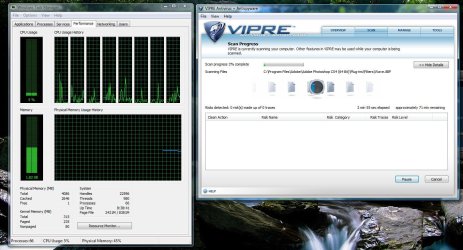
I love Viper anti virus. It did a DEEP virus scan the other night and my processer went from 5% (idle) to 8%

and speak of the devil. I got CCleaner from a what looked like trustworthy site, and the installation bar went away. viper came up saying it blocked a hijacker and a trojan from opening. Now i just gotta go find them =/
 

Attachments

  • Untitled.jpg
    Untitled.jpg
    163.6 KB · Views: 245
Last edited:

My Computer

Computer Manufacturer/Model Number
Custom
OS
Windows 7 x64 build
CPU
Core i7 920 @2.67GHz OC'd to 3.8GHz
Motherboard
ASUS P6T Delux
Memory
4GB 1066MHz
Graphics Card(s)
ATI Radeon 4850
Monitor(s) Displays
Acer 24"
Screen Resolution
1920x1200
Hard Drives
Hitachi 500GB 16MB Cache 7200 RPM
PSU
Rosewill 600W
Cooling
Thermaltake V1 AX
Keyboard
Logitech G15
Mouse
Logitech mx1000
Internet Speed
8Mb down
Hi there
If you read the initial post and apply those guide lines -- then you DON'T need it. Events like 9 year old granddaughters downloading stuff from the Internet are a totally different ballgame -- as well as those people who DON'T have a router.

I'm only saying this that IF you follow certain reasonable rules and DO have the router hardware then you actually don't need AV software.

If you DON'T fall into these cataegories then other rules may apply. --If I need a computer for work I'm not sure I would let a young child any where near it -- I'd have a separate machine on a different protected network for that purpose -- an Internet capable machine doesn't cost much even in thee credit crunch days.


As for viruses being spread by corporations --just take a large corporation like SHELL OIL, IBM or whatever.

The sheer volume of "Fun". "Joke or "Non Work related" Emails sent from these organisations adds up to THOUSANDS if not 100,000's per hour. Any malicious attachment can be propagated around the planet in seconds.

Individual propagations of Viruses pale into insignificance compared with this volume --even torrent downloaders.

And torrents aren't always "Illegal or Pirate" - Loads of LEGAL LINUX distros such as Novel for SUSE use a Torrent mechanism for distribution in addition to "conventional" downloads".

Also note that even if corporations block .'EXE' attachments it's easy to change them into XML so it looks like an Office 2007 format or other non-detectable formats -- and you can even use the old "Usenet" method of attaching Binary files by using embedded source that the Virus scanner won't detect anyway.

Some of the Old Dinosaur Technology actually defeats the Virus scanning mechanisms better than the new stuff BTW but you have to be old or crazy enough to remember it.

Cheers
jimbo
 

My Computer

Computer type
PC/Desktop
Computer Manufacturer/Model Number
Custom built, several laptops HP/ASUS
OS
Linux CENTOS 7 / various Windows OS'es and servers
CPU
Intel i7 Intel i5
Memory
8GB, 16GB
Graphics Card(s)
On Motherboard
Sound Card
Realtek HD audio
Monitor(s) Displays
Apple Cinema display, Samsung LCD
Screen Resolution
1920 X 1080
Hard Drives
4 X 1TB SATA
Mouse
Toshiba wireless laser
Internet Speed
> 20MB up
I never use AV software.

My computer works fine. I might have a virus - but then there's no way for me to know! :D
 

My Computer

OS
Windows Seven 7068 x64
CPU
Core Duo e6300 @ 2.8ghz
Motherboard
Gigabyte GA-P965-DS3
Memory
3gb DDR2 800
Graphics Card(s)
9600GT
Sound Card
XFi extrememusic
Monitor(s) Displays
22" LCD WIDE
Screen Resolution
1680x1050
Hard Drives
2 Diamondmax 80 GB
PSU
400W PSU
Case
Coolermaster Mystique
Cooling
Stock cooling
Keyboard
Logitech Illuminated
Mouse
Logitech MX Revolution
Internet Speed
2Mb
As long as your happy.
 

My Computer

Computer Manufacturer/Model Number
Self Build 64bit
OS
Vista Ult64, Win7600
CPU
Intel Core 2 Quad Q6600 @ 2400 MHz 64bit OS
Motherboard
Asus P5E3 Deluxe WiFi @p 64 bit OS
Memory
4096 MB DDR3-SDRAM
Graphics Card(s)
ATI Radeon HD 3870 Series x2 Crossfired
Sound Card
Realtek on board
Monitor(s) Displays
Samsung SyncMaster - 23 inches
Screen Resolution
1680x1050 pixels at 60 Hz in True Colors
Hard Drives
Hitachi (250 GB)/Samsung 750 GB. /Barracuda 160 GB.
My Book 1 TB external..
PSU
Cooler Master 1000w
Case
Cooler Master Cosmos 1000.
Cooling
Fans and fresh air,
Keyboard
Wireless
Mouse
Wireless
Internet Speed
Never fast enough
Other Info
I use a Magnum.
Hi there
If you read the initial post and apply those guide lines -- then you DON'T need it. Events like 9 year old granddaughters downloading stuff from the Internet are a totally different ballgame -- as well as those people who DON'T have a router.

I'm only saying this that IF you follow certain reasonable rules and DO have the router hardware then you actually don't need AV software.

If you DON'T fall into these cataegories then other rules may apply. --If I need a computer for work I'm not sure I would let a young child any where near it -- I'd have a separate machine on a different protected network for that purpose -- an Internet capable machine doesn't cost much even in thee credit crunch days.

Again, you fail to address drive by installations that a router ***will not catch*** of sites that have been caught in the SQL poisoning scheme - because the initiating request to view the web page comes from your machine, a trusted link on the network. Furthermore, this also applies to Banner Advertisement hijacking, and even the email schemes you speak of below.

As for viruses being spread by corporations --just take a large corporation like SHELL OIL, IBM or whatever.

The sheer volume of "Fun". "Joke or "Non Work related" Emails sent from these organisations adds up to THOUSANDS if not 100,000's per hour. Any malicious attachment can be propagated around the planet in seconds.

Individual propagations of Viruses pale into insignificance compared with this volume --even torrent downloaders.

Yah, those are being sent directly by those companies. Again, I'd like to see stats of those messages - as opposed to those being sent through Yahoo Mail, Rediff Mail, etc. And, furthermore, additional stats showing how many of those from corporate sites are *spoofed* and cannot actually be traced back to corporate servers.

And torrents aren't always "Illegal or Pirate" - Loads of LEGAL LINUX distros such as Novel for SUSE use a Torrent mechanism for distribution in addition to "conventional" downloads".

Also note that even if corporations block .'EXE' attachments it's easy to change them into XML so it looks like an Office 2007 format or other non-detectable formats -- and you can even use the old "Usenet" method of attaching Binary files by using embedded source that the Virus scanner won't detect anyway.

Some of the Old Dinosaur Technology actually defeats the Virus scanning mechanisms better than the new stuff BTW but you have to be old or crazy enough to remember it.

Cheers
jimbo

Right- so if it is in .XML format, how is it executed? Oh, wait, you need something to rename it back on your machine when it is there and stable - so that means, what, another executable? Manual instructions to the person to change the name of the file?

Guess what? My system scans all files upon creation, modification, or access. Therefore, as soon as the file is written, even if .XML may not get scanned, as soon as it gets changed to .exe, it gets scanned (and on my machines, *every* file gets scanned - regardless of location or of file type).

Without said AV program, I would truly be lost - but perhaps you don't realize just how far they have come - they make redundant backups of their definitions, and with Vista and now Windows 7, you have additional things like permissions playing into the factor.

I'm sorry, but I still disagree with you - in 14+ years of using an AV software, I have had a grand total of 7 FPs. that's 1 for every 2 years of operation.

And, for the average user, with little to no expertise in security, an AV is a *must* have.

Your points about separating machines for purposes is a good one - I use a machine at home for multiple purposes because I know how to keep my priorities and work flows separated, but not everyone does - hence you'll see some folks coming in to work with laptops that a child has obviously been playing on - but if you think it is easy as cake to hack modern AV programs and suites, I suggest you do a POC writeup and show us - and the world - how easy it is.
 

My Computers

System One System Two

  • Computer type
    PC/Desktop
    Computer Manufacturer/Model Number
    The Beast Model A (homebrew)
    OS
    Windows 11 21H2 Current build
    CPU
    AMD Ryzen 9 3950X
    Motherboard
    MSI MEG X570 GODLIKE
    Memory
    4 * 32 GB - Corsair Vengeance 3600 MHz
    Graphics Card(s)
    EVGA GeForce RTX 3080 Ti XC3 ULTRA GAMING (12G-P5-3955-KR)
    Sound Card
    Realtek® ALC1220 Codec
    Monitor(s) Displays
    2x Eve Spectrum ES07D03 4K Gaming Monitor (Matte) | Eve Spec
    Screen Resolution
    3x 3840 x 2160
    Hard Drives
    3x Samsung 980 Pro NVMe PCIe 4 M.2 2 TB SSD (MZ-V8P2T0B/AM) } 3x Sabrent Rocket NVMe 4.0 1 TB SSD
    PSU
    PC Power & Cooling’s Silencer Series 1050 Watt, 80 Plus Plat
    Case
    Fractal Design Define 7 XL Dark ATX Full Tower Case
    Cooling
    SteelSeries Apex Pro Wired Gaming Keyboard
    Keyboard
    SteelSeries Apex Pro
    Mouse
    Logitech MX Master 3S | MX Master 3 for business
    Internet Speed
    AT&T LightSpeed Gigabit Duplex Ftth
    Antivirus
    Windows Defender + MB 3
    Browser
    Nightly (default) + Firefox (stable),Chrome, Edge
  • Computer type
    PC/Desktop
    System Manufacturer/Model Number
    Dell Latitude E5470
    OS
    ChromeOS Flex Dev Channel (current)
    CPU
    Intel(R) Core(TM) i5-6300U CPU @ 2.40GHz, 2501 Mhz, 2 Core(s), 4 Logical Processor(s)
    Motherboard
    Dell
    Memory
    16 GB
    Graphics Card(s)
    Intel(R) HD Graphics 520
    Sound Card
    Intel(R) HD Graphics 520 + RealTek Audio
    Monitor(s) Displays
    Dell laptop display 15"
    Screen Resolution
    1920 * 1080
    Hard Drives
    Toshiba 128GB M.2 22300 drive
    INTEL Cherryville 520 Series SSDSC2CW180A 180 GB SATA III SSD
    PSU
    Dell
    Case
    Dell
    Cooling
    Dell
    Keyboard
    Dell
    Mouse
    Logitech MX Master 3S (shared w. Sys 1) | Dell TouchPad
    Internet Speed
    AT&T LightSpeed Gigabit Duplex Ftth
Back
Top