Photos have a red cast

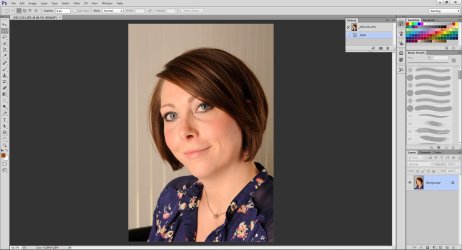
The jpegs. come out of my Nikon D3 just fine, load into Photoshop just fine (color "normal"), as soon as Photoshop loads the screen blips, then all (ALL) pic in the file are overlaid with a magenta cast. This is not a color cast issue for just the adjustment of one picture, it is the entire picture series in a file; like a red virus.
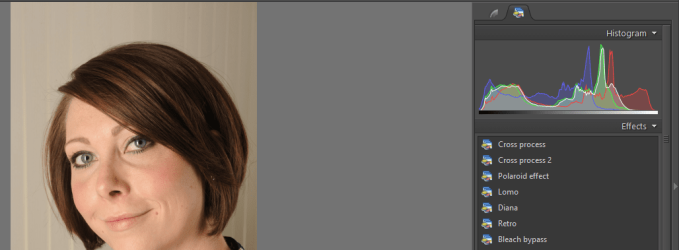
What is this "studio" software your screenshot is showing?? I don't recognize it as Photoshop.

Have you "calibrated" your Epson printer with your monitor, so that there is an ICC profile involved which is intended to make your monitor show "WYSIWYG" for how the printer will print?
 

My Computer My Computer

At a glance

Windows 7 Pro x64 (1), Win7 Pro X64 (2)i5-3350p 3.1Ghz/6MB-cache (1); E8400 3.0Ghz/6...8GB PC3-12800 DDR3 (1); 4GB PC3-10600 DDR3 (2)ATI HD7750 (1), (see TV cards); ATI R7 250 (2)
Computer type
PC/Desktop
Computer Manufacturer/Model Number
Home-built, two systems (1) and (2)
OS
Windows 7 Pro x64 (1), Win7 Pro X64 (2)
CPU
i5-3350p 3.1Ghz/6MB-cache (1); E8400 3.0Ghz/6MB-cache (2)
Motherboard
ASUS P8Z77-V Pro (1); ASUS P5Q3 (2)
Memory
8GB PC3-12800 DDR3 (1); 4GB PC3-10600 DDR3 (2)
Graphics Card(s)
ATI HD7750 (1), (see TV cards); ATI R7 250 (2)
Sound Card
Realtek ALC892 HD Audio (1); Realtek ALC1200 HD Audio (2)
Monitor(s) Displays
Eizo HD2441W LCD, Eizo S2433W (1); Eizo 24" S2433W (2)
Screen Resolution
1920x1200, 1920x1200 (1); 1920x1200 (2)
Hard Drives
(1) 1TB SATA-II (7200RPM), 2x2TB SATA-III (7200RPM), 250GB SATA-III (10000RPM) for OS; 2x2TB external USB 3.0

(2) 320GB SATA-II (7200RPM), 750GB SATA-II (7200RPM), 150GB SATA-II (10000RPM) for OS; 2TB external USB 3.0
PSU
Nesteq ECS-6001 600W (1); Nesteq ECS-5001 500W (2)
Case
Acousti-Case 360 (1) and (2)
Cooling
Noctua NH-U12P SE2 for CPU, 2x120mm case fans (1) and (2)
Keyboard
IBM PS/2 (1) and (2)
Mouse
Logitech MX Revolution wireless (1); Microsoft wired (2)
Internet Speed
100mbps down / 10mbps up
Antivirus
Microsoft Security Essentials; Malwarebyte Anti-Malware Pro
Browser
Firefox
Other Info
Ceton InfiniTV 4-tuner cablecard-enabled TV card as well as Hauppauge HVR-2250 OTA/ATSC 2-tuner TV card in (1), running under Win7 WMC
The jpegs. come out of my Nikon D3 just fine, load into Photoshop just fine (color "normal"), as soon as Photoshop loads the screen blips, then all (ALL) pic in the file are overlaid with a magenta cast. This is not a color cast issue for just the adjustment of one picture, it is the entire picture series in a file; like a red virus.
What is this "studio" software your screenshot is showing?? I don't recognize it as Photoshop.

Have you "calibrated" your Epson printer with your monitor, so that there is an ICC profile involved which is intended to make your monitor show "WYSIWYG" for how the printer will print?
it looks like bridge to me which is a part of PS.
 

My Computer My Computer

At a glance

win 7 home premium 64 bitintel I5 3470 3.2ghz12gbasus radeon 5450 512mb
Computer type
PC/Desktop
Computer Manufacturer/Model Number
gigabyte z77-d3sh
OS
win 7 home premium 64 bit
CPU
intel I5 3470 3.2ghz
Motherboard
gigabyte z77-d3sh
Memory
12gb
Graphics Card(s)
asus radeon 5450 512mb
Sound Card
no
Monitor(s) Displays
viewsonic
Screen Resolution
1920*1080
Hard Drives
Crucial m4 sata 3 SSD
PSU
0cz
Case
corair carbide 200
Cooling
corsair h60
Keyboard
wireless logitech
Internet Speed
60 mbs
dsperber, would it be more helpful to us all if it was a raw image? The jpeg i opened in LR all the sliders were at zero, but in the histogram there is a big red spike which may indicate why the op is suffering from the red on his system. Have you done a print as thats imo where you will notice the red.
Have you seen the red spike in the histogram on your system?
The op could try reducing the red colour sliders to reduce the spike and see what effect occurs
 

My Computer My Computer

At a glance

win 7 home premium 64 bitintel I5 3470 3.2ghz12gbasus radeon 5450 512mb
Computer type
PC/Desktop
Computer Manufacturer/Model Number
gigabyte z77-d3sh
OS
win 7 home premium 64 bit
CPU
intel I5 3470 3.2ghz
Motherboard
gigabyte z77-d3sh
Memory
12gb
Graphics Card(s)
asus radeon 5450 512mb
Sound Card
no
Monitor(s) Displays
viewsonic
Screen Resolution
1920*1080
Hard Drives
Crucial m4 sata 3 SSD
PSU
0cz
Case
corair carbide 200
Cooling
corsair h60
Keyboard
wireless logitech
Internet Speed
60 mbs
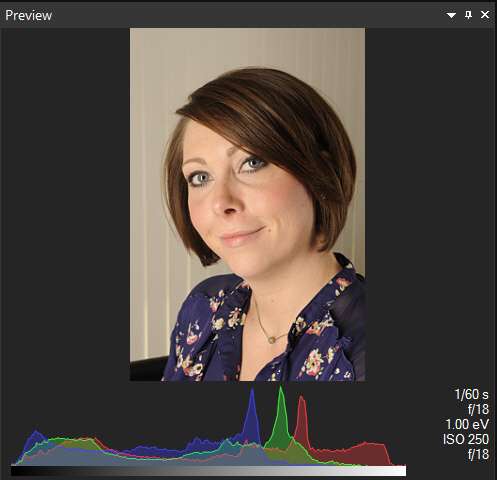
looking at the histogram in zoner 15 photo studio pro
the red spike is lesser than the blue and green spikes.
they are pretty much the same which would balance the color... as it is on our systems

histogram.png
 

My Computer My Computer

At a glance

Microsoft Windows 7 Home Premium 64-bit 7600IIx4 amd athelon 635 processor2x2gbati radeon HD 5450
Computer Manufacturer/Model Number
Hewlett packard/p6512uk
OS
Microsoft Windows 7 Home Premium 64-bit 7600
CPU
IIx4 amd athelon 635 processor
Motherboard
FOXCONN 2AA9
Memory
2x2gb
Graphics Card(s)
ati radeon HD 5450
Sound Card
(1) Realtek High Definition Audio (2) AMD High Definition
Monitor(s) Displays
samsung lcd tv 32"
Screen Resolution
1360x 768
Hard Drives
(1) WDC WD10 01FAES-60Z2A0 SATA Disk Device (2) Maxtor OneTouch USB Device (3) ST310003 33AS USB Device (4) WD My Book 1111 USB Device
PSU
?
Cooling
air!
Keyboard
wireless hp
Mouse
wireless Hp,optical
Internet Speed
1.10mb/s
Antivirus
MSE
Browser
Firefox
  • Like
Reactions: mjf
Photos have red cast

disperber & all:
Thank you for the time spent on this problem. My graphics card is a 6 month old NVIDIA 306.97 which predates the magenta bug. I admit I am really new at trying to coordinate the color calibration between my PC, CS5, and my printer. I have just now been forced into this learning curve by the magenta bug. I really can not tell if the "system" is coordinated in one/same color space. The screen shot is from Bridge, and in a few weeks Bridge will be replaced with Lightroom. I am totally ignorant about RAW files and plan to take a RAW class this Fall at the local Jr. College.

Your question: "Have you "calibrated" your Epson printer with your monitor, so that there is an ICC profile involved which is intended to make your monitor show "WYSIWYG" for how the printer will print? "
Answer: I went through the Colormunki calibration exercise last week with a huge improvement in my monitors, but Photoshop software and prints are still same magenta. I do not understand what "WYSIWYG" is as a setting (or where to look).
Interestingly, photos in Windows > Pictures are "normal" color, but same photos in the Windows>Photo Galley are all magenta, same as in Photoshop.

I will explore the "color setting" dialog boxes you sent, and definitely change my camera from RGB 1998 to sRGB (notable improvement).
This site has been way more helpful than the Adobe Forum. Thank you. Steve
 

My Computer My Computer

At a glance

windows 7 ultimate 32 bitdual processor
Computer type
PC/Desktop
Computer Manufacturer/Model Number
dell
OS
windows 7 ultimate 32 bit
CPU
dual processor
Antivirus
McAfee
Browser
Firefox
mjf & dsperber:

I do have a Colormunlki photo and I have calibrated my monitors. Attached is a copy of the same (Crystal -red) photo, but directly from my camera via Windows 7> Pictures, prior to uploading to CS5. I hope this is what you want, but if not, can I please have a bit more instruction on how to provide a required photo. Thank you again, Steve
Here it is open in CS6 and indeed has a slightly redder hue. Save you original to you desktop and follow this:
This is the preferred, best way to upload an image to a post.
http://www.sevenforums.com/tutorials/9733-screenshots-files-upload-post-seven-forums.html#post93869
You may also upload a photo without using the Snipping tool.

cs6.jpg
 

My Computer My Computer

At a glance

Windows 7 Ultimate X64 SP1Intel i5-2550K, Differing ~4.4-4.8GHz No buil...16GB G.Skill Sniper 1866MHz @ 2133MHz 2x8GBASUS GTX650TIB-DC2OC-2GD5, (650TI Boost)
Computer type
PC/Desktop
Computer Manufacturer/Model Number
Home Built Desktop By DataTech
OS
Windows 7 Ultimate X64 SP1
CPU
Intel i5-2550K, Differing ~4.4-4.8GHz No built in GPU
Motherboard
ASUS P8Z68-V PRO/GEN3
Memory
16GB G.Skill Sniper 1866MHz @ 2133MHz 2x8GB
Graphics Card(s)
ASUS GTX650TIB-DC2OC-2GD5, (650TI Boost)
Sound Card
Onboard Realtek 5-1
Monitor(s) Displays
Samsung P2570HD
Screen Resolution
1920x1080
Hard Drives
Samsung 840 Pro 256GB SSD for OS, 500GB Seagate Constellation (Enterprise drive) for Data
PSU
Corsair HX650W
Case
Inwin Dragon Rider
Cooling
Hyper 212 EVO w/two Noctua fans, push-pull, @1300 RPM
Keyboard
E-Z Eyes, bright yellow keys with large characters
Mouse
steelseries SENSEI Laser Pro Gaming
Internet Speed
48-51Mbs Mbs down, 11 Mbs up Xfinity Cable
Antivirus
Norton Internet Security 2013
Browser
IE 10, Opera, Pale Moon if needed
Other Info
4 case fans, LG BluRay-RE, ASUS DVD-RW, Mr. Fusion power supply, 1.21 gigawatts.
In PSE 9 (I'm cheap) with Edit>color settings> Always optimize colors for computer screens it picks my Dell IPS .icc profile and no color cast. You shouldn't normally select "no color management" but if things improve when you do then I think your .icc is wrong.
Again have you tried sRGB IEC61966-2.1 (sRGB Color Space Profile.icm)?

Also ViewNX 2 and Fastone FS Viewer color managed show no cast on your image.

There are a couple of people on Elements Village knowledgeable about color management. I find the Adobe forum quite poor IMO but then I've only been involved with PSE.
 

My Computer My Computer

At a glance

Windows 7x64 Home Premium SP1Intel i7 2600kG.Skill Ripjaws (DDR3-1600) 2x4GBNvidia GeForce GTS 450; Intel HD Graphics 300...
Computer type
PC/Desktop
Computer Manufacturer/Model Number
Own build
OS
Windows 7x64 Home Premium SP1
CPU
Intel i7 2600k
Motherboard
ASUS P8Z68 Deluxe
Memory
G.Skill Ripjaws (DDR3-1600) 2x4GB
Graphics Card(s)
Nvidia GeForce GTS 450; Intel HD Graphics 3000(GT2+)
Monitor(s) Displays
Dell Ultrasharp IPS panel U2311H, Samsung SyncMaster P2350
Screen Resolution
1920x1080
Hard Drives
Samsung 850 Pro SSD 256GB, Samsung SSD 840 120GB, Seagates 1TB Barracuda ST31000528AS x2
PSU
Seasonic M12II 520W
Case
Lian Li Lancool PC-K60
Cooling
Case: 1x120mm, 3x140mm CPU: Hyper 212+
Keyboard
Logitech MK520 (wireless)
Mouse
Logitech MK520
Internet Speed
6-7 Mbps
Antivirus
Norton Security Premium, Malwarebytes on 2 (MSE on 3rd PC)
Browser
FireFox
Other Info
Audio: Logitech Z523 2.1
dsperber, would it be more helpful to us all if it was a raw image?
I don't think so. There's clearly some reason this is happening with some apps on his system, but not others. We're just struggling to figure out what it could be due to.


The jpeg i opened in LR all the sliders were at zero, but in the histogram there is a big red spike which may indicate why the op is suffering from the red on his system.
I don't think anything is unusual about the histogram. It's just showing the characteristics of the image.

Here's similar from ACDSee Pro 6.2 (curiously the EXIF data in that JPG provides no white balance details, which I find at least unexpected for a D3... but maybe that's normal for "manual exposure" which seems to be how it was shot):

acdseepro6preview.jpg


Have you done a print as thats imo where you will notice the red.
No I haven't even tried to print it myself.

But yes, I suspect it might be tied to the interaction of the Epson printer software and those particular apps where the magenta shift shows up. He says he went through a Colormunki calibration on his monitor last week, but I think he said the magenta issue was appearing even before that.

But calibrating a monitor to a printer has as its objective trying to make a picture appear on the screen with just the same colors as it will print (or vice versa?). That way when you customize/edit a picture for printing, what you see on the screen is the same as how it will print (i.e. "WYSIWYG").

If this is happening automatically due to the installed Epson software and those particular apps which appear vulnerable, well I don't have an Epson printer. But if his printouts have the same magenta shift that he sees on the screen, it sure does seem like the printer software is interfering.

I myself have a Canon Pixma Pro9000 printer, but again I see no magenta issue. Sure, there are various printer paper profiles that are available for use at print time, but they don't impact how the pictures appear in picture apps like Photoshop, ACDSee, etc.

I wonder if he UNINSTALLED the Epson software/printer completely, and then looked at the same pictures with the same apps which were previously failing with the magenta symptom, I wonder if the symptom would disappear. If so, this would clearly point to the interference as directly caused by the Epson printer software.

Interestingly, OP mentioned Windows Photo Gallery, but I didn't think it was part of Win7... at least not Win7 x64. But he's got Win7 32-bit running.
 

My Computer My Computer

At a glance

Windows 7 Pro x64 (1), Win7 Pro X64 (2)i5-3350p 3.1Ghz/6MB-cache (1); E8400 3.0Ghz/6...8GB PC3-12800 DDR3 (1); 4GB PC3-10600 DDR3 (2)ATI HD7750 (1), (see TV cards); ATI R7 250 (2)
Computer type
PC/Desktop
Computer Manufacturer/Model Number
Home-built, two systems (1) and (2)
OS
Windows 7 Pro x64 (1), Win7 Pro X64 (2)
CPU
i5-3350p 3.1Ghz/6MB-cache (1); E8400 3.0Ghz/6MB-cache (2)
Motherboard
ASUS P8Z77-V Pro (1); ASUS P5Q3 (2)
Memory
8GB PC3-12800 DDR3 (1); 4GB PC3-10600 DDR3 (2)
Graphics Card(s)
ATI HD7750 (1), (see TV cards); ATI R7 250 (2)
Sound Card
Realtek ALC892 HD Audio (1); Realtek ALC1200 HD Audio (2)
Monitor(s) Displays
Eizo HD2441W LCD, Eizo S2433W (1); Eizo 24" S2433W (2)
Screen Resolution
1920x1200, 1920x1200 (1); 1920x1200 (2)
Hard Drives
(1) 1TB SATA-II (7200RPM), 2x2TB SATA-III (7200RPM), 250GB SATA-III (10000RPM) for OS; 2x2TB external USB 3.0

(2) 320GB SATA-II (7200RPM), 750GB SATA-II (7200RPM), 150GB SATA-II (10000RPM) for OS; 2TB external USB 3.0
PSU
Nesteq ECS-6001 600W (1); Nesteq ECS-5001 500W (2)
Case
Acousti-Case 360 (1) and (2)
Cooling
Noctua NH-U12P SE2 for CPU, 2x120mm case fans (1) and (2)
Keyboard
IBM PS/2 (1) and (2)
Mouse
Logitech MX Revolution wireless (1); Microsoft wired (2)
Internet Speed
100mbps down / 10mbps up
Antivirus
Microsoft Security Essentials; Malwarebyte Anti-Malware Pro
Browser
Firefox
Other Info
Ceton InfiniTV 4-tuner cablecard-enabled TV card as well as Hauppauge HVR-2250 OTA/ATSC 2-tuner TV card in (1), running under Win7 WMC
dsperber:
I've managed to work through your last post:
1. the Cambridgeincolor site is supper, my brain is fried after 5 hrs reading
2. I think all of the Color Setting a Print dialog boxes are all correctly coordinated now, and changes you suggested were made
3. change everything to sRGB & Perseption
4. uninstalled all software re: Epson printing & rebooted
5. Photoshop and Windows Photo Gallery ............ still magenta as before
6. I've learned a whole lot about color management and calibration settings, thank you, but now what; got anymore ideas? I hope.
Regards to all, Steve
 

My Computer My Computer

At a glance

windows 7 ultimate 32 bitdual processor
Computer type
PC/Desktop
Computer Manufacturer/Model Number
dell
OS
windows 7 ultimate 32 bit
CPU
dual processor
Antivirus
McAfee
Browser
Firefox

My Computer My Computer

At a glance

Windows 7x64 Home Premium SP1Intel i7 2600kG.Skill Ripjaws (DDR3-1600) 2x4GBNvidia GeForce GTS 450; Intel HD Graphics 300...
Computer type
PC/Desktop
Computer Manufacturer/Model Number
Own build
OS
Windows 7x64 Home Premium SP1
CPU
Intel i7 2600k
Motherboard
ASUS P8Z68 Deluxe
Memory
G.Skill Ripjaws (DDR3-1600) 2x4GB
Graphics Card(s)
Nvidia GeForce GTS 450; Intel HD Graphics 3000(GT2+)
Monitor(s) Displays
Dell Ultrasharp IPS panel U2311H, Samsung SyncMaster P2350
Screen Resolution
1920x1080
Hard Drives
Samsung 850 Pro SSD 256GB, Samsung SSD 840 120GB, Seagates 1TB Barracuda ST31000528AS x2
PSU
Seasonic M12II 520W
Case
Lian Li Lancool PC-K60
Cooling
Case: 1x120mm, 3x140mm CPU: Hyper 212+
Keyboard
Logitech MK520 (wireless)
Mouse
Logitech MK520
Internet Speed
6-7 Mbps
Antivirus
Norton Security Premium, Malwarebytes on 2 (MSE on 3rd PC)
Browser
FireFox
Other Info
Audio: Logitech Z523 2.1
4. uninstalled all software re: Epson printing & rebooted
5. Photoshop and Windows Photo Gallery ............ still magenta as before
Well that's certainly disappointing! Unless there's something residually still set in Photoshop from when you had the Epson printer software installed that's the fundamental issue here.

I'm still wondering where you got Windows Photo Gallery in your Win7 32-bit. My HELP for Win7 x64 says it's not available for this version of Windows. Or maybe it's only available in ULTIMATE, and I only have PRO. I wanted to try everything you were seeing it in, but had no way to run this one.


thank you, but now what; got anymore ideas? I hope.
Well, you say that you didn't always have this magenta problem? It used to be "normal" and somehow changed to magenta at some point? That clearly points to some setting you changed (which affects Windows Photo Gallery as well, so you wouldn't think the crucial change was in Photoshop but rather something external to that... something global, like printer or monitor color profile or related).

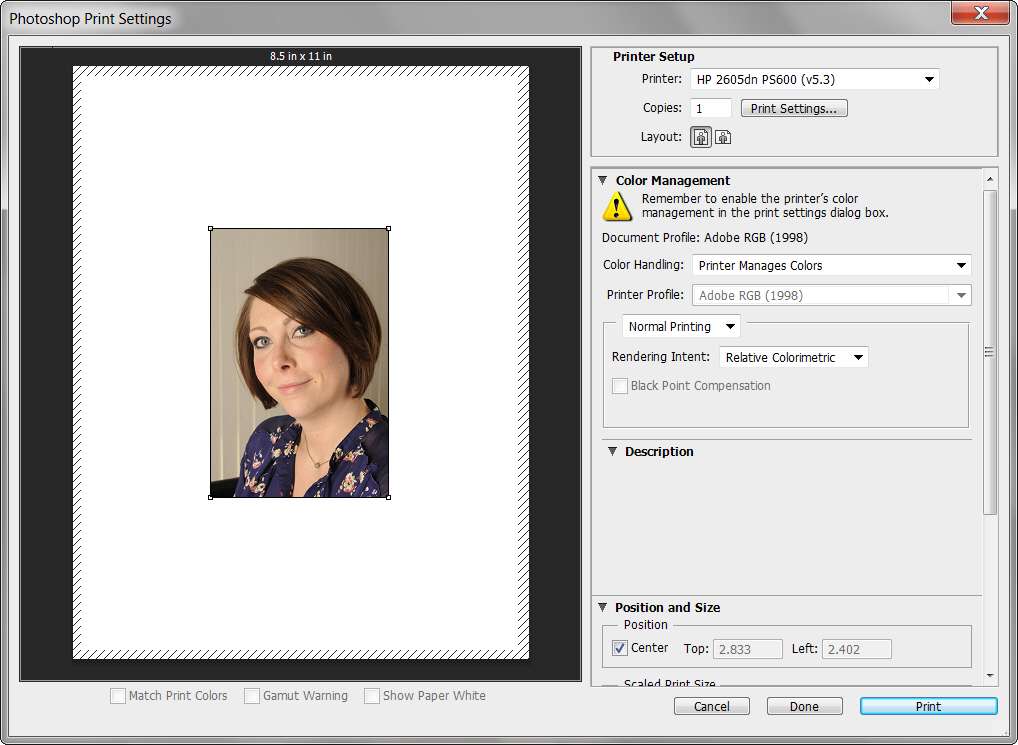
But just to confirm that your relevant Photoshop settings are "reasonable", here are mine. This is for (a) color (I opened "more details"), (b) proof, and (c) printer. Note that I'm on my second machine right now, and the Canon 9000 printer is not available. But my printer settings are the same on that second machine (and I do "color adjustment for paper profiles" using the Canon printer software and its own provided set of ICC profiles for Canon paper), which is why I tell Photoshop to let the printer handle color.

photoshopcs604colorsett.jpg


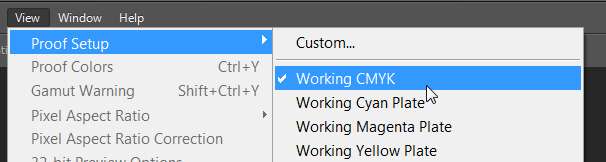
photoshopcs605viewproof.jpg


photoshopcs606printsett.jpg


Also, did you say that you can open the picture in one or more other image viewer apps, and you don't see the magenta shift? These must not be "vulnerable" to whatever global setting/software you've got that is impacting Photoshop and Windows Photo Gallery.

Did you run Adobe Gamma??
 

My Computer My Computer

At a glance

Windows 7 Pro x64 (1), Win7 Pro X64 (2)i5-3350p 3.1Ghz/6MB-cache (1); E8400 3.0Ghz/6...8GB PC3-12800 DDR3 (1); 4GB PC3-10600 DDR3 (2)ATI HD7750 (1), (see TV cards); ATI R7 250 (2)
Computer type
PC/Desktop
Computer Manufacturer/Model Number
Home-built, two systems (1) and (2)
OS
Windows 7 Pro x64 (1), Win7 Pro X64 (2)
CPU
i5-3350p 3.1Ghz/6MB-cache (1); E8400 3.0Ghz/6MB-cache (2)
Motherboard
ASUS P8Z77-V Pro (1); ASUS P5Q3 (2)
Memory
8GB PC3-12800 DDR3 (1); 4GB PC3-10600 DDR3 (2)
Graphics Card(s)
ATI HD7750 (1), (see TV cards); ATI R7 250 (2)
Sound Card
Realtek ALC892 HD Audio (1); Realtek ALC1200 HD Audio (2)
Monitor(s) Displays
Eizo HD2441W LCD, Eizo S2433W (1); Eizo 24" S2433W (2)
Screen Resolution
1920x1200, 1920x1200 (1); 1920x1200 (2)
Hard Drives
(1) 1TB SATA-II (7200RPM), 2x2TB SATA-III (7200RPM), 250GB SATA-III (10000RPM) for OS; 2x2TB external USB 3.0

(2) 320GB SATA-II (7200RPM), 750GB SATA-II (7200RPM), 150GB SATA-II (10000RPM) for OS; 2TB external USB 3.0
PSU
Nesteq ECS-6001 600W (1); Nesteq ECS-5001 500W (2)
Case
Acousti-Case 360 (1) and (2)
Cooling
Noctua NH-U12P SE2 for CPU, 2x120mm case fans (1) and (2)
Keyboard
IBM PS/2 (1) and (2)
Mouse
Logitech MX Revolution wireless (1); Microsoft wired (2)
Internet Speed
100mbps down / 10mbps up
Antivirus
Microsoft Security Essentials; Malwarebyte Anti-Malware Pro
Browser
Firefox
Other Info
Ceton InfiniTV 4-tuner cablecard-enabled TV card as well as Hauppauge HVR-2250 OTA/ATSC 2-tuner TV card in (1), running under Win7 WMC
I've given up on suggestions since you appear to ignore them.
 

My Computer My Computer

At a glance

Windows 7x64 Home Premium SP1Intel i7 2600kG.Skill Ripjaws (DDR3-1600) 2x4GBNvidia GeForce GTS 450; Intel HD Graphics 300...
Computer type
PC/Desktop
Computer Manufacturer/Model Number
Own build
OS
Windows 7x64 Home Premium SP1
CPU
Intel i7 2600k
Motherboard
ASUS P8Z68 Deluxe
Memory
G.Skill Ripjaws (DDR3-1600) 2x4GB
Graphics Card(s)
Nvidia GeForce GTS 450; Intel HD Graphics 3000(GT2+)
Monitor(s) Displays
Dell Ultrasharp IPS panel U2311H, Samsung SyncMaster P2350
Screen Resolution
1920x1080
Hard Drives
Samsung 850 Pro SSD 256GB, Samsung SSD 840 120GB, Seagates 1TB Barracuda ST31000528AS x2
PSU
Seasonic M12II 520W
Case
Lian Li Lancool PC-K60
Cooling
Case: 1x120mm, 3x140mm CPU: Hyper 212+
Keyboard
Logitech MK520 (wireless)
Mouse
Logitech MK520
Internet Speed
6-7 Mbps
Antivirus
Norton Security Premium, Malwarebytes on 2 (MSE on 3rd PC)
Browser
FireFox
Other Info
Audio: Logitech Z523 2.1
Photos have red cast

mjf, you're not ignored, I've been downloading the CS5 updates for the last 2 hours (wireless connection), with at least another 1.5hrs to go, then will reset Preferences as you suggested. These were good ideas and I will let you know the results later today. Don't give up, please, it takes many hours to fully work through the details of great help from everyone; this has been my No.#1 priority since this post began ... and then there's family & work too. Steve
 

My Computer My Computer

At a glance

windows 7 ultimate 32 bitdual processor
Computer type
PC/Desktop
Computer Manufacturer/Model Number
dell
OS
windows 7 ultimate 32 bit
CPU
dual processor
Antivirus
McAfee
Browser
Firefox
! thing what dsperber does what i dont do is i let photoshop manage colours. The martin evening books on PS and LR tells me to do that. And i also have the canon9000 mk2 in one the tabs in printer properties i then click no colour management(by the printer) as PS is colour managing.
Did you DL the LR trial, if so open up the image you provided in LR, click the print tab,scroll down to print job, there you will find (printer manage clours or other), click other. That will open up a printer paper dialogue box, tick the profile of your paper which you use with your epson. Now if you dont use any epson papers, dont worry, you can goto paper manufacturer website and download the profile, but you can leave that for now and tisk premium glossy. That profile will show up in the printer disalogue box, but now go to develop tab for this example and at the bottom you will see a soft proof check box, tick this and select the profile you have chosen in printer tab. Now that should provide an image of WYSIWYG. Go back and print, if the paper type is what you chosen, how do the image on screen compare to the print?
 

My Computer My Computer

At a glance

win 7 home premium 64 bitintel I5 3470 3.2ghz12gbasus radeon 5450 512mb
Computer type
PC/Desktop
Computer Manufacturer/Model Number
gigabyte z77-d3sh
OS
win 7 home premium 64 bit
CPU
intel I5 3470 3.2ghz
Motherboard
gigabyte z77-d3sh
Memory
12gb
Graphics Card(s)
asus radeon 5450 512mb
Sound Card
no
Monitor(s) Displays
viewsonic
Screen Resolution
1920*1080
Hard Drives
Crucial m4 sata 3 SSD
PSU
0cz
Case
corair carbide 200
Cooling
corsair h60
Keyboard
wireless logitech
Internet Speed
60 mbs
Kingscurate, mjf,dsperber, & all:
Talk about sloooooooooooooow, I started the (wireless) download of 58MB for the CS5 update about 8:30 this AM, and it just finished at 6:48PM. I totally agree with mjf's recent assessment that something globally has happened, and that resetting all defaults would be an excellent next step.

You have all given me great leads in just the past 24 hours, and since I read the Cambridgeincolor site Monday, I have a much better perspective on what's going on behind these suggestions. No time today to work on this because of the long download, so I am going to devote the entire day tomorrow to carefully apply this latest round of leads. As I said before, this has been a steep learning curve (aka: Computer Black Swan) that was not on my horizon, but you have all provided the right clues to keep this "treasure hunt" going ... and I have had a crash course on Color Management. You're all some pretty smart fellas and I couldn't have gotten this far without you. My deepest fear is that the problem is a software issue caused by non compatible ICC profiles (finding each other incorrectly in the bowels of a memory chip); in which case I am screwed $$$ big-time.

As they say, even a blind pig finds the occasional truffle, and I am motivated to find this fungus. Even if the culprit is not found, I'm sure going to know where it ain't!
Frustrated but wiser, Steve
 

My Computer My Computer

At a glance

windows 7 ultimate 32 bitdual processor
Computer type
PC/Desktop
Computer Manufacturer/Model Number
dell
OS
windows 7 ultimate 32 bit
CPU
dual processor
Antivirus
McAfee
Browser
Firefox
Red cast in Photos

ALL:
I have now reviewed every single suggestion and tutorial everyone has posted to me above, and implemented whatever was appropriate to fix the subject problem. I posted the exact same question on the Adoble/Photoshop Forum and received 56 reads/zero responses. This review has literally taken 40+ hours and my conclusion is that this problem is not a user setting error, but a Windows/Photoshop software failing or incompatibility. This is not an issue of color correcting individual photographs, or a user color management issue. This pronounced red/magenta color cast is on every photograph as soon as it uploads from Windows into Photoshop. This is, IMHO, a systemic software problem which has apparently not been officially acknowledged by Adobe, from what I see in their Photoshop Forum (Adobe Community: Printing magenta/red with CS5 ). If one Googles, "windows photoshop red magenta cast on photos", there are 9,600,000 posts on this question. The majority of the responses completely miss the larger concern and respond with helpful tips on how to color correct a single picture. Who is going to color correct a major software error on every single picture in an entire photo shoot? It is not even possible.The bigger issue is that there is a systemic color management problem in the software. Once this problem is embed in a computer, the photo processing and printing in that specific machine is completely ruined. Unless someone provides an " update patch" this software error seems to be there in the CPU forever. I did not read all 9,600,000 Google posts, but of the several hundred read there was not one addressing a solution to the bigger underlying issue.
How does one proceed .........
Steve
 

My Computer My Computer

At a glance

windows 7 ultimate 32 bitdual processor
Computer type
PC/Desktop
Computer Manufacturer/Model Number
dell
OS
windows 7 ultimate 32 bit
CPU
dual processor
Antivirus
McAfee
Browser
Firefox
How does one proceed .........
Steve
Well, at this point I'd definitely try something a bit extreme, and a bit out of the box. I agree with your assessment that it is perhaps a "systemic" issue of incompatibility between Windows and Photoshop, but the fact that MANY of us also have Windows and Photoshop and do NOT have the magenta color shift symptom points to some other as yet not pin-pointed factor(s) as being relevant.

So, I ask again which image apps on your system DO exhibit the color shift, and which other image apps DO NOT?

Also, I am using a 64-bit version of Win7 (Pro) whereas you are using a 32-bit version of Win7 (Ultimate). Is that relevant? Don't know.

But as for my "solution", well not so much that yet as much as one more fact finding adventure that only costs a few hours of your time:

(1) preserve the folder(s) with your data (i.e. your images and anything else) to some backup which is easily available for a restore of that data, unless you already have a normal backup procedure for safeguarding your data from which that data can easily be restored

(2) take a "system image" backup of your current C-partition so that you can restore it later if you have to

(3) wipe the C-partition and perform a brand new completely from-scratch Win7 install to "start over", into which you will possibly reinstall all of your 3rd-party application software, customizations, etc., if it comes to that (you must be willing to do that if necessary). Install video driver, and other necessary hardware software, BUT DO NOT INSTALL EPSON PRINTER SUPPORT... which means DO NOT POWER ON THE PRINTER.

(4) Apply all Windows Updates and basic minimal customization. You want to expend minimal energy to do this Win7 reinstall for the experiment.

(5) restore the image folders from your backup storage to whatever hard drive location you can easily access them from, just so you can experiment with this

(6) if you say Windows Photo Gallery (which again, is NOT AVAILABLE on my own Win7 Pro x64 system, but which you say IS AVAILABLE on your own 32-bit Win7 Ultimate system) currently exhibits the magenta color shift symptom, see if it still exhibits this symptom when now running on the brand newly reinstalled from-scratch out-of-the-box Win7.

(7) install Phototshop from scratch, and once again repeat the test on your images, and see if it still exhibits the magenta color shift symptom.

Depending on the results of (6) and (7) and anything else you might care to try, your next course of action is either:

(a) if the magenta problem has disappeared with the brand new cold from-scratch Win7 reinstall, then your current problem can only be attributed to something that's become permanently corrupted or imbedded in your current Win7 Registry or system environment due to user settings of other installed software. Obviously you have not [yet] repeated that action if (6) and (7) do not [yet] fail again.

Then proceed with the rest of the complete software reinstall into your brand newly reinstalled win7 WHICH WORKS FINE FOR COLOR. At the other end you'll have "emerged victorious", with just some probably long overdue "cleaning house" performed.

==> at each step of your software reinstall, keep repeating the image tests to see if the magenta problem has finally reappeared (or not). I'd certainly take a "system image" backup before finally powering on the Epson printer and installing the Epson software, just in case it turns out to be "the culprit". Having the backup available allows you some options to decide how to react, if it is the Epson software which is at fault. But... maybe it will not be "the culprit". In fact, maybe the magenta problem will NEVER RETURN AGAIN (which is my prediction), in which case again we can point to a somehow corrupted current Win7 system where the only "solution" is a complete Win7 cold reinstall from scratch.

(b) if the magenta problem still appears (which quite frankly my own intuition tells me WILL NOT BE THE CASE), we can talk about it. Since you've not solved the problem, you might as well just restore the "system image" backup you took at the start, to get things back the way you started and with just the loss of a few hours of your time.


I myself would not give up without trying the "clean reinstall of Win7" approach effort, since my own feeling is that it's tied to your Epson printer software... or some other system corruption.

It is virtually guaranteed (in my mind) that a complete reinstall of Win7 will see you come out the winner.

 

My Computer My Computer

At a glance

Windows 7 Pro x64 (1), Win7 Pro X64 (2)i5-3350p 3.1Ghz/6MB-cache (1); E8400 3.0Ghz/6...8GB PC3-12800 DDR3 (1); 4GB PC3-10600 DDR3 (2)ATI HD7750 (1), (see TV cards); ATI R7 250 (2)
Computer type
PC/Desktop
Computer Manufacturer/Model Number
Home-built, two systems (1) and (2)
OS
Windows 7 Pro x64 (1), Win7 Pro X64 (2)
CPU
i5-3350p 3.1Ghz/6MB-cache (1); E8400 3.0Ghz/6MB-cache (2)
Motherboard
ASUS P8Z77-V Pro (1); ASUS P5Q3 (2)
Memory
8GB PC3-12800 DDR3 (1); 4GB PC3-10600 DDR3 (2)
Graphics Card(s)
ATI HD7750 (1), (see TV cards); ATI R7 250 (2)
Sound Card
Realtek ALC892 HD Audio (1); Realtek ALC1200 HD Audio (2)
Monitor(s) Displays
Eizo HD2441W LCD, Eizo S2433W (1); Eizo 24" S2433W (2)
Screen Resolution
1920x1200, 1920x1200 (1); 1920x1200 (2)
Hard Drives
(1) 1TB SATA-II (7200RPM), 2x2TB SATA-III (7200RPM), 250GB SATA-III (10000RPM) for OS; 2x2TB external USB 3.0

(2) 320GB SATA-II (7200RPM), 750GB SATA-II (7200RPM), 150GB SATA-II (10000RPM) for OS; 2TB external USB 3.0
PSU
Nesteq ECS-6001 600W (1); Nesteq ECS-5001 500W (2)
Case
Acousti-Case 360 (1) and (2)
Cooling
Noctua NH-U12P SE2 for CPU, 2x120mm case fans (1) and (2)
Keyboard
IBM PS/2 (1) and (2)
Mouse
Logitech MX Revolution wireless (1); Microsoft wired (2)
Internet Speed
100mbps down / 10mbps up
Antivirus
Microsoft Security Essentials; Malwarebyte Anti-Malware Pro
Browser
Firefox
Other Info
Ceton InfiniTV 4-tuner cablecard-enabled TV card as well as Hauppauge HVR-2250 OTA/ATSC 2-tuner TV card in (1), running under Win7 WMC
If you go down the route of a clean install, deactivate any software, but mainly your adobe, and then uninstall. And make sure you have the serial numbers of the software you upgraded from and to, believe me I went through this issue and you do not get any help to correct the matter.
Back to your issue, do you use a graphics card, if so try roll back of a driver or try your onboard vga, you have nothing to lose. Borrow a friends graphics card and view again nothing to lose.
Just one suggestion before you reinstall, check camera settings, default all settings, set colour space to srgb, go to photoshop and any colour settings(theres 2/3) and work space set to srgb. The reason for this is the colour space is all uniform and the smallest gamut of colour. So if you was shooting in srgb and your images are opening in prophoto space in PS, well prophoto space is the widest gamut of the colour space so will certainly interpret your image with more intense colours. Default your monitor calibration, try again nothing to lose and then when all that doesnt work download some free software like gimp lol
 

My Computer My Computer

At a glance

win 7 home premium 64 bitintel I5 3470 3.2ghz12gbasus radeon 5450 512mb
Computer type
PC/Desktop
Computer Manufacturer/Model Number
gigabyte z77-d3sh
OS
win 7 home premium 64 bit
CPU
intel I5 3470 3.2ghz
Motherboard
gigabyte z77-d3sh
Memory
12gb
Graphics Card(s)
asus radeon 5450 512mb
Sound Card
no
Monitor(s) Displays
viewsonic
Screen Resolution
1920*1080
Hard Drives
Crucial m4 sata 3 SSD
PSU
0cz
Case
corair carbide 200
Cooling
corsair h60
Keyboard
wireless logitech
Internet Speed
60 mbs
Something thats bugging me is if you use an uncalibrated monitor and its a poor display, what you print should look nothing like what you see on screen. But you are getting what you see on screen with a print, with some models of camera(dont know op camera)you can direct print from camera to printer. If you can try that and see what image you get, and try it on someone elses printer and see what you get.That should eliminate camera issues, printer issues, then yes its something to do with PS software corrupt files.
 

My Computer My Computer

At a glance

win 7 home premium 64 bitintel I5 3470 3.2ghz12gbasus radeon 5450 512mb
Computer type
PC/Desktop
Computer Manufacturer/Model Number
gigabyte z77-d3sh
OS
win 7 home premium 64 bit
CPU
intel I5 3470 3.2ghz
Motherboard
gigabyte z77-d3sh
Memory
12gb
Graphics Card(s)
asus radeon 5450 512mb
Sound Card
no
Monitor(s) Displays
viewsonic
Screen Resolution
1920*1080
Hard Drives
Crucial m4 sata 3 SSD
PSU
0cz
Case
corair carbide 200
Cooling
corsair h60
Keyboard
wireless logitech
Internet Speed
60 mbs
King and dsperbr ...
I've been in Chicago for 2 days and just back. I'm impressed you have more good suggestions. I need to re-compose after escaping the city, and tomorrow, Sunday, I begin going through your ideas. This looks like a lot to consider so I expect it could take a day or two, and I'll get back to you asap. This also looks like another mind bending journey into unfamiliar computer space (for me). Cheers, Steve
 

My Computer My Computer

At a glance

windows 7 ultimate 32 bitdual processor
Computer type
PC/Desktop
Computer Manufacturer/Model Number
dell
OS
windows 7 ultimate 32 bit
CPU
dual processor
Antivirus
McAfee
Browser
Firefox
Back
Top