One other Desktop (tester) and spare Toshba laptop both with SSD's
Running Kaspersky 2016 ISS on all machines config'd identically
Logitec audio stereo systems on each machine (x3)
Canon MG5250MFC
Router/modem TP-Link running WPA2SK
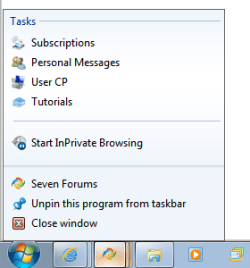
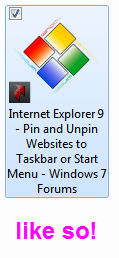
for firefox users , drag the favicon (the icon beside the url bar) to the desktop, then cut and paste it in a location of your choosing, right click on it and select properties ,in the propeties window there is a shortcut field press 7 or a key of your choice and it will automatically fill the field in with ctrl+alt+7 ,this is now the keyboard shortcut for sevenforums.
tip : when you drag the favicon make sure the page you drag it from is the index page of the forum or your sevenforums homepage ,basically the page you always prefer the forum to open with.
also whilst in the properties window you can click change icon and browse to an icon of your choice,
this shortcut you have created can also be dragged and pinned to the taskbar
My Computer
Computer Manufacturer/Model Number
Hewlett packard/p6512uk
OS
Microsoft Windows 7 Home Premium 64-bit 7600
CPU
IIx4 amd athelon 635 processor
Motherboard
FOXCONN 2AA9
Memory
2x2gb
Graphics Card(s)
ati radeon HD 5450
Sound Card
(1) Realtek High Definition Audio (2) AMD High Definition
Monitor(s) Displays
samsung lcd tv 32"
Screen Resolution
1360x 768
Hard Drives
(1) WDC WD10 01FAES-60Z2A0 SATA Disk Device (2) Maxtor OneTouch USB Device (3) ST310003 33AS USB Device (4) WD My Book 1111 USB Device
@ICit2lol: I was going to post a sarcastic remark about this old man "pulling up his pants and adjusting his braces" (drag the taskbar up) :sarc: when lo and behold.... boohbah posted.
Now I want to know how his taskbar is organized into nice little packets. Some "Group by" setting? Some Jedi mind trick?